
Why Business Logic Flaws Slip Through Standard Security Scans
Security teams confidently run automated scanners and assume their applications are fully locked down. That is a dangerous mistake. Standard scanners look for structural syntax errors like SQL injection, completely missing the flaws built into your operational workflows.
According to reports, 98 percent of web applications remain vulnerable to some kind of attack. A huge portion of this risk comes from business logic flaws where an attacker uses legitimate features in unintended ways.
An automated tool cannot understand human intent or notice when a user alters code parameters to bypass a payment step. You are left with a false sense of safety. This blog breaks down why scanners fail to detect logic abuse and how you can fix it.
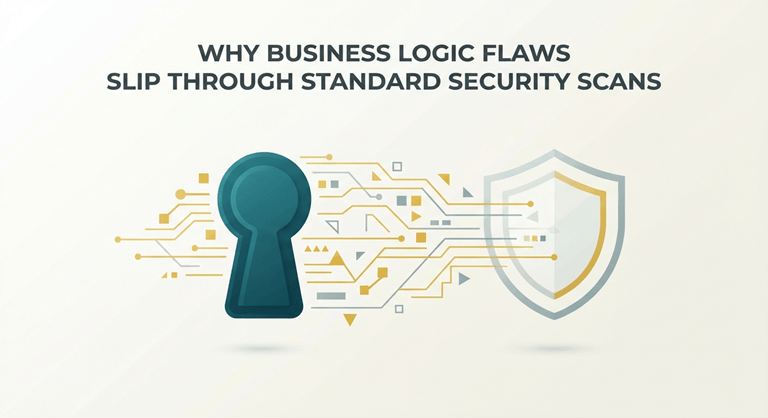
What Are Business Logic Flaws in Application Security?
Business logic flaws are distinct design bugs where an application behaves exactly as it was coded, but not how the creators intended. Attackers exploit these gaps by manipulating legitimate workflows to bypass security controls or access unauthorized data.
According to the OWASP Top 10, these vulnerabilities often map directly to broken business logic and broken object-level authorization. They occur because standard automated scanners look for structural flaws like SQL injection rather than contextual flaws in human logic.
Recent data from the positive technologies application vulnerability report shows that logic flaws affect over 60 percent of web applications. This statistic highlights why relying on traditional automated testing leaves a massive security gap in your system.
Why Standard Security Scans Fail to Detect Business Logic Flaws
They fail to detect business logic flaws because automated tools lack human context. Scanners identify known code vulnerabilities but cannot understand the intent behind application design or legitimate operational workflows.
Scanners Lack Human Context
Automated vulnerability scanners rely heavily on fixed signatures and pattern-matching rules. They are good at finding technical bugs like cross-site scripting. However, they cannot understand human intent, business requirements, or how a user is (or will) interact with the system.
Rules Miss Workflow Context
Dynamic application security testing tools evaluate software by sending predictable payloads to inputs. They can verify if an application crashes or leaks information, but they can’t determine if skipping a payment step or changing cart quantities violates your core business rules.
Static Analysis Cannot Reason
Static application security testing examines the source code without executing it. It looks for insecure functions and structural coding errors. It is fundamentally blind to operational flaws where valid code constructs are combined to abuse the intended process flow.
Access Controls Are Complex
Automated tools struggle to map complex relationship structures like role-based access control. Also, a scanner cannot judge whether user A should view the account details of user B. Without this context, broken object-level authorization risks remain completely undetected.
Behavioral Anomalies Bypass Detection
Traditional scanners search for actual technical errors, such as database stack traces. While the hackers use legitimate application features in unintended sequences. Because the application processes these requests successfully, the scanner registers the activity as normal behavior.
Real-World Examples of Business Logic Vulnerabilities
Attackers can legitimately exploit various parts of applications where logic is involved and is not tightly controlled. Here are some common examples of what hackers play with.
E-Commerce Price Manipulation
Hackers take advantage of online shopping carts by changing the important parameters during checkout time. By modifying the price field to a negative value or zero in the HTTP request, they get costly items for free while the payment gateway processes the transaction as valid.
Broken Object Authorization
This vulnerability occurs when an API relies on user input for identification without verification. Here, the attacker changes a specific account ID in the browser URL to access private financial statements, bypassing the authentication step because the system fails to validate user permissions.
Referral Bonus Abuse
Many digital platforms offer financial rewards for inviting new users. What hackers do is use automated scripts to sign up thousands of fake accounts using their own referral links. It also drains promotional marketing funds by exploiting flaws in the verification system workflow.
Privilege Escalation Exploits
Users often exploit flaws in multi-step account registration forms. By appending a parameter like admin= true to a regular user registration payload, the system grants the permission only administrators should have, and this makes a business logic attack possible.
The Hidden Cost of Undetected Business Logic Vulnerabilities
Undetected business logic flaws cause massive financial and reputational damage. Unlike standard technical bugs, these vulnerabilities allow attackers to drain company funds and steal data by exploiting legitimate workflows completely unnoticed.
According to the IBM Cost of a Data Breach Report, the global average cost of a data breach has reached 4.44 million dollars. A large portion of this expense stems from prolonged attacker dwell times.
Fixing these flaws late in production increases remediation expenses significantly. Prioritizing continuous application security testing helps organizations protect their revenue and maintain user trust before attackers exploit hidden operational gaps.
Best Practices to Prevent Business Logic Flaws (from the Start)
To prevent logic flaws, you need to look beyond syntax errors and secure the actual design, intent, and operational workflows. Here is what you can do to get it right:
- Perform Threat Modeling Early: Check your application architecture during the design phase. Identify potential trust boundaries and think like an attacker to uncover workflow weaknesses before writing any code.
- Use Strict Server-Side Validation: Never rely on client-side controls to restrict data. Validate all user inputs, parameters, and transaction states directly on the server to prevent parameter manipulation.
- Implement Robust Access Controls: Authorize every user request explicitly at the object level. Ensure the system verifies permissions for every API call to mitigate broken access control risks.
- Define Clear Business Rules: Document all application workflows explicitly. This allows the developers and security team to not make any assumptions about how different components interact and handle unexpected user states.
- Run Regular Code Reviews: Use human peer reviews to play with operational logic. Because it can help you catch design flaws and contextual errors that basic automated scans keep missing all the time.
- Adopt Continuous Pentesting Tools: Integrate ZeroThreat.ai directly into your CI/CD pipeline to automate exploit validation and business logic testing. This allows your team to combine continuous, automated security testing with periodic manual assessments for faster, more comprehensive issue detection.
To Wrap Up
Relying solely on automated scanners creates a dangerous security blind spot. Traditional tools are built to find structural code vulnerabilities, but they remain totally blind to flaws in human logic and context.
A hacker can bypass the scanners easily with their tricky ways to exploit app workflows. They exploit the system by abusing basic normal functionalities, keeping standard signature-based testing completely blind to the ongoing breach.
Securing modern applications requires shifting toward continuous exploit validation and manual logic reviews. Validating design intent from the start ensures your development teams find and fix behavioral flaws before production.
Popular on OTW Right Now!


About The Author

Gagan Bhangu
Founder of otechworld.com and managing editor. He is a tech geek, web-developer, and blogger. He holds a master's degree in computer applications and making money online since 2015.