
GIF Face Swap AI Free: How to Swap Faces in GIFs Easily
Face-swapped GIFs are everywhere right now, from group chats to meme pages, and most of them aren’t made in Photoshop anymore. A free GIF face swap AI tool can now track motion, lighting, and expression frame by frame, so a swapped face moves and blinks the way the original one did. It’s a huge change from the past when a static face pasted on a moving clip made it look stiff and fake in 2 seconds or less.
This article walks through how these tools actually work, what separates a good free option from a clunky one, and how to get a usable result without installing anything heavy on your device.
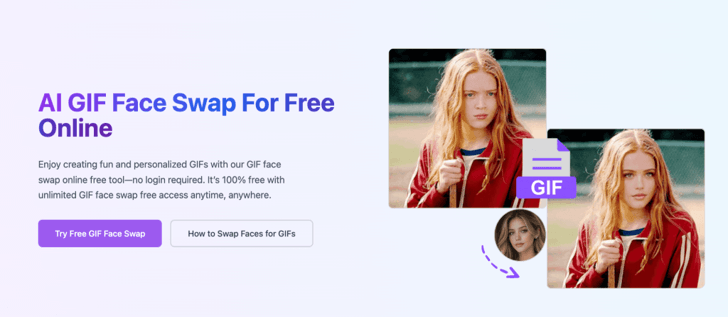
How Does a GIF Face Swap AI Free Tool Work?
A GIF face swap AI free tool works by mapping facial landmarks — eyes, nose, jawline, mouth movement — onto every frame of the GIF and replacing them with a new face while preserving the original motion and lighting. For each frame, the AI basically acts as a mini portrait shoot, and then glues them together again to maintain the flow of the animation.
Under the hood, most of these tools rely on a few core steps:
- Face detection – the software locates the face(s) in the source GIF, frame by frame.
- Landmark mapping – key points around the eyes, brows, nose, and mouth are tracked to preserve natural movement.
- Face generation and blending – the new face is generated and blended onto each frame, matching skin tone, lighting angle, and head rotation.
- Recompiling the GIF – the edited frames are reassembled into the final animated file.
When it comes to quality, it’s typically about motion blur and side angle of the tools. Weaker models collapse as soon as the head is twisted over 20 or 30 degrees, while a stronger one will last throughout the clip.
Do Free Tools Actually Work Well?
Yes, but there are some compromises. The free versions usually limit GIF length, resolution, or the number of swaps per day, and some impose a watermark if you don’t pay more. But if you want to make a meme or a one-time joke to send to friends, a free tier can typically suffice — you don’t need studio-quality output for a GIF that will be looked at for three seconds and forgotten.
Choosing the Right Free Face Swap Tool
Not every “free” tool is actually free in a way that respects your time or your data. A few things worth checking before uploading a clip:
- File size and length limits – some tools reject anything over a few seconds or a few megabytes.
- Privacy policy – check whether uploaded faces are stored or used to train future models.
- Output quality on mobile – a lot of these tools were built browser-first and render oddly on phones.
- Watermarks – free tiers often stamp a logo in the corner; decide if that’s a dealbreaker for your use case.
If you’re trying out multiple options, make sure to test the same small GIF on each of them. The quickest way to determine which engine can move rather than make a good single frame.
Practical Uses Beyond Memes
People assume face-swap GIFs are purely for jokes, but there are a handful of practical, less obvious uses too:
- Content creators use them to test thumbnail concepts or reaction GIFs for social posts.
- Small teams build quick internal joke GIFs for Slack culture without hiring a designer.
- Educators and presenters occasionally use face-swapped animations to keep a slide deck lighthearted.
When a batch of results is satisfactory, they’ll typically want the descriptions or captions to be written in a place where they can easily be located and organized, instead of being channeled into various chat rooms. One thing that’s often requested at this time is something like “isay Google docs mein kr do” — that is, upload the write-up into a Google Doc rather than into a download folder. The only thing you are doing in that habit is saving a lot of hunting later when you’re asked, which GIF is which?
Keeping Track of Your Edits
If you are generating more than a few swapped GIFs, have a simple log of the source file, the tool used, and the date. It seems like a waste until the 5th iteration of a project arrives, and no one can recall which GIF was used with which settings. Again, a quick “isay Google Docs mein kr do” moment comes in handy — once more, a shared doc with links and short notes is better than having to sift through a downloads folder every time.
Limitations Worth Knowing
Free GIF face swap AI tools aren’t flawless. Head turns that happen quickly, or low-quality GIFs or poor lighting in the clip will make the swap noticeably less effective. Some tools even have problems with GIFs that have multiple “faces” in a single frame, often switching to the wrong face or merging two faces together. None of this said, the tools are not useless; it means that short, well-lit, and front-facing clips produce the cleanest results, and not fast action shots.
Not to be overlooked, either, is the ethics component, which is easily overstepped whether it’s in a humorous GIF or not. These days, the vast majority of respectable free apps will demand that the uploaded face be either your own or explicitly consented, and that is a fine standard to adhere to if anything a platform technically permits.
Conclusion
The GIF face-swap AI-free tool has evolved from a novelty into a viable tool for content creation, creative experiments, and casual humor. The technology is now much better with motion and lighting than it was a few years ago, but free tiers still have their limitations, and there are things to consider before you agree to a project on one platform. Test out a piece of it first, compare a few tools, and when you see something you think is worth saving, document it somewhere else so you don’t forget about it in a week — a Google Doc, a note, anything else but a downloads folder.
Popular on OTW Right Now!


About The Author

Gagan Bhangu
Founder of otechworld.com and managing editor. He is a tech geek, web-developer, and blogger. He holds a master's degree in computer applications and making money online since 2015.