
How To Avoid Fake Websites On The Internet
Scams are rapidly increasing everywhere. You get an email from your bank that tells you about a massive issue and tells you to change your password.
Do not act on such an email, as it could be part of a phishing scam. The fake email claims that if you don’t click, all the money you lost from the bank will be lost. Nowadays, dear result or fake websites have become a common danger to internet users, and you may still have issues identifying them.
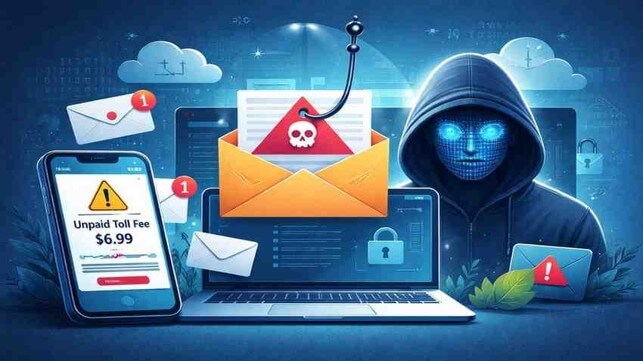
Scammers scare you by claiming they are calling from the bank. If you don’t share your information, such as your credit card number or account password,s you lose all your money. This article will help you understand what is real and what is fake on the web to stay out of harm’s way.
How to know if the website is safe or a scam?
If you don’t know the answer to that right now, we are here to tell you which URL is safe for you.
Below are the URLs that are safe and how it works:
A common trick of scammers is that they use phishing tricks to send fake emails with harmful links. Before you click any link in an email, make sure from a trusted source. A phishing website looks like a real website, such as your bank’s website.
To know about a fake site check carefully check the website and URL. If you see any misspelled words or extra letters, numbers, or anything different, then it’s a fake site. This is the easiest way to understand fake websites with this kind of thing.
You can easily identify a phishing website and stay away from this URL and site. If you receive this kind of link that has the text www.gooogle.com
Then don’t click this type of link because it is not real on the Google website. At first when you see it looks correct, but when you look carefully, you will notice something is written in this URL, such as an extra “o” in the web address. Before clicking any link, always check the URL.
Here are the elements of a website that scammers can control:
Content: The first thing to know is whether the link is fake or not. If you look carefully, you can see that everything is copied to look like a real website, so a fake website looks like the original.
That’s why your browser may not warn you that you are on the fake page. Before clicking any URL, check the website address. If it looks different, then it is not real.
Favicon. Scammers are smart. They take the Google favicon seen at the top left and use it on a fake website.
Domain. Scammers cannot use the real website address, such as Google. com. They create their own which look similar to real website addresses to fool people. For example, they may use google.com or google-login. com. Always check the website before entering your personal information.
Subdomain: Most of the time, scammers use a web address that looks real, such as Google.com. search-source. com. At first, when you see it, you think that is the real Google website, but it isn’t. The search “Shillong teer result” shows that the real website is search-source.com and Google. com is just part of the fake address. Always read the full URL carefully before clicking.
SSL certificate: Green padlocks are the symbols of fake websites. The address bar gives a fake feeling of safety. Any website can purchase such a certificate unless it’s EV (more on that below).
Does the website use valid, legitimate SSL/TLS certificates?
Trusted websites, especially bank and online shopping sites, use this kind of link: HTTPS instead of HTTP in their web address.
The HTTPS lock icon means the website uses an SSL/TLS certificate to encrypt your connection and save your data. But HTTPS does not always mean a website is safe. Sometimes scammers use HTTPS on fake websites. So don’t trust the website just because of the lock icon.
If you want to check if a website SSL/TIS certificate is valid, click the padlock icon next to the website address in your browser. These steps may vary slightly depending on your browser, but the instructions below are for Google Chrome.
Download the website you want to check
- To open the site information window, click the padlock icon next to the address bar.
- Tap on Certificate
- Select the Details tab
- Check the subject field
The information you see depends on the type of SSL certificate a website uses.
A Domain Validation (DV) certificate only shows the website’s domain name. It doesn’t give full information, so you have to check whether the domain name looks real. Every trusted company uses higher levels of verification.
Popular on OTW Right Now!
-
 Why Business Logic Flaws Slip Through Standard Security Scans
-
 From Antivirus to Algorithms: How the Meaning of “Safe Online” Has Changed
-
 Cloud Security Should Measure Authority Drift, Not Just Misconfiguration
-
 Building Digital Trust: How Organizations Are Strengthening Their Defenses Against Evolving Cyber Threats


About The Author

Gagan Bhangu
Founder of otechworld.com and managing editor. He is a tech geek, web-developer, and blogger. He holds a master's degree in computer applications and making money online since 2015.