
7 Signs Your Team Needs A Virtual Whiteboard For Better Planning
Project planning truly is difficult when it is not clear how to organize the whole thing. Employees get puzzled while organizing a pile of scattered notes, undefined goals, and limited communication. Such situations lead to frustration regarding where to start, what to include, and what objective to follow.
Trusted and efficient tools like Lucidspark can help teams create a more integrated space for sharing concepts and planning projects cohesively. The visual way of presenting information helps employees see the situation clearly and reach common goals. Let’s learn the key signs that show when your team may need a virtual whiteboard for better planning, which is explained in this guide.
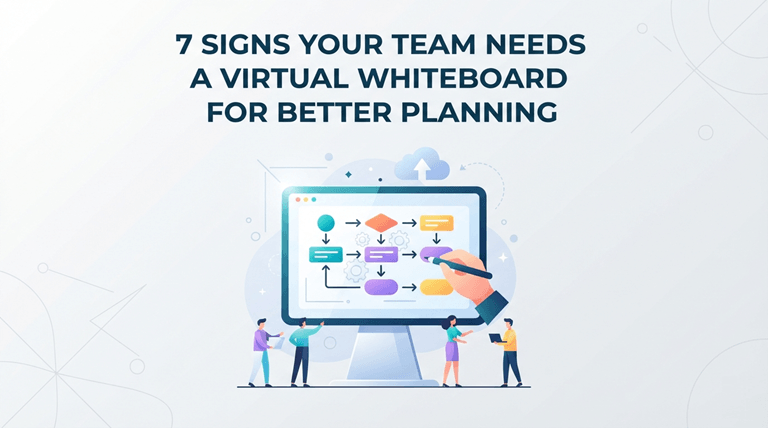
The following signs will help you identify problems early and choose suitable tools for smoother collaboration.
1. Ideas Get Lost Across Multiple Platforms
Typically, teams gather ideas by email, text message, documents, and various applications as they work. With the information spread out in different communication channels, employees can find it difficult over time to find the important ideas. This can result in individuals failing to notice helpful ideas when formulating plans and making decisions.
Workers can collect all the ideas on a virtual whiteboard in a single space that is organized. They will be able to see previous suggestions, add more ideas, and keep better track of the planning process. It ensures workers have the important information that they need and lessens the disconnection of resources.
Steps To Organize Scattered Ideas With A Virtual Whiteboard
Create A Shared Workspace: First, create a common board where members can add, review, and manage their ideas together.
Add Existing Notes And Suggestions: Organize important content from emails, documents, or messages into the virtual whiteboard for easy access.
Arrange Ideas Into Clear Groups: Group and Label/Section similar ideas together to help organize for understanding.
Review Ideas With Team Members: Allow members to check suggestions, share feedback, and discuss important points in one shared space.
Update Plans Based On Discussions: Make revisions to plans following conversations so that the board includes all new decisions and priorities.
2. Meetings End Without Clear Next Steps
Meetings are a good place to get some great ideas but are not followed up with a clear path. Members may recall different information, and this causes confusion in determining next steps. If there is no clarity about the responsibilities and priorities, it can lead to unnecessary delays that will affect the project.
A shared visual workspace enables teams to organize meeting discussions and make key decisions easily visible. After each session, employees can identify key points, priorities, and understand responsibilities. This makes planning easier in the future as everyone is on the same page and gets the same information.
3. Remote Workers Struggle To Share Their Thoughts
With the limited amount of discussion time in an online meeting, remote employees may not be able to share their ideas. It may take some time to get their ideas organized before they can add their valuable opinions. This may lead to fewer views and poorer-quality decisions.
A virtual whiteboard can allow remote workers greater flexibility in conveying their ideas. Without being limited to in-person discussion, remote employees can share ideas and feedback, along with reviewing discussions. This will put everyone in the same boat and make it more comfortable for all employees to equally participate, regardless of location.
4. Complex Projects Feel Difficult To Explain
Large projects are likely to have several departments, responsibilities, and interrelated tasks and will need to be coordinated. If such details are explained in a regular document, then it can be difficult for employees to understand. Groups can become lost in the details of important connections among project components.
Information can be more comprehensible when planning it visually on a virtual whiteboard. The staff members can discuss project information, connect related concepts, and see the broader picture as a group. This can make it more possible to discuss complicated issues in a more lucid way and make better decisions.
5. Team Members Have Different Views About Project Goals
Staff may have initial thoughts on what they think the outcome of a project will be and the aims they will achieve. These variations may lead to misunderstandings across departments and impact the performance of tasks. Research published in the NCBI highlights that workers with clearly understood goals and open decision discussions show stronger communication and engagement, which are important for successful collaboration.
A virtual whiteboard can establish a common goal of the project and project expectations. Members have the opportunity to go over important information as a group and discuss where they need to improve in their understanding of the information. This can help keep departments aligned and avoid misunderstandings during various stages of the project.
6. Brainstorm Sessions Lack Equal Participation
In brainstorming sessions, some employees will make more contributions than others. In brainstorming sessions, some of the employees will have more to say, and some will be quiet. This imbalance can make it challenging for groups to uncover beneficial tips from less vocal members. Eventually, if there is not enough participation, it could impact creativity and the number of solutions that are available.
It’s another tool on the virtual whiteboard for employees to add their ideas to the conversation. Here you can brainstorm, go over suggestions, and engage without getting immediate feedback. This encourages broader involvement and helps collect opinions from everyone involved.
Factors To Consider While Using A Virtual Whiteboard For Brainstorming
- Simple Access For All Members: Select a platform where all members can access it effortlessly and contribute their concepts.
- Clear Organization Of Ideas: Organize suggestions appropriately using categories or sections to enable employees to learn the different thoughts rapidly.
- Equal Opportunity To Participate: Develop a method to ensure that each member has an opportunity to make their suggestion.
- Easy Feedback Sharing: Choose tools that enable staff to provide feedback, review ideas, and brainstorm suggestions in groups.
- Regular Updates and Follow-Ups: Update the board after discussion to ensure that members are aware of changes and decisions made.
7. Teams Spend Too Much Time Organizing Their Plans
Teams often waste hours trying to organize notes, update files, and look for critical information about the project. Employees may find themselves having to work through multiple locations, and may not be aware of the latest developments on the materials. This can help impede progress and make coordination of day-to-day tasks more difficult.
A virtual whiteboard enables employees to organize significant data in an easier and more attainable way. Staff can plan, monitor, and review changes without having to look at several sources. This makes their planning more efficient and helps them focus on achieving their goals.
The table below highlights useful ways to apply it, their purpose, and common mistakes to avoid.
| Ways To Use A Virtual Whiteboard | Purpose It Serves | Mistakes To Avoid |
| Create project roadmaps | Helps understand the overall direction | Don’t add too many details that make the roadmap difficult to follow |
| Build decision-making frameworks | Allows workers to compare options and choose suitable solutions | Don’t make decisions without considering input from key members |
| Design customer journey maps | Helps understand customer needs and improve experiences | Don’t focus only on internal views instead of customer expectations |
| Design customer journey maps | Keeps responsibilities clear and helps monitor progress | Don’t leave tasks without owners or completion dates |
| Create team strategy boards | Helps employees connect daily work with larger business goals | Don’t add unrelated information that distracts from main objectives |
Organizing ideas, discussions, and tasks makes it easier for organizational departments to make better plans, in Lucidspark or any other reliable visual collaboration tool. Select the best virtual whiteboard solution to support better collaboration and prevent these typical planning problems. Discuss appropriate virtual whiteboard solutions for better planning and teamwork.
Popular on OTW Right Now!


About The Author

Gagan Bhangu
Founder of otechworld.com and managing editor. He is a tech geek, web-developer, and blogger. He holds a master's degree in computer applications and making money online since 2015.