
Why a Firewall Alone Doesn’t Fully Protect Your PC
Firewalls are often seen as the foundation of computer safety. However, while they serve a critical purpose as the first layer of defense, just having a firewall isn’t enough to completely protect your computer.
They’re simply not designed to handle every type of online threat, and the way people use computers—and how attackers target them—continues to evolve.
To better understand why it isn’t enough, let’s look at what a firewall actually does, what it doesn’t, and what else you need for all-around PC protection.
What a Firewall Actually Protects
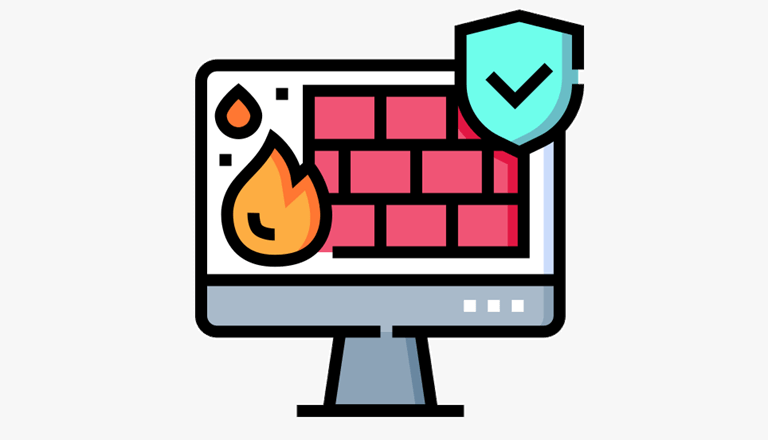
A firewall essentially acts like a security guard between your computer and the internet. It allows or blocks traffic from the internet based on a set of rules, such as which apps are allowed to send data or which incoming connections should be rejected.
However, while your firewall checks what’s coming in and out of your computer, it typically doesn’t examine everything it brings.
It’s important to mention that some firewall capabilities vary. For instance, advanced next-generation firewalls can perform deep packet inspection, but most home users rely on simple firewalls.
Sticking with the guard analogy, your firewall doesn’t go through everything inside people’s bags and might not notice if they’re carrying something harmful.
This is why firewalls are considered the first layer of internet protection, but not a complete security solution on their own.
Many Attacks Don’t Look Dangerous
One of the biggest reasons firewalls aren’t enough is that most modern attacks are subtle. They don’t look dangerous from the outside.
When you open an email, visit a website, or download a file, your firewall usually sees this as normal, harmless activity because you always do these things anyway. So if that email or website is fake or harmful, the firewall has no easy way to tell.
This is why phishing scams are so common and effective, with 63% of Americans reporting they receive scam emails at least weekly.
The firewall can’t do anything if the user willingly clicks a link or enters their password—it’s simply not part of their job.
Encrypted Traffic Hides More Than You Think
In the same vein, firewalls also struggle against encryption, which makes it harder for them to see what’s inside the data being sent.
And with the majority of internet traffic today being encrypted, it becomes very clear why PCs need more than basic firewalls to be protected.
This actually makes encryption a bit of a double-edged sword. It’s good for privacy, but it also makes it harder to protect against harmful data.
Problems That Start Inside the PC
Firewalls protect your PC from external threats (e.g., those that come from the internet), but can’t do much about internal threats, or those that begin inside the computer itself.
For example, a USB might bring in a harmful file, a fake software update, or an email attachment that, once again, might look completely normal.
And once such things are already in your PC, it may not need to break any of the firewall’s rules. The malware already uses the internet like any of your other apps, making it almost impossible for the firewall to stop it.
To handle these threats, protection needs to come from software that actively watches installed programs.
Firewalls Can’t Keep Up With New Tricks
Firewalls mostly rely on known patterns and rules. This means they work against traditional, well-known threats, which there are still many of.
However, attackers—who already know that they need to bypass firewalls—are always coming up with new tricks.
While firewalls are routinely updated with new information, they cannot keep up with all new attacks.
In essence, it’s a useful filter, but not an intelligent decision-maker that can tell the difference between normal activity and harmful behavior.
Misuse and Misconfiguration Are Common
Another issue is how firewalls are set up. Many people never review their firewall settings after turning their PC on for the first time.
Over time, apps may be allowed more access than they should have, or rules may conflict with each other.
So while a firewall might be active, it might offer weaker protection than it could.
What You Need for All-Around PC Protection
So, what else do you need for holistic PC protection? How do you fill in the security gaps that firewalls don’t?
1. Security Software That Monitors Your PC
Firewalls focus on network traffic, not what the programs in your PC are actively doing. That’s why you also need security software that runs directly on your PC.
For most people, built-in OS protections like Windows Security or third-party anti-malware tools are more than enough.
These can stop threats even after they’ve made it onto your computer, something a firewall alone usually can’t do.
2. Protection on Untrusted Networks
Unsecured Wi-Fi networks—which are most public Wi-Fi networks, such as those in cafes or airports—are also a common source of threats. This is especially true in today’s era of remote work.
To remedy this, most people use a VPN in addition to firewalls and antivirus software to encrypt connections. Read more information on what VPN stands for and how it protects your PC.
3. Regular Software and System Updates
Attackers rely on exploiting known flaws in systems. To address this, keep your OS, browser, and other programs updated, as they typically include security patches that fix these flaws.
Such updates close security gaps before attackers can use them, making them one of the simplest but most effective defenses.
4. Safer Everyday Online Habits
At the end of the day, no security tool can completely protect a user if they’re making poor decisions. According to the Mimecast report, 95% of all data breaches are caused by human error. Truly, many attacks succeed not because software failed to detect threats, but because someone was tricked. To solve this, it’s important to mitigate these risks by promoting technical knowledge and good habits:
- Being cautious with email links and attachments.
- Avoiding downloads from unknown sources.
- Double-checking websites before entering passwords or personal information.
These small actions are just as important, if not more important, than having effective security programs.
The best part is that an everyday user can easily implement these additional security tips and enjoy their computer with peace of mind.
Popular on OTW Right Now!
-
 Cloud, Security, and Infrastructure: Connecting the Pieces of Business IT
-
 Secure the Full Conversation: A Four-Layer Model for Governed Enterprise Communications
-
 How to Choose Secure Infrastructure for Privacy-Sensitive and High-Bandwidth Workloads
-
 Top Enterprise Security Platforms for Multi-Cloud: 2026 Comparison Guide



About The Author

Gagan Bhangu
Founder of otechworld.com and managing editor. He is a tech geek, web-developer, and blogger. He holds a master's degree in computer applications and making money online since 2015.