
Cross-Platform Tutorial: How to Remove Watermarks to Avoid YouTube Shorts
Algorithm Penalties
YouTube Shorts is a massive opportunity for creators to grow their audience. You can reach millions of people with short, punchy videos. Many creators use multiple platforms, like TikTok or Instagram, to edit their clips. You may have the illusion that you can simply re-post your videos from one app to another. By doing so, you are likely to witness very poor performance. YouTube is not interested in advertising content containing the logos of other applications. They desire their platform to be different and distinct. The algorithm will restrict your reach in case your video has a TikTok logo or an Instagram icon. You have to find a means of eliminating these marks to retain your views and your channel growth.
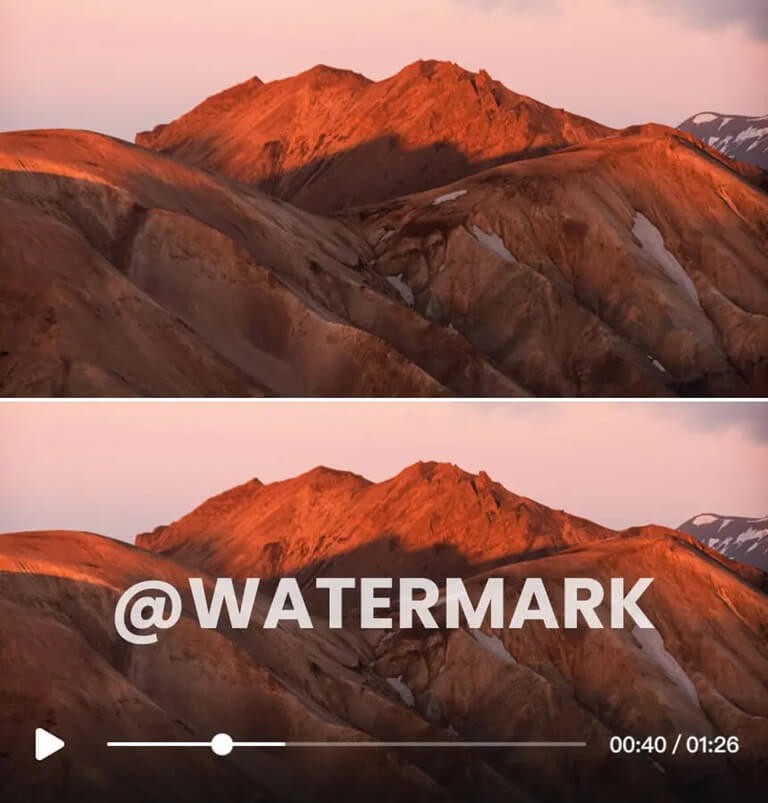
You can use a Video Watermark Remover to solve this problem quickly. This tool allows you to take a video from any source and clean it up. It uses smart technology to fill in the gaps where the logo used to be. This makes your video look like it was filmed specifically for YouTube. When the algorithm sees a clean video, it is much more likely to push it to the Shorts feed. This simple step can be the difference between ten views and ten thousand views.
Some creators use advanced AI tools to generate their clips. If you use these, you might find specific branding on the output. The Sora Watermark Remover is a great option for these specific cases. It handles high-quality video files while maintaining the original resolution. This ensures your content stays sharp and professional. You do not want to sacrifice quality just to remove a logo. Using the right tool keeps your pixels intact and your viewers happy.
Step-by-Step Guide to Removing Watermarks
It is not so difficult to remove a watermark. It does not require a professional video editor to achieve excellent results. Clean up your videos to make them YouTube Shorts.
Step 1: Prepare Your Source Video
The first one is that you must have your video file on your computer or phone. When you are downloading a video through TikTok, first, you should download it through the app’s options. Although it may contain a watermark, it is worth having the best resolution possible. The initial quality is the higher the quality of the outcome will be. Save your file in a folder where it is easily found.
Step 2: Choose Your Removal Tool
Go to a trusted watermark removal service using your web browser. You desire a tool that would operate in your browser to avoid downloading heavy software. Seek a clean interface that is easy to comprehend. The majority of the good tools will contain a large upload button on the home page.
Step 3: Upload the Video File
Click upload and choose your video. This may take a few seconds or a minute, depending on your internet speed. The majority of tools accept such common formats as MP4 or MOV. After uploading the video, a preview window will appear. The actual work of picking the logo will be done here.
Step 4: Select the Watermark Area
Select a watermark with your finger or mouse. You would like the box a little bigger than the logo itself. When the watermark is floating on the screen and it frequently changes places, as is the case with TikTok videos, you might have to mark several areas or use a timeline option. Ensure that all frames that the logo is in are covered. Even then, the YouTube algorithm may pick you up.
Step 5: Process and Preview
To begin the removal process, press the button. The AI will examine the pixels surrounding your choice and make an educated guess of what is behind the logo. It takes up this gap with the colors and the textures of the rest of the video. After it is finished, see the preview. Take a closer look at the place the logo was. It is supposed to appear natural and smooth.
Step 6: Download the Clean Video
When you are satisfied with the result, press the download button. You should save the new version under a different name so as not to confuse it with the original. You now have a clean and professional video that is YouTube Shorts-ready.
Comparison of Removal Methods
| Method | Effectiveness | Quality Loss | Ease of Use |
| Cropping | Low | High | Easy |
| Blurring | Medium | Medium | Medium |
| AI Removal | High | Low | Easy |
| Overlaying | Low | Low | Medium |
Tips and Best Practices for High Quality Shorts
Removing the watermark is not the last step. There are additional rules to be followed in order to be a real winner on YouTube Shorts. These are tips that will ensure that you are ahead of the competition.
You should never miss the corners of your video. In some cases, watermarks are either faint or semi-transparent. You may not see them on a small phone screen, but you will see them on a desktop. You should consider watching your video on a bigger screen before uploading it. This assists you in identifying minor errors that may attract a penalty.
Maintain your aspect ratio to 9: 16. YouTube Shorts are vertical. By deleting a watermark by cropping the video, you may alter the frame. This may leave you with black bars on either side or the top of your video. Black bars are detested by users and will be swiped away. Apply AI removal as an alternative to cropping to maintain the entire vertical frame.
Monitor your frame rate. The motion may begin to resemble choppy if you subject your video to too many different tools. Attempt to use tools with an export frame rate of 30 or 60 frames/second. High-quality content has smooth motion. It keeps the audience entertained and contributes to your retention rates.
Pay attention to the audio. Watermarks cannot be all visual. Other applications provide a little sound bite after the video. These audio signatures are easily recognized by YouTube as visual logos. Cut the final second of your video in case it has audio that is platform-specific. Within the YouTube application, you can add your own music or voiceover to remain safe.
Common Mistakes to Avoid
Numerous creators commit simple mistakes in their attempts to circumvent the algorithm. These errors will save time and frustration.
This is one of the greatest errors to leave behind a grey smudge in the place where the logo was. In case the removal tool is not of high quality, it may only blur the area. The algorithm is a red flag that there is a big, blurry spot in the corner of the screen. It shows that the content was edited to hide something. Use a tool that really replaces the pixels instead of blurring the pixels.
The other error is to forget about the end screen. Some apps leave a huge logo on a black screen at the very end of the clip. You can forget to cut this off, and this will still make your video penalties. It is always a good idea to review the last few frames of your video before you press the publish button.
Use no low-resolution downloads. When you download a video on a social application using a third-party site, it may provide you with a low-quality version. Then you put that through a watermark remover, and the quality is even worse. It is always better to attempt to get the original file. In case you should download it, a service providing HD options is necessary.
Avoid over-editing. You will not have to overload it with filters and stickers to conceal a watermark. This tends to leave the video disheveled. It is always better to remove something clean and simple than attempt to cover it with a giant emoji. This is aimed at ensuring that the video appears not to have been touched.
Why YouTube Penalizes Watermarked Content
You may be asking yourself why YouTube is so preoccupied with a small logo. This is just due to simple competition. YouTube aims to be the first place of short form video. When their feed is filled with videos that are obviously made on TikTok, it makes YouTube look like a second-rate platform. It looks like they are just hosting “leftover” content.
By censoring these videos, YouTube will be motivating the creators to produce original content on its site. They want you to make use of their camera, their filters, and their music. In case you do use other tools, they would like the end product to appear as if it belongs to YouTube. Clean videos have a superior user experience. The content must appear native and professional to the user; otherwise, there is a chance of the user abandoning the app.
Conclusion
YouTube Shorts channel is expensive to develop. You must think of something, shoot the video, and cut everything just right. Do not disregard all your hard work and leave a watermark on your video. An easy and fast method of protecting your reach is to use a removal tool. It makes sure that the algorithm recognizes your content as original and of high quality.
Once you eliminate logos, you are introducing yourself to far more view counts. You are able to use your best work of any platform and repurpose it on YouTube. It is just to remember that you need to check your quality, aspect ratio, and audio trim. By following these tips, you will be on your way to viral success. Begin cleaning your videos and as your channel grows.
Popular on OTW Right Now!




About The Author

Gagan Bhangu
Founder of otechworld.com and managing editor. He is a tech geek, web-developer, and blogger. He holds a master's degree in computer applications and making money online since 2015.