
How Automated Invoicing Software Is Saving Freelancers Hours Every Week
As described in the Sunday night routine scenario, reformatting the same invoice for the third time this month (and therefore not billable) instead of watching the end of that movie you wanted to see (20 minutes or so) can eat up a lot of your evening. You’d think the actual writing of the invoice is the fast part, but it rarely is.
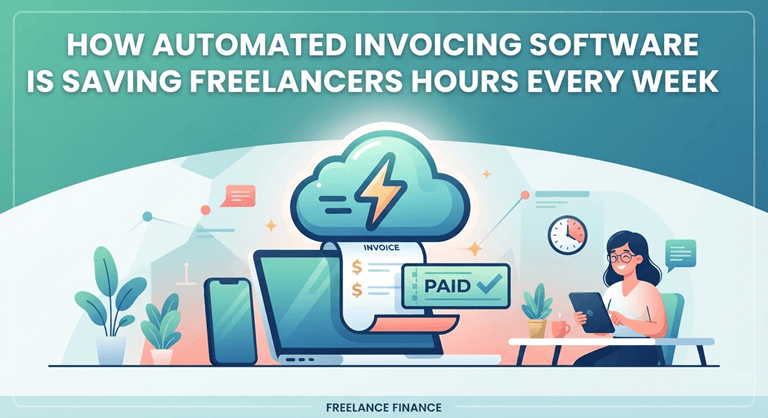
Once you factor in double-checking rates, matching each client’s formatting quirks, and making sure the terms are right before you hit send, what looks like a quick task quietly eats a chunk of your evening, and you’re doing this for five or more clients every week.
This means that the time spent on reformatting invoices for different clients can add up and be time-consuming. The time spent calculating the correct amount to charge clients also adds up. The time spent creating accounts for new clients can be time-consuming as well.
Depending on the freelancer, this can mean spending hours on end creating and sending invoices each week. This creates a never-ending cycle of invoicing that can take up hours of your time each week, the same cycle covered in Tips for Managing Your Workflow as a Creative Freelancer, where invoicing shows up as one of the most common workflow bottlenecks freelancers run into.
That’s usually the sign the process itself needs to change, not just how disciplined you are about doing it. Something like Wave’s invoicing software is built around exactly that: the recurring details get set up once and reused, so the same invoice doesn’t have to be rebuilt from scratch every time.
Freelancers typically have to rework the invoicing process every time they add a new client. The problem is that invoicing is typically done as a one-off task and isn’t set up to run regularly for each client. This means that, in addition to reworking each invoice for each new client, you also have to keep reworking the same invoice for each existing client as their terms change and new billing requirements are imposed.
This can become a major problem as the number of clients that you work with increases and the amount of time spent on tasks to create and manage each of your clients’ invoices starts to add up, requiring significant changes to the way in which your workflow is set up to handle your existing clients in order to keep up.
Where the Hours Actually Go
This has nothing to do with being disorganized. Just because you are creating invoices for individual clients does not mean that you have to re-create the entire invoice from scratch every single time for every single client.
- Writing the invoice from a template that’s slightly wrong every time
- Formatting it so it looks like it came from a real business, not a Word doc
- Sending it, then checking days later whether it was even opened
- Keeping a mental list of who hasn’t paid yet
- Writing a follow-up email from scratch because the last one doesn’t quite fit
You didn’t get paid for this time. All of this did not appear on the invoice you sent to your client. The overhead of invoicing sits on top of the work you are hired to do.
What Automation Actually Removes From That List
This is exactly what automation is meant for: removing work that needs to happen on a set date. The only challenge here is that the amount of time that can be saved is very easily overlooked. It matters more than it sounds: a survey by Clockify found that nearly half of freelancers spend around six hours a week on admin and accounting work, and invoicing is the part of that list that repeats every single week without fail.
- Writing from scratch becomes a saved template that auto-fills client details
- Manual sending becomes a scheduled send that fires itself on the same date every month.
- Checking if it was opened becomes a status label sitting right on the dashboard
- Remembering who hasn’t paid becomes an automatic reminder on a set delay
Nothing complex here. Simply remove tasks that are repeated on a scheduled basis, tasks you’d typically forget anyway. Let software complete these tasks for you.
What This Looks Like Inside Wave’s Invoicing Tool
The Setup
To set this up, you create a single recurring invoice, as described above, for your client. Once it’s set up, the invoice sends itself every month on the same date.
The Result
From there, the dashboard does the watching for you:
- A status next to each invoice: sent, viewed, or paid
- No guessing about who’s actually seen it
- An automatic reminder on a set schedule for anything unpaid
- No manual tracking of which client is now nine days late.
None of this requires daily monitoring. It runs in the background and acts as required. Even if you forget about an invoice (and you will from time to time), then it will still work as required.
The Compounding Effect
Given that we have estimated twenty to thirty minutes to send out one invoice (in addition to late payment chasing), and in the worst case we are sending out invoices for five clients, then this will take up two hours of your time per month, which could be spent on something far more valuable than just formatting invoices.
Over the course of a year, this time adds up. Don’t expect to get to spend this time reading a book or walking in the park, though. Every single moment of this time that automation saves for you can and will get used up. It won’t get added to the end of your billable hours as extra time.
Rather, it will just get tacked on to the end of your existing schedule. So don’t think of it as a bunch of hours. Just think of it in terms of a day or so each month that, before automating your invoicing, was spent by you in vain.
The Real Win Isn’t the Software
This isn’t to say that the automation itself is interesting. What is interesting is what you can do with the time that would have otherwise been consumed by such dull and monotonous drudgery.
Automating invoicing is not an efficiency tweak. Rather, it allows you to reclaim a portion of your time that was lost while you were focused on other menial tasks, to send invoices to your late-paying clients.
Popular on OTW Right Now!



About The Author

Gagan Bhangu
Founder of otechworld.com and managing editor. He is a tech geek, web-developer, and blogger. He holds a master's degree in computer applications and making money online since 2015.