
Tips for Managing Your Workflow as a Creative Freelancer
Do you write interesting copy, design logos, or edit videos for a living? Many creative roles involve being a freelancer, which means not working for one company specifically. Instead, you manage a range of clients while working independently.
As well as freedom, this type of role also comes with obstacles. You don’t have any set hours, for example, so you might find yourself working through the evening or into the night if you don’t manage your time effectively. On top of that, it’s completely up to you to manage your roster of clients so that you always meet expectations (and hopefully go above them!).
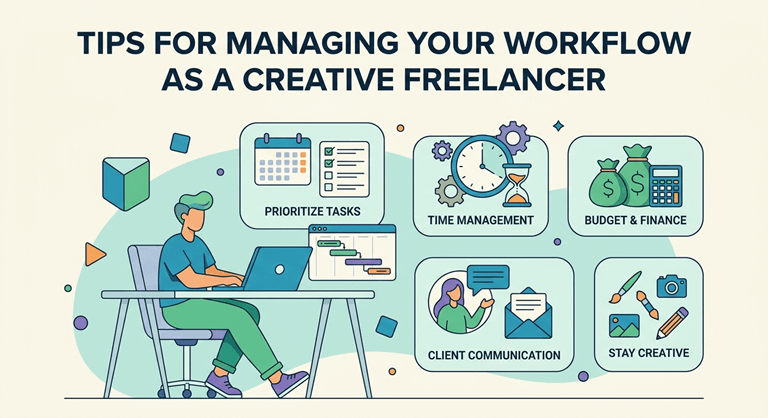
A lot of this boils down to workflow, so in this guide, you’ll find the most useful tips for managing your day-to-day tasks as a creative freelancer.
Use AI For Efficiency
The idea of telling a creative like a designer or writer to use AI seems completely wrong. After all, the creative process should come from the brain and not a computer! However, AI tools can actually be very useful – not for helping to write content or create interesting designs, but rather for managing workflow. This is especially useful for freelancers who have a very heavy workload and work for a variety of clients.
If you want to make using AI easier, you can use CometAPI as a key for all different types of AI models. This is essentially like a subscription service to multiple AI models, including ones like Gemini and Claude. This can help creative freelancers as it means you don’t have to subscribe to multiple tools (which can be very expensive). Instead, you pay for a single subscription to use AI tools for automating your workflow, making managing tasks that much simpler.
Create Repeatable Templates for New Clients
Some forms you might need to use time and time again include invoices and contracts. While they will of course differ from client to client, you can keep a general template that you won’t have to alter too much. That way, the next client onboarding process will go much smoother and faster.
Know When You’re Working (and when you’re not)
One of the biggest problems many creative freelancers experience is not knowing when to switch off. With a regular office role where everyone leaves at 5 pm, individuals know when it’s time to leave the work behind and relax by getting home at the end of the day. However, freelancers don’t have that same schedule set out for them, so it’s up to them to make their own.
So, it’s very important to set out extremely rigid rules about when you work – and when you don’t. While there might be certain times when you have a looming deadline that requires you to work past your normal hours, it’s important to stick to your schedule as much as possible to avoid burnout (and working in non-social hours).
Bonus tip: Have a dedicated workspace at home where you do nothing but work. Then, once you leave this space, your brain will tell you that work is no longer the priority.
Be Honest with Your Clients About Deadlines
Freelancers find it very easy to oversell before they’ve started the work. The last thing you want is to be juggling multiple different projects for unique clients all at once, especially if the work involved requires a lot of your creativity. There’s only so much to go around at once!
The rule here is to never tell a client a deadline you’re unsure you can reach. It’s better to give yourself more breathing room to avoid disappointing the client or providing work that simply is not up to scratch.
Use a Platform Specifically for Freelancers
To make workflow easier, there are plenty of great platforms out there, many of them especially useful for freelancers. That includes the following.
- Moxie: This platform essentially provides an all-in-one hub for freelancers. It can manage a great deal of tasks, from client tracking to invoicing to communications.
- Asana: Asana is another tool that helps with task management. Instead of helping with things like invoicing, it assists with flexible timeline keeping and collaboration.
- Bonsai: Bonsai is great for freelancers as it gives specific templates, so you can create proposals that reel in clients. It also covers invoicing, expenses tracking, and project management.
Create Priority Lists
Are you unsure where to start? If you are juggling multiple clients and projects, it can be hard to even get started, as you don’t know what is most important.
The key here is to not overthink it, but instead create priority lists that you work through bit by bit. Generally, prioritize the tasks that have an earlier deadline.
Don’t Forget About Your Off Days
Your time off is extremely important. Your workload should be managed specifically within the days that you set out to work. Avoid letting your work spill over into the weekend, as this will impact your stress levels and create a work-life balance that simply isn’t manageable. So, if you say you’re going to take two days off at the end of the week, avoid looking at emails or projects during that time!
State Your Boundaries Clearly
It is common for freelancers (especially new ones) to accept any new clients without thinking about what they don’t want to do. This is a big mistake, as you may fall into the trap of giving too much for too little. That’s why it’s so important to know how to set boundaries with clients.
Of course, knowing how to set boundaries can be difficult. Like any other skill, it just takes some practice. Remember that you are a human being who is fully responsible for managing your own boundaries, so set clear expectations from the beginning and stick to them.
Managing Your Workload is Key to Successful Freelancing
Whatever type of creative freelancing you do, managing your workload is essential. It’s not just about meeting client expectations (although that’s a big part of it), but it’s also about staving off stress. By using the right tools, knowing what to prioritize, and not overselling what you can do, your work week will be a lot smoother.
Popular on OTW Right Now!
-
 Coinspaid Ambassador Dudu Barrichello Secures Le Mans Podium After Grueling 24-Hour Race
-
 World Health Day: Choosing Wheelchairs That Promote Lasting Health
-
 Leather Body Harnesses: How to Choose the Right Style for Your Wardrobe
-
 Smarter Visual Content Workflows: Choosing the Right AI Tools for Every Creative Task




About The Author

Gagan Bhangu
Founder of otechworld.com and managing editor. He is a tech geek, web-developer, and blogger. He holds a master's degree in computer applications and making money online since 2015.