
Hands-On Review of RecoveryFox AI: Features, Pricing, Pros & Cons
Losing crucial files from your computer, SD card, or external hard drive can be a nightmare, and finding a dependable recovery solution can be even more difficult. RecoveryFox AI is a hot file recovery software that you can now obtain for the Windows platform. It is aimed at retrieving deleted, formatted, or lost data from different device types. No matter if you have deleted pictures by mistake, lost important business documents, or formatted your USB drive, RecoveryFox AI guarantees to restore this data in a secure and fast way. Thus, we will thoroughly investigate this widely used tool to check if it really deserves the hype and if it is worth trying.

What is RecoveryFox AI?
RecoveryFox AI, developed by the renowned software company WonderFox Soft, is a highly reliable data recovery solution designed to restore lost, deleted, or formatted files from various storage devices such as hard drives, USB drives, external hard drives, and more. Its preview feature allows you to review recoverable files before saving them to your device.
Installation & Interface
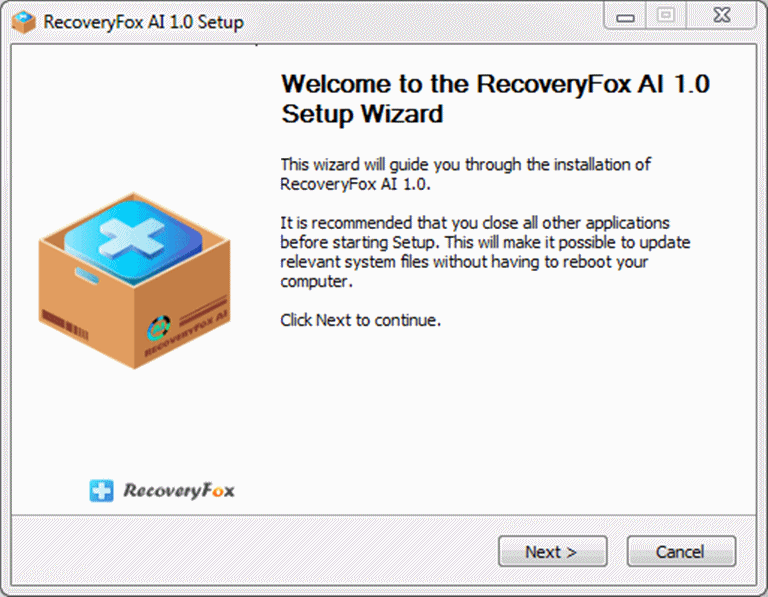
The installation of RecoveryFox AI is a very simple process that can be done by anyone, irrespective of his/her technical skill level. Just by downloading the 24.2 MB installer and going through the routine technical steps like accepting the license agreement and choosing the target folder, you will be able to install it.
When the application is opened, a free scan and preview can be done. But if you want to start the recovery of the files, an activation key will be required from you. The annual subscription fee at present is $69.95. Although the price is high, it should be worth every penny if the tool lives up to its claims, and that is exactly what we will be analyzing below.
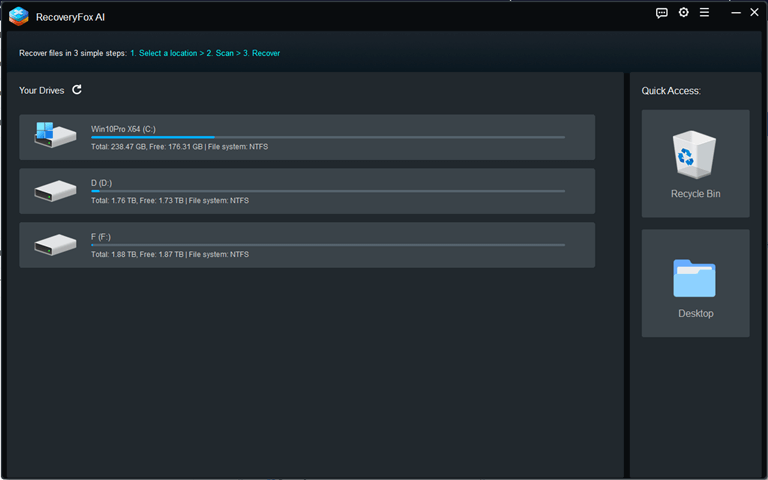
We found its user interface clean and straightforward, making it easy to operate. The main screen allows you to select the drive to scan, with options primarily categorized as follows: “C: Drive,” “Desktop,” “D: Drive,” and “Recycle Bin.” The top-right corner contains icons for settings, help, language, and other general information.
What Are the Key Features of RecoveryFox AI?
RecoveryFox AI offers a comprehensive feature set. These capabilities extend beyond Windows desktop file recovery to include USB drive recovery, hard drive data recovery, and Recycle Bin file recovery. Next, we will introduce its core features.
- Extensive file format support. With this product, more than 500 file formats can be supported, such as pictures, audio files, videos, documents, and archives. The tool can easily recover any file type, whether it be common, rare, or specialized, as its algorithms read the file headers and do the complete recovery, and hence, you will have no worries at all.
- Data recovery from multiple storage media. The software can recover deleted data from any device that can be recognized by the computer, such as conventional HDDs, SSDs, USB drives, SD and CF cards, etc. File systems that are supported are FAT32, exFAT, and NTFS.
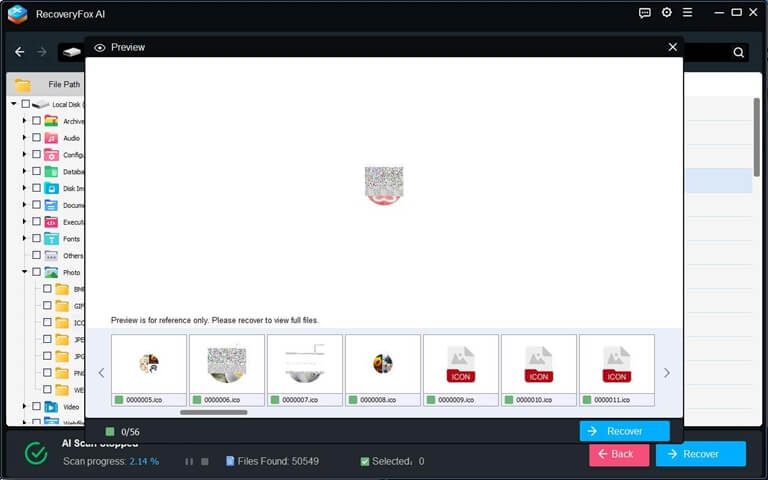
- File Preview. The function lets you quickly determine if you want to recover certain files that were found during the scanning process. This is really helpful if you are unsure of the file names you are looking for. To put it differently, the application lets you preview files prior to the commencement of the recovery process.
- AI-Powered Scan Mode. Beyond the standard quick scan mode for detecting lost files, it features an AI-driven scan mode that thoroughly and rapidly scans data from formatted devices for reconstruction, significantly boosting recovery rates.
- Preserves Original File Names and Structure. Operating in read-only mode during execution, it prevents further damage to your drive and data while maintaining the original file names and structure throughout the recovery process.
How to Use RecoveryFox AI to Recover Lost Data?
Here’s the simple step-by-step process you can follow when using RecoveryFox AI to recover deleted files.
1. Download and install the software.
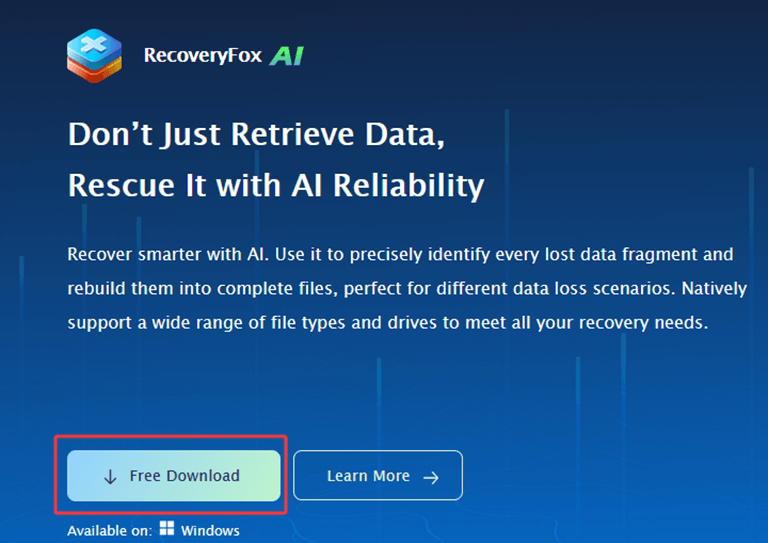
Download RecoveryFox AI from the official website and install it on a functional hard drive (do not install it on the hard drive where the files were lost).
2. Launch the Program.
Start the application and indicate the files’ source: Desktop, Recycle Bin, C, D drive.
3. Run the Scan.
First, perform a quick scan to locate recently deleted files.
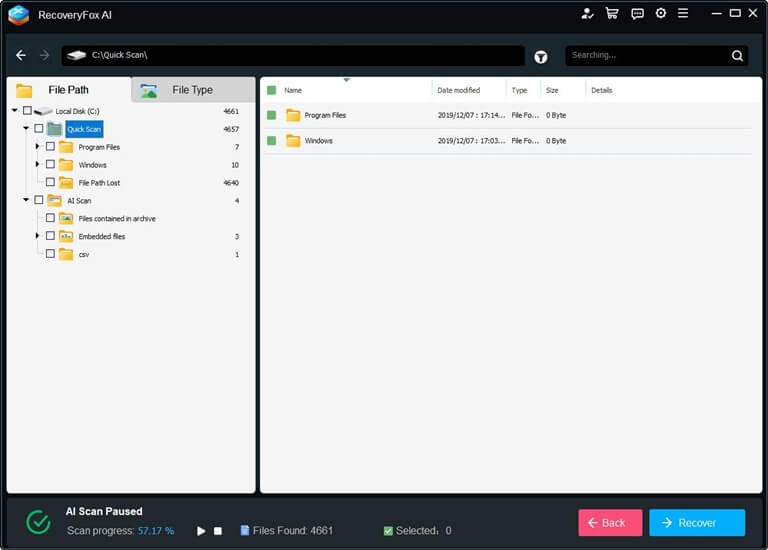
When the Quick Scan is finished, the AI scan will proceed automatically to retrieve the files more thoroughly. Only one action is needed, and that is to pause the scanning if you want. To ensure the best chance of recovering data, we suggest waiting and not interrupt the scanning process.
4. Preview Found Files.
As mentioned earlier, RecoveryFox AI allows you to preview files before recovery to verify their integrity.
5. Select and Restore Files.
Choose the files that you would like to recover and direct them to a different drive so that the lost data won’t be overwritten.
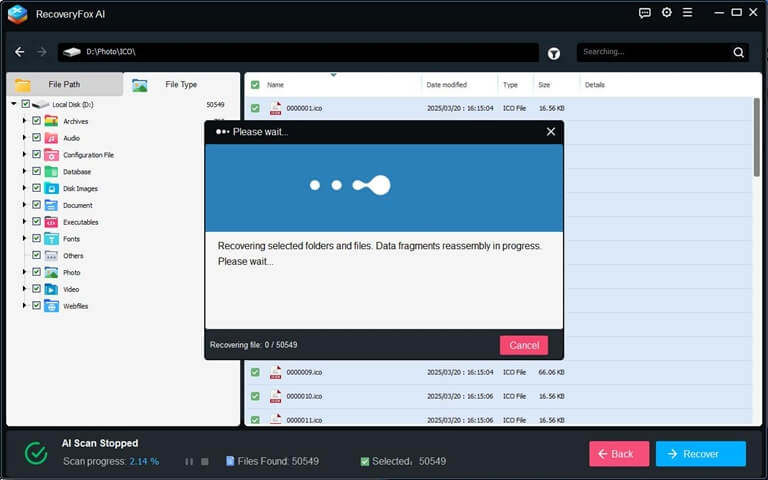
This method is really easy to use and effective, and can be applied to most of the data loss scenarios.
RecoveryFox AI – Pricing & Plans
Recoveryfox AI has different plans for the software with different pricing. For your reference, we have listed the plan and the price in the table below.
| Edition | Key Features | Price (1 PC, 1 license) |
| 1-Week | Recover deleted files, photos, and videos from various storage devices. | $49.95 |
| 1-Month | All weekly plan features, plus a 7-day money-back guarantee | $59.95 |
| 1-Year | All monthly plan features, plus a 30-day money-back guarantee | $69.95 (Original price $89.95) |
| Lifetime | All features of the annual plan, plus lifetime data recovery with a one-time payment. | $99.95 (Original price $149.95) |

Is RecoveryFox AI Safe?
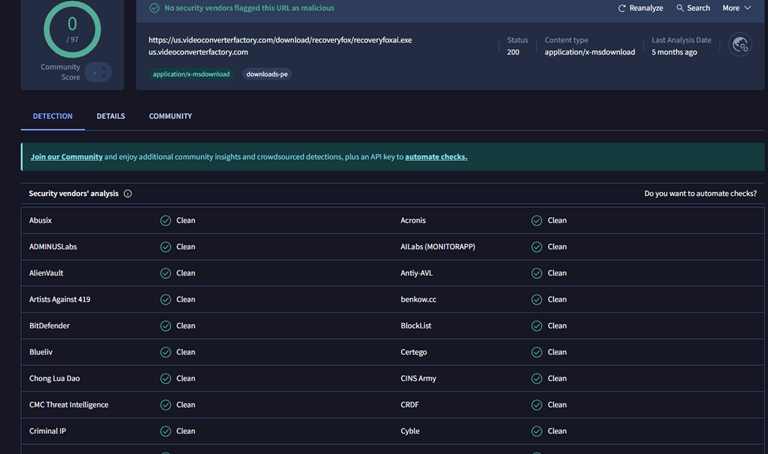
Like all other software we test, we ran a malware scan on RecoveryFox AI. We checked the installer using VirusTotal, which reported “No security vendors flagged this URL as malicious.”
As important as the scan results are the software’s reputation and privacy policy—and RecoveryFox AI scores high in both! The parent company, WonderFox Soft, has more than 10 years of experience which is a good indicator of trustworthiness. In addition, they make a firm commitment on their website that they will not infringe upon or compromise users’ data and privacy.
Pros & Cons
In case you are looking for a trustworthy and comprehensive software, RecoveryFox AI is one of the most competitive choices currently available. Nevertheless, it still has some downsides. Here we’ve listed its pros and cons for your reference.
Pros
- 98% success recovery rate.
- Comes with Quick Scan (speed) and AI Scan (deep recovery) features.
- Takes back a variety of file types including documents, photos, videos, audio, emails, compressed files, and more.
- Lets you view files before recovery and filter by type to save time.
- Clear and gentle interface.
- Operates in read-only mode to prevent data corruption.
- Supports locating files with smart filters.
Cons
- Supports Windows only.
Bottom Line
Based on our current testing results, RecoveryFox AI truly lives up to its name. It employs highly efficient technology that delivers remarkable results even in complex scenarios. Its toolkit features powerful file recovery algorithms with exceptionally fast scanning speeds, while the file preview function helps you make informed decisions during subsequent operations. Our conclusion is that despite its slightly higher price point, this product is worth trying because it can recover data you thought was permanently lost.
Popular on OTW Right Now!




About The Author

Gagan Bhangu
Founder of otechworld.com and managing editor. He is a tech geek, web-developer, and blogger. He holds a master's degree in computer applications and making money online since 2015.