
Top 7 Features to Look for in Field Employee Tracking Software
Managing a distributed field team requires more than tracking employee locations. Businesses need to monitor attendance and assign tasks. They also need to track field activities and review employee performance. Field employee tracking software brings these functions together on one platform. However, not every software offers the same capabilities. The right solution should fit your field workforce needs. It should also offer features for better control and visibility. Businesses should check these features before choosing a software solution.
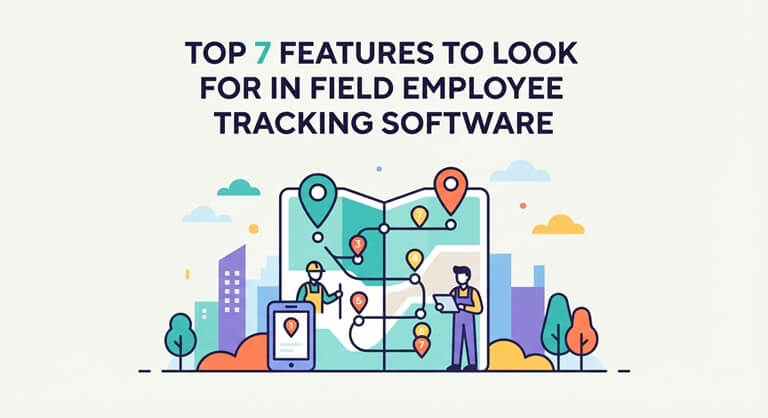
What to Look for in Field Employee Tracking Software?
When selecting field employee management software, you need to look beyond the basics. It should cover attendance, task management, location tracking, and field reporting. It has to be the right software for your field staff and the way they work. Real-time tracking and geo-verified attendance are useful for accurate records. Task management keeps the team on track, and performance reports enable managers to review field activity. You need to check for these features to ensure you’re getting the right solution for your operations.
Top 7 Features of Field Employee Tracking Software
Face recognition attendance system, remote task management, and expense management are key features. These features help businesses manage field employees efficiently. Here are the top 7 features to consider:
1. AI Face Recognition Attendance
AI face recognition is used to verify the identity of employees at check-in and check-out. They use the mobile app to clock in and out, and the app will match their face to their profile. The system will record the time and geo-verified location. Managers can then see when and where the attendance was marked, which makes it much easier to spot any incorrect or potentially fraudulent check-ins.
2. Remote Task Management
With remote task management, you can assign tasks from a central dashboard, taking into account employee location and availability. You can monitor task progress and task completion times and use the reports to assess performance. Workflows can be automated to move tasks to the next stage, thus eliminating the need for manual follow-up and keeping fieldwork in order.
3. Employee Expense Management
Field staff will have all sorts of outgoings in the form of travel, fuel, and meals. Expense management allows them to submit and track their claims easily, with the ability to upload their receipts in JPEG, PNG, or PDF format. Multi-level approval workflows can be set up to route the claims to the appropriate manager, and businesses can set limits on what their staff is allowed to claim for different roles. This in turn controls spend and accelerates the approval process.
4. Territory Management
Territory management enables an organization to break down its work into geographical areas and assign staff to specific territories. These areas can be assigned on the basis of location, customers, or business requirements (to avoid duplication of effort). Managers can then monitor what is happening in each territory, which gives them much greater control over their distributed teams.
5. Offline Mode
Field staff can sometimes be working in areas with very poor network coverage. Offline mode allows them to enter and save data without requiring a network connection at all. The data is stored locally and then synchronized when the connection is restored. It’s a very useful feature in preventing data loss and work stoppages when you’re in an area with poor connectivity.
6. Real-Time GPS Tracking
Real-time GPS tracking allows managers to see where their field staff are throughout the day via a central dashboard. They can view the routes they’ve traveled and the amount of time spent at each location. This confirms that the planned visits have been made and enables them to spot any delays and potentially reassign staff from nearby to deal with urgent requirements. The location data is captured via the mobile app, so there’s no requirement for any additional hardware.
7. Performance Reports and Analytics
Reports and analytics take the day’s field data and turn it into clear insights for managers. You can look at attendance, visits, tasks completed, and expenses all in one go and filter the reports by employee, team, or territory, which makes it easy to compare performance and pick up any gaps. You can use the trends from historical data to set targets and to coach your people. Scheduling and exporting reports also saves a lot of time on manual spreadsheets.
How to Choose the Right Field Staff Tracking Software
When looking at field management software, the key things to consider are ease of use, mobile access, and integration. Security, scalability, reporting, and support are also important. Here’s a bit more on those.
- Ease of use: The platform should be easy for managers and field employees to use.
- Mobile accessibility: Employees should be able to view assigned tasks on their smartphones. They can also update field data from the app.
- Integration: The software should connect with existing CRM, ERP, and HRMS systems.
- Data security: Always look for role-based access and secure data storage. These controls help protect business data.
- Scalability: The software should support the team as the business grows.
- Customization and reporting: Forms and reports should fit the business’s specific needs.
- Support and implementation: The vendor should offer smooth onboarding and reliable support.
Benefits of Using Field Employee Management Software
Key benefits are improved visibility, better coordination, accurate attendance, and greater efficiency. It reduces the amount of manual work and enables managers to make decisions much more quickly. Other benefits include:
- Visibility: Managers can see field staff and activities in real time from a central dashboard.
- Improved collaboration: Managers can assign work and track progress from one central platform.
- Accurate attendance: Verified check-ins help reduce attendance errors and time theft.
- Increased efficiency: Better planning can reduce delays and improve field team productivity.
- Faster decisions: Real-time data helps managers make timely decisions.
- Less admin work: Automation reduces the need for manual registers, spreadsheets, and routine follow-ups.
Why Choose TrackoField for Field Employee Management?
TrackoField has a number of key features, including analytical intelligence, target v achievement tracking, and real-time monitoring. All of these are aimed at helping a business to manage its field force more effectively. Other features to consider are:
- Analytical intelligence: AI dashboards and the AI Manager Bot take the field data and turn it into useful insight. They can highlight performance gaps, attendance issues, and activity trends. This in turn enables managers to track their KPIs and make decisions more quickly.
- Target v achievement: Managers can set targets for their field staff and monitor their progress. The system will compare the target against actuals and will flag any performance gaps so that management can react accordingly.
- Real-time field tracking: Managers can see employee locations and field activity as it happens. They can view visits, movements, and activity status all on one dashboard, which makes it far easier to spot any delays or problems as they arise.
- Attendance and activity management: Manage both employee attendance and field activities from a single platform. Attendance records can be verified through face recognition, geo-verification, and timestamps.
- Automated BEAT planning: Automated BEAT planning allows managers to create visit plans for field staff based on customer locations, customer priorities, and business needs. The field staff then follow their BEAT plans to carry out their visits, and managers can track all the planned visits and field activities.
- Task and visit management: Managers can assign tasks and schedule field visits as required. They can track the status of tasks, the details of visits, and the completion of visits in real time, which in turn helps to keep the team organized and improves the visibility of tasks.
Conclusion
Businesses should be selecting field employee tracking software that works with their way of working and their teams. The right software will make the day-to-day running of the business easier, improve visibility and coordination, and in turn improve productivity. If you’re after those benefits, then you should definitely look at TrackoField and book a demo.
Popular on OTW Right Now!
About The Author

Gagan Bhangu
Founder of otechworld.com and managing editor. He is a tech geek, web-developer, and blogger. He holds a master's degree in computer applications and making money online since 2015.