
The Minimalist Toolkit: Streamlining Classroom Projects with a Free Audio Cutter
No longer do classroom projects revolve around written assignments and presentations. Students nowadays are making podcasts, interviews, storytelling projects, and multimedia presentations to express their ideas in more creative forms. Audio-based assignments will assist students in enhancing their communication and make the lessons more interactive.
But editing audio may be complicated when students and teachers need to work with multifaceted software. Most professional audio editing software must be downloaded, requires tech expertise, and high-powered machines, which can be extravagant obstacles.
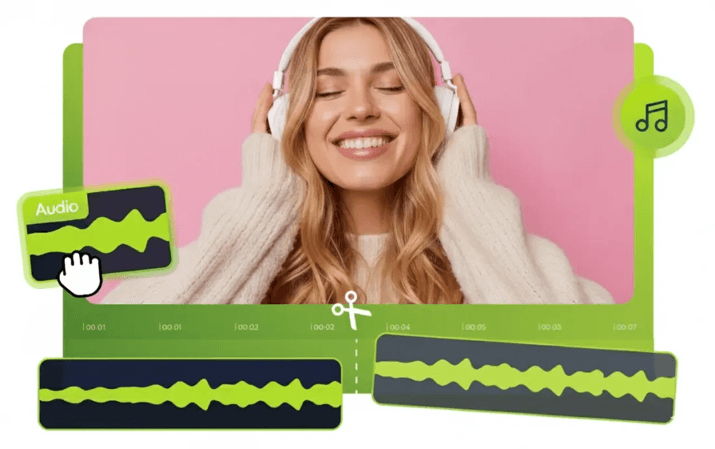
Simple browser-based solutions can be used here. Whether it’s a classroom podcast or an enhanced recording of a presentation, it makes the editing process quicker and more accessible through lightweight editing platforms.
How an Audio Cutter Simplifies Student and Teacher Projects
An audio cutter is a web-based application that enables users to choose, delete, and save any elements of an audio recording. Rather than being taught advanced editing software, students and teachers can quickly make changes via an easy interface.
This may come in handy for students when writing interviews, storytelling assignments, language projects or recorded presentations. They are able to trim out errors, cut lengthy audio, and preserve only the best parts of their audio.
Teachers can also utilize the audio editors in the production of educational materials. They are able to edit lectures, create brief learning videos, or enhance audio files that they can send to learners.
It is normally a simple process:
- Upload an audio file
- Select the section to edit
- Remove unwanted parts
- Preview the changes
- Export the final recording
Such a straightforward workflow enables users to concentrate more on the contents of their projects and not waste time learning the complexities of editing features.
Creating Classroom Podcasts Without Expensive Software
The podcasts in the classroom are gaining popularity among students, allowing them to discuss a topic, research, and train their communication skills. From discussions on history to science explanations, podcasts enable students to talk about information in a more exciting way.
But a lot of students do not want to do audio projects, thinking editing involves costly software or technical skills. The old-fashioned editing software might be daunting, with those just starting only requiring simple functions.
Audio tools on the web eliminate these problems by offering the necessary editing functions without undue complication. Students are able to capture conversations, make edits in their clips, and organize podcast episodes without having to install huge applications.
As an example, when a group of students is recording a history podcast, they can capture their conversation, cut out pauses or errors, and structure the final episode with just basic editing tools. In the same way, language learners are able to make speaking activities by recording dialogues and refining the final audio to perfection before making their submission.
This method will enable technology to facilitate inventiveness rather than serve as a technical barrier.
Step-by-Step Guide to Trim Audio Tracks Online for School Projects
When students go through an easy process, editing classroom audio projects becomes easier.
Step 1: Upload the Audio Recording
Begin by uploading the audio file made in the project. The recording could be a voice recording, interview, podcast episode, or presentation recording.
Step 2: Select the Sections You Want to Edit
Play the recording and find the aspects that need to be advanced. Students might be interested in deleting long pauses, redundant sentences, background interruptions, or redundant sections.
Step 3: Trim Unwanted Parts
With the editing functions, you can eliminate portions of the recording that were not wanted and retain what is most crucial. This enables students to cut audio tracks online, without requiring sophisticated editing skills.
Step 4: Preview the Final Version
Listen to the edited audio before saving the file. Checking the final version helps ensure the recording sounds clear and flows naturally.
Step 5: Export and Share the Project
After editing, the final audio file can be downloaded and presented in the classroom, submitted on a podcast, or used as an online assignment.
This streamlined process allows easy audio editing even to students who have never had an interaction with media tools.
Conclusion
Multimedia projects are able to enhance classroom learning by making it more interactive, yet complex editing software can often present unnecessary challenges. Easy browser-based tools enable students and educators to make podcasts, enhance recordings, and create multimedia assignments with less effort.
A free audio cutter will provide the functionality required in educational projects, whether it be deleting unnecessary parts or creating the final audio files. Students can also concentrate on creativity and communication instead of technical challenges, with the opportunity to treat audio tracks online with a lightweight web utility.
With digital learning methods becoming a more common practice in classrooms, accessible audio editing tools will facilitate easier content creation for all people.
Popular on OTW Right Now!



About The Author

Gagan Bhangu
Founder of otechworld.com and managing editor. He is a tech geek, web-developer, and blogger. He holds a master's degree in computer applications and making money online since 2015.