
How to Download Videos From Popular Video Platforms Using VidMate
Today, we watch videos almost every day. We open apps like YouTube, Facebook, Instagram, and Twitter (now known as X). We watch music videos, short clips, tutorials, interviews, and funny reels. We may come across a video we want to save to our phone, but many apps do not let you download videos to your device, and even when videos can be downloaded, they can only be watched through the app.
Therefore, it makes sense that many people want a way to save videos to their devices for viewing when not connected to the internet. One app that many people use for this purpose is VidMate app. In this article, we will discuss the reasons people save videos to their devices, what VidMate is, and how to use VidMate.
Why People Prefer Downloading Videos for Offline Use
While streaming is a great option, there are some drawbacks. There can be plenty of lags and interruptions, and there is a chance a person could lose their connection and miss part of the video. However, when a video is downloaded to a device, none of these issues are concerns.
Downloading videos can be a great way to save money. And of course, there are other conveniences that come with watching downloaded videos, like having the videos ready to watch while traveling or during a daily commute. Entertaining content is always ready to watch, and it is even more helpful when the internet is not available.
What Is VidMate?
VidMate is a downloader app for videos and music from the internet. It is free and available for any Android device. Instead of installing five different tools to download different types of content from different websites, you can use the VidMate app. It is an all-in-one browser/downloader. The app is user-friendly and provides accessibility for all technical skill levels.
VidMate allows you to save content in different formats. These formats include: MP4 for videos and MP3 for audio. VidMate also allows you to save videos and music directly to your mobile device. Once the song or video has been downloaded, you can watch or listen to it anytime, even without the internet. Because of the reasons listed below, many people prefer the VidMate app.
- Offers the option to select video resolution.
- Easy to use.
- Combines speed, flexibility, and convenience in one app.
VidMate Features That is Very Important
From the internet, VidMate makes it simple and fast to download music and movies. It is a one-stop solution for all your music and video downloading needs with a number of exceptional features.
1. Support for Multiple Formats
A variety of file formats are supported by VidMate. Videos in MP4 are available for download. MP3 audio files are also available for download. If all you want is the music from a video, this is useful. Rather than downloading a large video clip, you can save a smaller MP3 file. This feature saves storage space and gives more control.
2. Resolution Selection
Not everyone wants the same video quality. VidMate allows you to choose the resolution before downloading. If your phone has limited space, choose a smaller size. If you want better quality, choose a higher resolution. The choice is always yours. You can select:
- Lower resolution to save storage.
- Medium quality for balance.
- High definition (HD) for better clarity.
3. Quick Download Speeds
Nobody enjoys having to wait for a progress bar to move slowly. VidMate is popular for its fast download speeds, thanks to an optimized engine that breaks files into smaller pieces to download them much quicker than a standard browser would.
4. General Compatibility
VidMate works with many more than many competitor apps. Other downloader apps only work with a limited number of websites, but that is not a problem here. You can access a variety of different sites directly from the app, simplifying the process of finding and downloading content from multiple apps. This is also the reason the app is great for everyday use.
5. No Internet Needed
The app has a download feature that saves files directly to your device. After that, you can access the downloaded content, like videos or music, anytime from your gallery or media folder. No internet is required to access files. This feature is especially nice for travel to places like airports or other locations with limited or no signal. No internet access to content is a huge reason to use video downloader apps.
Downloading Videos From VidMate
Downloading videos from VidMate could not be easier. There are simple steps you can follow.
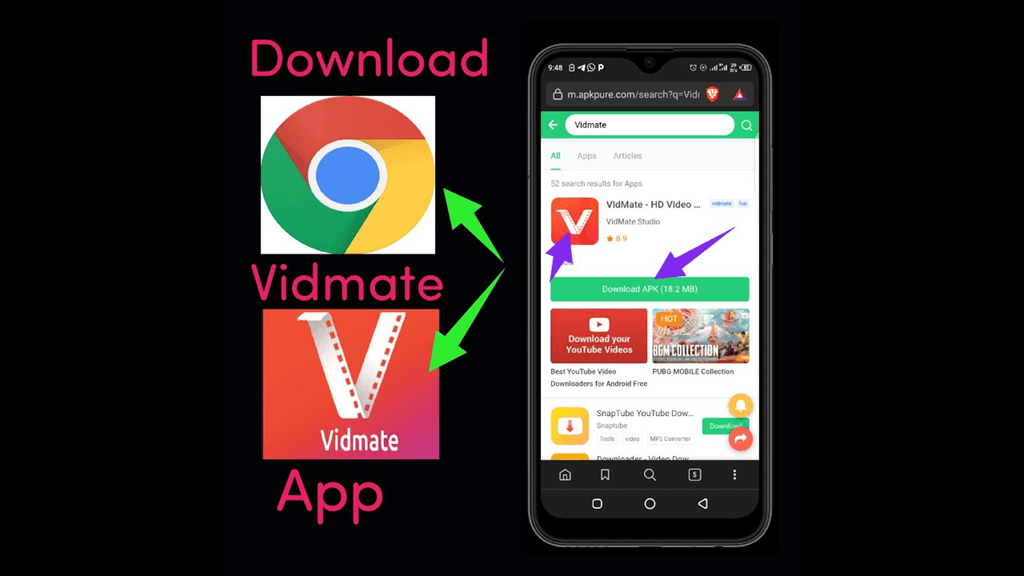
- Access the Vidmate app from the official website and download it.
- Use the installed app’s browser to locate the required video. To locate videos on linked social media accounts, select the social media logos.
- Select the required video and click the red button to commence the video download.
- Choose your format (MP4/MP3) and your preferred resolution.
- Hit the final download button, and your video will be ready in seconds.
Reasons for the Popularity of VidMate
VidMate’s popularity is a result of its multiple supported platforms. Users can download videos from any app/website of their choice. The app also offers rapid download speeds, making it easy to obtain large files. In addition, the app allows its users to select the video format and quality, ranging from MP3 to HD/4K.
Vidmate is also very easy to use and can be navigated effortlessly even by novice users. It makes a practical choice for Android users. The added bonus of the WhatsApp Status Saver which lets you download your friends’ statuses automatically. It makes a must-have tool for social media lovers.
Conclusion
Online video content continues to grow every day. People want more flexibility in how they watch and listen to the media. VidMate offers a simple solution and a free Android video downloader app that supports MP4 and MP3 formats. For offline viewing or listening, it offers fast download speeds, allows resolution selection, and saves content directly to your device.
It can help you manage your media more easily if you watch videos on platforms like YouTube, Facebook, Instagram, or X and want offline access. It combines speed, flexibility, and ease of use in one application.
Popular on OTW Right Now!



About The Author

Gagan Bhangu
Founder of otechworld.com and managing editor. He is a tech geek, web-developer, and blogger. He holds a master's degree in computer applications and making money online since 2015.