
AI Design Tools for Agencies: How to Build a Faster Campaign Workflow in 2026
| AI design tools help agencies move faster when they are used as part of a controlled campaign workflow, not as one-off generators. The biggest gains usually come from reducing handoffs between the brief, visual exploration, layout adaptation, mockups, review, and final channel versions. AI can accelerate drafts and variations, while people still need to own brand judgment, product accuracy, claims, and final approval. |
Agencies rarely lose the most time on the first draft. The bigger delays usually happen between stages: a brief sits in one tool, references live in another, visuals are generated somewhere else, mockups are created later, and feedback arrives through a separate channel. Each handoff creates another place for context to disappear.
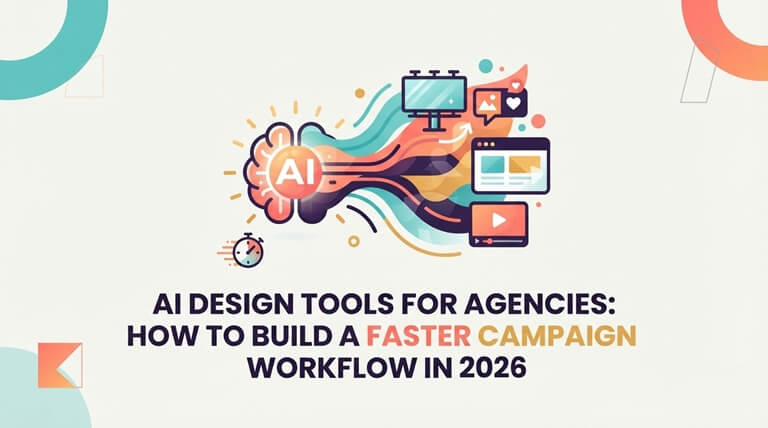
A better AI design workflow connects those stages so the team can move from a clear brief to reviewed campaign assets with fewer resets. The goal is not to automate taste. It is to remove repetitive production work so designers and marketers can spend more time on direction, judgment, and quality.
What Is an AI Design Workflow?
An AI design workflow is a repeatable process that leverages AI to support certain parts of the design and production process, while maintaining clear, well-defined human input. It could involve ideation, specifying the layout, resizing, modifying assets, mock-up/mocking, and version preparation. The workflow matters more than any individual generation model because the work needs to be consistent across many assets, people, and channels.
| Campaign stage | What AI can help with | Human check that still matters |
| Brief | Structure requirements, extract asset needs, organize references | Audience, offer, brand constraints, legal or product requirements |
| Concept | Generate visual directions and draft variations | Originality, relevance, brand fit, product truth |
| Layout | Adapt compositions, arrange assets, prepare format variations | Hierarchy, readability, accessibility, message accuracy |
| kup | Place approved designs into product, device, packaging, or campaign scenes | Perspective, lighting, scale, realism, product accuracy |
| Review | Group versions and prepare options for comparison | Approval, claims, licensing, stakeholder judgment |
| Delivery | Prepare channel-specific versions and exports | Final specifications, file quality, destination requirements |
Why Agencies Lose Time Between Tools
A disconnected stack can make a simple campaign feel more complicated than it needs to be. The brief can be created in one system, ideas developed in another, mockups created in a third, and then files renamed and uploaded to yet another system for review. All of those are not hard to do, but it’s the cumulative effect of the handoffs that slows the whole campaign.
The benefit of a connected workflow is continuity. All of this – the same short, references, approved assets, and review criteria – remain visible as the work progresses. This will make it easier to make changes without having to rebuild context each time.
A Practical Six-Step AI Design Workflow for Agencies
1. Normalize the brief before generating anything
Begin by turning the client brief into a brief production checklist – audience, objective, offer, required formats, brand references, must-use assets, prohibited directions, approval criteria. Generation results in more or less ambiguous results if the brief is ambiguous.
2. Create a small set of visual directions
Create only a few distinct pathways—don’t create dozens of near-identical pathways. Every direction should be a true creative direction: photography-inspired, graphic, editorial, product-focused, minimal, or another direction justifiable against the brief.
3. Turn the approved direction into a layout system
Once a direction is approved, the team must have a repeatable layout and not have to repeat the experimentation process. A connected design workspace can be used to merge generated images, library images, templates, copy, and campaign sizes without having to recreate the design for each channel. One example is Keter Labs Designer, which is positioned for agencies and marketing teams that need to create, refine, and manage campaign layouts and visual assets in one workflow. The key is the workflow concept – once a direction is approved, then it should be continued in production without a mockup tool.
4. Use mockups to review context, not just appearance
A flat design might seem like a good idea for a canvas and not be the same in the real world, whether it be a product, a device, a package, an ad placement, or a mockup presentation. Mockups provide a scale, perspective, lighting, and context review before production or client delivery. For teams that already have approved mockups, Keter Labs mockup tools are one example of a workflow that turns designs and product assets into presentation-ready scenes for campaigns, websites, ads, and reviews.
5. Review with a fixed checklist
Don’t ask a general question like “Does this look good?” when checking AI-created work; instead, ask specific questions. Always use the following checks: message accuracy, brand fit, product accuracy, text legibility, visual hierarchy, perspective, lighting, licensing, and channel requirements. A set of predetermined questions will allow for a quicker review, since the team will know what to check to determine whether an asset is invalid.
6. Build channel versions from the approved base
After the base creative is approved, modify it for use in paid social, organic posts, landing pages, display, presentations, or other campaign destinations. That’s where Artificial Intelligence can come in handy, saving production time without altering the concept. The message, the image, the product angle, and the image treatment should stay consistent, while dimensions and layout details may vary.
How to Choose AI Design Tools for Agency Work
| Question to ask | Why it matters |
| Can the tool keep briefs, references, and approved assets connected? | Campaign teams lose time when context has to be rebuilt between stages. |
| Can it support both exploration and production? | A good concept is not enough if the team cannot turn it into usable campaign formats. |
| Can teams review and organize versions clearly? | Agencies need to compare options, track decisions, and avoid shipping the wrong draft. |
| Can it work with existing brand and product assets? | Real campaigns usually start with logos, product images, copy, or approved reference mockups. |
| Can it create a mockup or connect to a mockup workflow? | Context reveals problems that are easy to miss in flat layouts. |
| Does it preserve human approval before publishing? | Brand judgment, legal review, product claims, and final sign-off should remain human decisions. |
What AI Design Tools Should Not Automate
While AI can speed up production, automation can become a problem for agencies if they start making decisions that could damage their reputation or business. Final claims, regulated copy, product accuracy, legal usage, brand exceptions, and stakeholder approval are not automatic outputs.
The most helpful application of AI is to reduce repetitive tasks between decisions. There are still decisions to be made regarding the message of the campaign, the brand, and the direction it should go in, and what can be safely published.
Frequently Asked Questions
What is the best way for agencies to use AI design tools?
Apply them within a repeatable workflow: make a statement, produce a few directions, choose one, develop layout mockups, create mockups, check against a set of criteria, and then tweak the approved base for each channel.
Can AI design tools replace designers?
They can speed up production workflows and shorten deadlines for drafts, but they don’t replace art direction, brand judgment, product knowledge, client interaction, or final approval.
How do AI design tools help marketing teams?
They can help reduce the time needed to move from an idea for a campaign to actual visual options available. The greatest value is having mockups, layout, and review all within a single thread, rather than spread across different, unrelated tools.
When should a design become a mockup?
Once the team needs to assess the design in context. Scale, perspective, and readability have been all but obscured by a flat design, which can be discovered by the packaging, devices, apparel, social placement, presentation, and outdoor format.
How can teams keep AI-generated campaign assets on brand?
Utilize accepted sources, consistent styles, shared resources, explicit limitations, and an established human review procedure. The key to consistency is the system – not one perfect prompt.
The Workflow Is the Real Advantage
Agencies don’t require further disconnected outputs. They require a quick route for short-to-shortlisted campaign assets. AI design tools that eliminate handoffs, maintain context, and enable a streamlined pathway to multiple deliverables from one approved direction are most useful.
The test of the practical evaluation—after the initial campaign—is whether the same brief structure, mockup view checklist, layout logic, mockup process, and approval rules can be applied again on the next campaign. If yes, AI is enhancing the workflow, not just creating additional files.
Popular on OTW Right Now!


About The Author

Gagan Bhangu
Founder of otechworld.com and managing editor. He is a tech geek, web-developer, and blogger. He holds a master's degree in computer applications and making money online since 2015.