
AiSaver Face Swap Video: A Complete Guide to Swapping Faces with AI
Swapping a face in a video used to be strictly a job for VFX professionals with the software, time, and budget to pull it off. Tools like AiSaver Face Swap Video have flattened that learning curve to the point where it now feels closer to applying a photo filter than editing footage. Upload a video, select a different face, and you have a completed video in just a few minutes! It’s now a staple for memes, comedy skits, creative content, and even short marketing videos. It’s a step-by-step tutorial of how it works, why it’s been adopted so quickly, and some tips before you publish it.
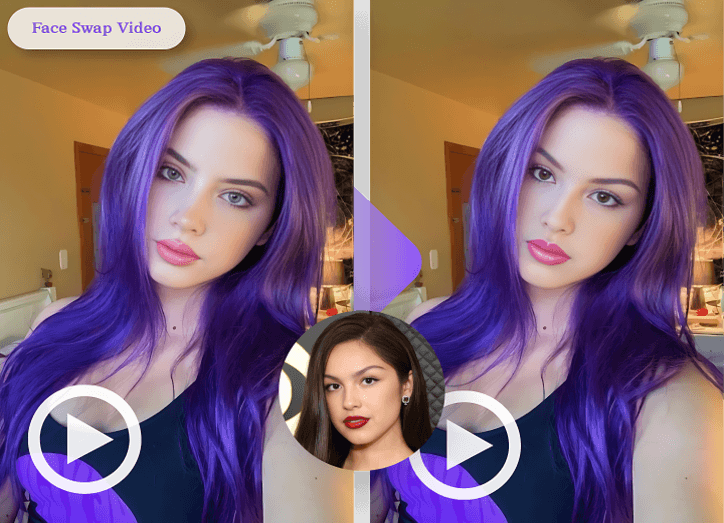
What Is AiSaver Face Swap Video?
AiSaver Face Swap Video is an AI-powered tool that replaces a person’s face in a video with a face from another photo or clip. Compared to the older face swap apps, which relied on photos to swap faces, it’s a step forward, because it has to find a face in every frame, match expressions and head movements to the originaVideoeo, and maintain the light in the same manner across the entirVideoeo, so that the face swap looks natural throughout thVideoeo and not just in the still photo with the face swap.
Deep learning models for face detection, face mapping, and frame-by-frame rendering power it. That’s the difference between a flat photo swap and the face that will move, blink, and not only say what you want but actually sound it.
How Does AiSaver Face Swap Video Work?
The procedure is simple – upload a video, select the face you wish to replace, and let the AI handle the rest. The typical swaps will take only a few minutes, depending on the video’s length and resolution.
1. Upload the Video
Choose the clip that you want to work with. The better the lighting and the clearer the video is with the face looking straight ahead, the clearer the picture will be in the result.
2. Choose the Source Face
Then select the image or clip that contains the face you want to insert into the video. A good photo will come out much clearer, and it will be taken straight on the front if it is sharp.
3. AI Processing and Rendering
This is the place where the real work takes place. The model is used to track the “original face” across all frames, interpret the expressions and head movements on it, and apply the “new face” across each frame in a manner that mimics the motion. It’s also the slowest part of the process, and longer/higher resolution clips take longer to render.
4. Download and Share
After processing, you will be able to see a preview of the final video. It’s then just a simple download, and it can be uploaded directly to social media.
Benefits of Using AiSaver Face Swap Video
Getting a face swap done used to mean hiring a VFX artist or learning editing software from scratch. Now an average smartphone user can do it in a few taps.
- No editing skills needed — the whole flow is guided and simple
- Results in minutes instead of hours of manual editing
- A fun way to make memes, comedy clips, and creative content
- Far cheaper — often free — compared to hiring professional VFX work
- Works on both mobile and web, so there’s no software to install
What Should You Keep in Mind Before Making a Face Swap Video?
Consent is more important than anything else. Only use another person’s face if they have consented, particularly if it is being made public. Doing this without the person’s permission can lead to real legal and ethical issues, not to mention an awkwardly embarrassing situation!
Also, it’s wise to go over the website you are posting on. Most social media platforms have policies for labeling synthetic or AI-generated content, including YouTube, Instagram, and others. For any meme, even a fun one, it’s better to make it sufficiently clear that the video is artificial, so that people don’t get fooled. Which should come as no surprise: Do not use face swap tools to insert bogus quotes into a public figure’s or celebrity’s mouth, even for fun — it is the kind of content most platforms will delete, and it’s the legal liability that’s especially high.
Conclusion
New video-editing tools such as AiSaver Face Swap Video have made video editing accessible to anyone with a phone and a few minutes to spare (no technical expertise needed!). This access brings with it a duty to use it responsibly. Lock in to the content they’ve agreed to be included in, mark it as AAI-generated, and make it a fun, not a headache, activity to create content.
Popular on OTW Right Now!



About The Author

Gagan Bhangu
Founder of otechworld.com and managing editor. He is a tech geek, web-developer, and blogger. He holds a master's degree in computer applications and making money online since 2015.