
Why Spreadsheets Are Quietly Costing Your IT Team Hours Every Week
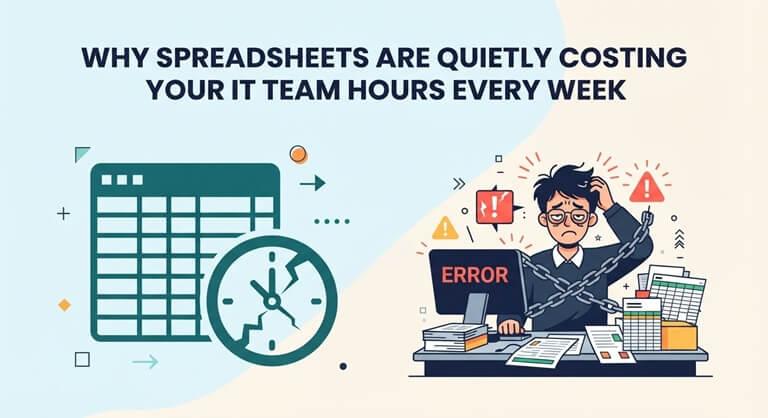
If your company still tracks laptops, monitors, and software licenses in a spreadsheet, you already know how this goes. Someone leaves the company, and nobody’s quite sure who still has their laptop. A software renewal slips through the cracks because the reminder lived in someone’s head instead of a system. An audit request lands on your desk, and half a day disappears reconciling rows that haven’t been touched since March.
It’s not really a matter of discipline at all; it’s a problem with the tools. Spreadsheets were designed for carrying out calculations, not for monitoring hundreds or thousands of physical and digital assets that are spread out among a distributed workforce. That’s precisely what IT asset management software is intended to do.
What IT Asset Management Actually Solves
At its heart, IT asset management (ITAM) software is a central system that keeps a record of all the technology that your organization owns—whether it be laptops, monitors, phones and servers or software licenses and consumables—from the date it is bought until the date it is retired.
Rather than providing a fixed list which becomes obsolete within a week, a good ITAM platform offers you up-to-the-minute visibility of who has what and where the equipment actually is, sets off automated warnings when warranties expire or returns are overdue, provides audit trails so that compliance reporting can be completed in five minutes rather than taking two days, and includes self-service views enabling employees and managers to see the equipment assigned to them without having to submit a request.
Where Spreadsheets Fall Apart
Spreadsheets aren’t able to scale well, and the problems usually appear in the same usual spots.
Without version control, two people can edit the same file, creating two conflicting versions of the truth. As there is no real-time synchronization, if a device is wiped and then reassigned via your MDM, the spreadsheet has no knowledge of this event. Because there are no automated reminders, warranty periods and lease returns entirely rely on someone remembering to look them up. And since there is no real accountability trail, when equipment goes missing, there is seldom a clear record of who had it last.
It’s not actually a rare situation at all; once a company has more than a few dozen employees, it’s exactly what happens to any system based on spreadsheets. The larger the team, the more quickly the flaws spread.
The Onboarding and Offboarding Problem
The costs of poor asset tracking are hardest to overlook during employee transitions. When onboarding new staff, IT teams usually have to put together equipment by hand and hope that they don’t miss anything as they rush to get the new employee set up. The situation is more dangerous during offboarding: laptops that aren’t returned, licenses that aren’t canceled, and devices that disappear silently from inventory the moment an employee’s account is disabled, because no one is watching closely enough to notice.
Better platforms deal with this by linking directly to your identity provider. As soon as there is a change in someone’s employment status, the system can identify all the equipment assigned to them as being due for return and display a clear offboarding checklist, so that the equipment doesn’t simply walk out the door with the person who had it.
What Actually Matters When Choosing a Platform
ITAM tools are not all the same, and it’s not the most important thing to look for in a long list of features. A few factors are more important than all the others.
The most important integrations are with the tools you already use: for example, MDMs such as Intune and Jamf, identity providers such as Entra ID or Okta, and services like Slack or Teams for sending notifications that actually reach people. Ease of use is just as crucial, since the platform only becomes worthwhile if the entire team adopts it, not just the individual who set it up. You should also look for proper lifecycle tracking, which means receiving warranty and end-of-life alerts that anticipate potential problems rather than simply having a list that gathers dust. Furthermore, reporting should take only a few seconds rather than hours, since the whole idea in moving away from spreadsheets is to regain that time.
This is the space bluetally.com is built for, replacing the spreadsheet-and-hope approach with automatic syncing from tools like Intune, Jamf, and Microsoft 365, plus onboarding and offboarding workflows and warranty tracking that runs quietly in the background instead of depending on someone’s memory to catch it in time.
The Human Cost, Not Just the Time Cost
It’s straightforward to discuss the situation in terms of the hours saved, and that is a real figure. IT teams regularly state that they regain ten, fifteen, or twenty hours each month simply by stopping the manual process of tracking hardware. However, the less apparent cost is the low level of stress that comes from never really knowing. For example, you don’t know if a laptop containing sensitive company data is still in a former employee’s closet. You don’t know if a software subscription is automatically renewing for a team that stopped using it eight months ago. And you only find out, when an auditor requests it, that your records agree with reality.
The same thing happens here as with spreadsheets: each new employee, each new device, and each renewal adds another potential point of failure, and eventually something goes wrong.
The Bottom Line
The true cost of using spreadsheets to track assets goes beyond lost hours since it involves the security and compliance risks arising from actually not knowing where your equipment is. The higher the teams grow and the more they are spread out among different offices, home setups, and time zones, the greater this risk becomes.
It’s not about introducing extra complexity when you switch to a dedicated asset management platform; if it’s done properly, it’s about eliminating it by replacing manual reconciliation with automatic syncing and swapping out “I think so” for a system that actually knows.
Popular on OTW Right Now!




About The Author

Gagan Bhangu
Founder of otechworld.com and managing editor. He is a tech geek, web-developer, and blogger. He holds a master's degree in computer applications and making money online since 2015.