
7 Best AI Agent Orchestration Platforms for Enterprise Teams
The difficulty of Enterprise AI increases when agents go beyond carrying out basic tasks since they might then have to share data, make use of the company’s tools, pass on tasks to other agents, and request approval from people. Once this happens, businesses require more than just an AI agent builder; they need an orchestration layer that ensures that the work of the agents remains connected and under control. An appropriate platform is able to handle the workflows while at the same time providing teams with visibility into what the agents are doing. We evaluated seven AI agent orchestration platforms used by enterprise teams on the criteria of governance, integrations, workflow control, support for multiple agents, and how well they suit real business operations.
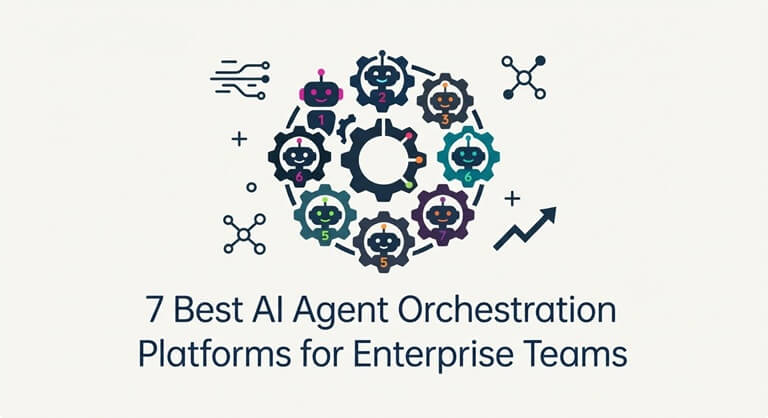
Best AI Agent Orchestration Platforms for Enterprise Teams
What enterprise teams need are orchestration platforms capable of doing more than just creating agents; governance, system access, agent coordination, human approval, and production monitoring all become just as important.
| Platform | USP | Multi-Agent Support | Governance | Main Enterprise Fit |
| Harnyss | Best for governed autonomous business operations | Yes | Strong | Cross-functional operations |
| ServiceNow | Enterprise service orchestration | Yes | Strong | IT, HR, and service operations |
| UiPath | Agentic process automation | Yes | Strong | Process-heavy enterprises |
| IBM watsonx Orchestrate | Enterprise agent management | Yes | Strong | Large agent ecosystems |
| CrewAI | Custom multi-agent development | Yes | Configurable | Technical teams |
| Microsoft Agent Framework | Enterprise agent development | Yes | Configurable | Microsoft environments |
| Salesforce Agentforce | CRM-centered agent workflows | Yes | Strong | Sales and customer operations |
1. Harnyss – Best for Governed Autonomous Business Operations
Harnyss is our top AI agent orchestration platform for enterprise teams that want agents to run governed business operations. Instead of treating agents as separate assistants, Harnyss organizes them around business roles and responsibilities. Agents can then coordinate work across functions while operating within a shared structure.
The platform also lets teams determine how much freedom various workflows have. Those important actions may be subject to review or approval, whereas trusted processes can function with more autonomy. As a result, businesses can boost automation without granting all agents the same level of authority.
Harnyss combines agent coordination, context, integrations, governance, and execution within a single operating layer. By doing so, agents are able to make use of the connected business tools and keep the context needed for longer workflows. The platform is therefore useful in cases where enterprises want AI agents to operate across different departments rather than remaining within separate applications.
| Key Feature | Enterprise Value |
| Governed agent hierarchy | Organizes agents around clear business responsibilities |
| Approval workflows | Keeps people involved before important actions are completed |
| Persistent context | Maintains useful information throughout longer workflows |
| Audit trail | Records agent actions, approvals, and workflow activity |
Pros:
- Built for cross-functional business operations.
- Combines agent execution with governance.
- Supports different levels of agent autonomy.
- Keeps agent activity visible as workflows run.
Cons:
- Newer ecosystem than established enterprise vendors.
- May offer more functionality than small agent projects require.
2. ServiceNow – Enterprise Service Orchestration
ServiceNow has introduced AI agents into the workflows that are currently used in IT, HR, customer service, and business operations. Its orchestration features are able to coordinate specialized agents as various parts of a request are finished. This ensures that AI activity remains linked to the processes which employees already use.
The platform also includes enterprise features concerning the agents that have been deployed. Teams are able to manage agent activity, keep an eye on agent performance, and link the agents to existing ServiceNow workflows. This is especially useful for organizations in which ServiceNow is already responsible for a large portion of internal service operations.
| Key Feature | Enterprise Value |
| Agent orchestration | Coordinates specialized agents across service workflows |
| Workflow integration | Connects AI agents with existing enterprise processes |
| Central management | Gives teams visibility into deployed agents |
| Enterprise controls | Helps manage agent access and activity |
Pros:
- Strong connection with enterprise service workflows.
- Useful for existing ServiceNow customers.
Cons:
- Less attractive outside the ServiceNow ecosystem.
- Can be too broad for smaller agent deployments.
3. UiPath – Agentic Process Automation
UiPath brings together AI agents with software robots, individuals, APIs, and business applications, thus allowing enterprises to incorporate agent reasoning without having to replace the automation that is already in place. While agents take care of tasks that are uncertain, robots keep on dealing with the predictable steps.
The platform is also suitable for processes which may last for longer periods, since workflows can be paused in order to obtain human input, then resumed at a later time and retain their present state. This is why UiPath is useful for companies in which agentic AI needs to work in conjunction with existing process automation.
| Key Feature | Enterprise Value |
| Agentic orchestration | Connects agents, robots, systems, and people |
| Human involvement | Supports approval and review inside workflows |
| Process automation | Combines agent reasoning with fixed automation |
| Workflow state | Maintains progress across longer processes |
Pros:
- Works well with existing enterprise automation.
- Supports both AI agents and deterministic processes.
Cons:
- Can require significant platform knowledge.
- Best suited to organizations with larger automation needs.
4. IBM watsonx Orchestrate – Enterprise Agent Management
IBM Watsonx Orchestrate offers a central environment in which agents, tools, workflows, and enterprise applications can be coordinated. Specialised agents are able to take charge of various aspects of a bigger task while the orchestration determines how the work is passed between them. This in turn enables companies to prevent having to build separate agent systems throughout different departments.
IBM also places a great deal of emphasis on enterprise governance. Organizations are able to keep an eye on the agents, regulate access, and retain visibility over their agent environment. This approach is particularly suitable for large businesses that expect to manage a large number of agents across various use cases.
| Key Feature | Enterprise Value |
| Multi-agent orchestration | Coordinates work between specialist agents |
| Central management | Provides one layer for larger agent environments |
| Enterprise governance | Adds controls around agent access and execution |
| Tool connectivity | Connects agents with business systems and services |
Pros:
- The need for strong governance in large organizations.
- Made for larger business agent groups.
Cons:
- Putting a plan into action can require more resources.
- Smaller teams might not find it necessary to use the full enterprise stack.
5. CrewAI – Custom Multi-Agent Development
CrewAI provides developers with a flexible framework for creating teams made up of specialized AI agents. Each agent can be given its own role, tools, responsibilities, and objectives before it works with the other agents. As a result, complex workflows can be broken down into smaller parts.
Developers have the option of combining agent collaboration with more structured workflow logic, with some steps staying predictable while the agents take on those that require reasoning or judgment. CrewAI is therefore suitable for technical enterprise teams who want to design their own orchestration logic.
| Key Feature | Enterprise Value |
| Agent roles | Creates clear responsibilities for individual agents |
| Crews | Coordinates specialist agents around shared goals |
| Flows | Adds structured logic around agent execution |
| Developer control | Supports highly customized agent systems |
Pros:
- Flexible structure for custom multi-agent systems.
- Strong control over agent roles and workflows.
Cons:
- Requires technical development skills.
- Complex agent systems can require more maintenance.
6. Microsoft Agent Framework – Enterprise Agent Development
The Microsoft Agent Framework provides development teams with tools for creating agents and for designing structured multi-agent workflows. Developers have the ability to specify how agents communicate, use tools, keep track of their state, and proceed along various workflow paths. Depending on how the process is intended to run, several orchestration patterns can be employed.
The framework is particularly useful for companies which are already using Microsoft’s development environment, as it allows teams to link their agent systems with existing cloud services and enterprise applications, and it is appropriate for organizations that prefer detailed technical control over using a ready-made business orchestration product.
| Key Feature | Enterprise Value |
| Multi-agent patterns | Supports several ways for agents to cooperate |
| Workflow graphs | Gives developers control over execution paths |
| State management | Keeps useful information during longer workflows |
| Microsoft ecosystem | Fits existing Microsoft enterprise environments |
Pros:
- Strong flexibility for developer-led agent systems.
- Fits naturally with Microsoft technology stacks.
Cons:
- Requires engineering resources.
- Less accessible to non-technical business teams.
7. Salesforce Agentforce – CRM-Centered Agent Workflows
Salesforce Agentforce introduces AI agents into customer and CRM processes. These agents are able to work with the business information that is already available within Salesforce and provide support for sales, service, marketing, and other related workflows. This ensures that agent activity remains close to the customer records and the existing processes.
Agentforce also enables coordination between different agent responsibilities. Businesses can make use of specialized agents to look after different aspects of customer-facing work while keeping the overall process linked. The greatest benefit is in organizations where Salesforce is already at the center of customer operations.
| Key Feature | Enterprise Value |
| CRM context | Gives agents access to relevant customer information |
| Agent workflows | Connects AI tasks with Salesforce processes |
| Agent coordination | Supports specialized agents across customer operations |
| Business actions | Lets agents perform tasks within connected workflows |
Pros:
- Deep connection with Salesforce data.
- Strong fit for customer-facing workflows.
Cons:
- Most valuable inside the Salesforce ecosystem.
- Less suited to company-wide orchestration outside CRM.
Why AI Agent Guardrails Matter for Enterprise Teams
Enterprise agents can do much more than generate text. They may access sensitive information, update company systems, contact customers, or trigger other agents. AI agent guardrails create boundaries around these actions so businesses can use autonomous agents without giving them unlimited control.
Control What Each Agent Can Access
Agents should have access to only those systems and information which are necessary for the duties they carry out. Since a marketing agent does not require the same level of permissions as a finance agent, clear access rules help to minimize unnecessary exposure to sensitive company data.
Define Which Actions Agents Can Take
The risk involved in reading information is different from that associated with changing information. Companies should determine which actions are allowed agents to carry out on their own. Actions that involve a higher level of risk should require extra controls before they are carried out.
Add Human Approval at Critical Points
Certain decisions still have to involve a person. An agent might carry out an action and then stop themselves before making a payment, altering a contract, or sending a sensitive message to a customer. This allows the automation to proceed while at the same time safeguarding the more important decisions.
Keep an Audit Trail
It is important for teams to know what takes place after an agent has begun working. Audit records are able to record tool calls, approvals, workflow events, and the actions carried out by each agent. They assist teams in investigating any problems and in improving their workflows over time.
Carry Guardrails Across Agent Handoffs
The controls should continue to be active when the work is passed from one agent to another. While one agent is permitted to read the data, another agent should have the authority to update the system. The orchestration layer must keep those boundaries in place over the entire workflow.
Conclusion
It’s not merely a matter of getting a number of AI agents to work in collaboration; teams also have to handle permissions, integrations, context, approvals, and the continuous management of workflows. ServiceNow is well suited to service operations, UiPath links agents with process automation, IBM offers strong controls for large agent environments, and CrewAI provides greater development freedom. Microsoft is appropriate for technical teams that are working within its ecosystem, while Salesforce places a strong emphasis on customer workflows. The suitable platform will depend on where the agents will be operating and on the level of control that the business requires.
FAQs
What is an AI agent orchestration platform?
An AI agent orchestration platform arranges the agents, tools, data, people, and the various workflow steps. It determines the way in which the work progresses through the system and the way in which the different agents take part.
Why do enterprise teams need AI agent orchestration?
Enterprise workflows frequently span multiple tools, departments, and kinds of data; orchestration ensures that the activities of the agents remain connected at the same time as giving teams more control over the way they are carried out.
What are AI agent guardrails?
Guardrails for AI agents are measures that restrict the things that an agent can access, generate, decide, or carry out; such guardrails may involve permissions, approval rules, limitations on tools, and other safety checks.
Can multiple AI agents work on the same enterprise workflow?
Yes, different agents can look after separate aspects of the same process according to their roles and capabilities, and an orchestration layer is in charge of coordinating the handoffs and ensures that the workflow remains connected.
What should enterprises look for in an orchestration platform?
They should compare the platform’s governance, integrations, agent coordination, context management, monitoring, and human approval options and it should also be suitable for the systems that the company currently uses.
Do AI agents need human approval?
Not every agent action requires human approval. Enterprises should keep people involved where decisions carry higher financial, legal, security, or customer risk.
Popular on OTW Right Now!



About The Author

Gagan Bhangu
Founder of otechworld.com and managing editor. He is a tech geek, web-developer, and blogger. He holds a master's degree in computer applications and making money online since 2015.