
What Makes a Smartphone Better for Eye Health?
Smartphone screens sit close to our eyes for hours, so display quality directly affects comfort and long‑term eye health. The amount of light, color temperature, refresh rate, and glare all contribute to the feeling of relaxation or tiredness in your eyes. Today’ssmartphoness also feature eye comfort modes, blue light filters, and other smart dimming features for when you’re working, studying, or enjoying entertainment. The right set of features can help to minimize strain, dryness, and headaches. The guide details the technologies that are most important, how they function,n and what to consider when purchasing a phone to help keep your eyes comfortable all day long.
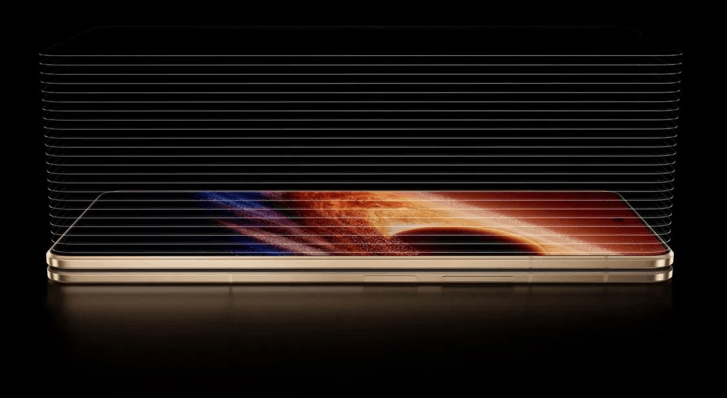
Display Features That Improve Viewing Comfort
Adaptive Brightness and Automatic Screen Adjustment
The Adaptive brightness feature will adjust the brightness of the display based on the light level detected by the phone’s light sensor. The software detects the light level in the room, automatically adjusts it up or down to keep text and images legible while reducing the amount of effort required for you to see them. With bright daylight, higher brightness counters glare and makes it easier to read. The decrease in brightness in dark rooms helps to reduce the “spotlight” effect, which can lead to squinting and headaches. In addition, many phones adapt to your manual settings over time and automatically optimize future settings. Seek out fast and smooth auto‑brightness responses, along with fine brightness steps. All this information is used to keep the view consistent and comfortable in all lighting situations.
Eye Comfort Modes and Color Temperature Controls
Eye comfort modes are also known as “reading mode” or “blue light filter, and change the display to warmer colours. These help to block out some of the high-energy blue light that could interfere with sleep patterns and may cause eye strain after extended viewing time. Warm and amber hues are more soothing at night. Color temperature sliders provide greater control, allowing the user to select the desired temperature, ranging from warm to cool. Some cell phones have an eyan e comfort mode set to automatically activate at sunset and deactivate at sunrise. Some of the advanced models also fine-tune tone according to the lighting in the room. When testing a phone, see how natural-looking text and images are with the filter on.
Anti-Glare Screens for Easier Viewing
When there is a lot of glare, the eyes have to learn to counteract it, resulting in strain and repeated squinting. Anti‑glare or low-reflective glass helps to minimize bright hot spots that come from windows, overhead lights, or outdoor lights. Certain manufacturers employ special coatings to reduce mirror-like reflections and maintain contrast without sacrificing it. Some also combine high peak brightness with anti‐glare coatings for enhanced legibility outside. A matte or semi-matte surface can also minimise reflections, while still allowing the screen to be seen. When looking at a device, hold it in the direction of the brightest light and see how much you can see in the brightest light. Less glare means that your eyes have to work less, particularly when reading and playing outdoors.
Technologies That Help Reduce Eye Strain
High Refresh Rates for Smoother Screen Movement
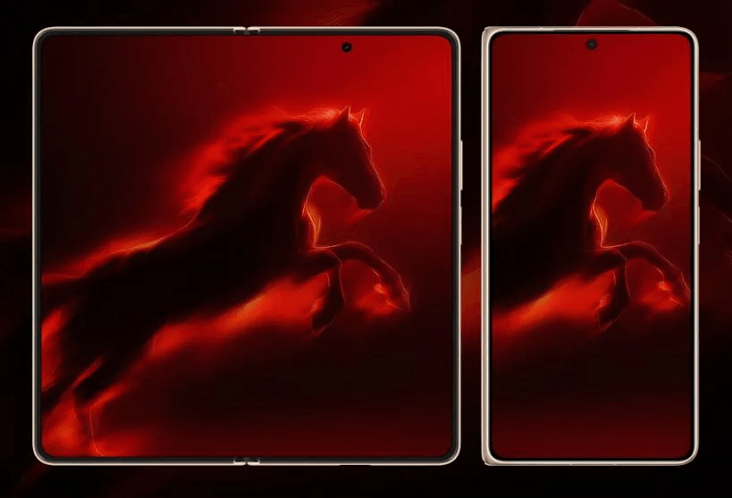
The more frames that can be displayed per second, the higher the refresh rate. This results in smoother scrolling, sharper animation and reduced motion blur. Moving content is easier to look at, helping to reduce fatigue when watching for prolonged periods of time, like during browsing or gaming. On devices like the HONOR Magic V6 fold phone, adaptive refresh rate technology automatically increases the refresh rate for fast-moving content and reduces it when viewing static screens. This is a dynamic process that helps maintain battery life and smooth movements. If possible, compare a display that offers a high frame rate with one that offers 60Hz. Notice that most people see text as clearer as they scroll and that moving around is smoother.
Flicker Reduction and Advanced Dimming Technologies
Brightness control for many screens is achieved by pulse‑width modulation (PWM), which may cause slight flicker. Some eyes are sensitive to this flicker and may be uncomfortable or cause headaches, particularly when the brightness is low. Phones with high‑frequency PWM, DC dimming or other PWM or flicker reduction technology try to reduce this effect. The brightness solution is a smoothing process that allows your eyes to see more stable light instead of brightness changes. These features can be called “flicker‑free,” “low‑flicker” or “eye care dimming” on the manufacturer’s label. If you’re experiencing strain issues using your phone in the dark, look for the following terms in the specifications. An easy-to-read display during the night is easier with a low brightness level.
Screen Time Tools That Encourage Healthy Habits
While hardware is useful, so are good viewing habits! The technology features built-in digital wellbeing tools that can monitor your screen time and usage of apps. Daily limits, focus modes, and ad reminders to take breaks. Certain cell phones have bedtime or night modes that reduce the brightness, provide eye comfort functions, and have automatic silence settings. These features will help you follow the 20-20-20 rule – for every 20 minutes of computer use, gaze at something 20 feet away for 20 seconds. If you’re considering which phone to buy, take a look at the wellbeing dashboard and break reminders. Helpful, easy‑to‑adjust tools make sticking to eye‑friendly routines far simpler.
Conclusion
Eye care smartphone is a combination of smart software and thoughtful hardware design. Enjoy everyday viewing with softer and clearer color modes with adaptive brightness and anti-glare glass. Motion and brightness changes are gentle on your eyes with high refresh rates, flicker reduction and advanced dimming. Screen time management tools then promote breaks and good habits. While no single feature can prevent strain, the proper combination of features can help maximize comfort, particularly for those who talk to their phones for long periods of time. Be sure to read the display specifications when upgrading, and try a variety of light conditions in the office to determine which is easiest on the eyes.
Popular on OTW Right Now!




About The Author

Gagan Bhangu
Founder of otechworld.com and managing editor. He is a tech geek, web-developer, and blogger. He holds a master's degree in computer applications and making money online since 2015.