
Two Small Habits That Protect Your Digital Privacy: Smarter Photo Location Data and Disposable Emails
Most people think online privacy is all about having good passwords and antivirus software. That’s certainly part of it, but some of the biggest breaches actually stem from the very things we do on a daily basis that we simply don’t think about.
Two fairly common habits are sharing photos that contain embedded location data and handing out your primary email address to any site that asks you. Once you understand how they work you can easily deal with them.
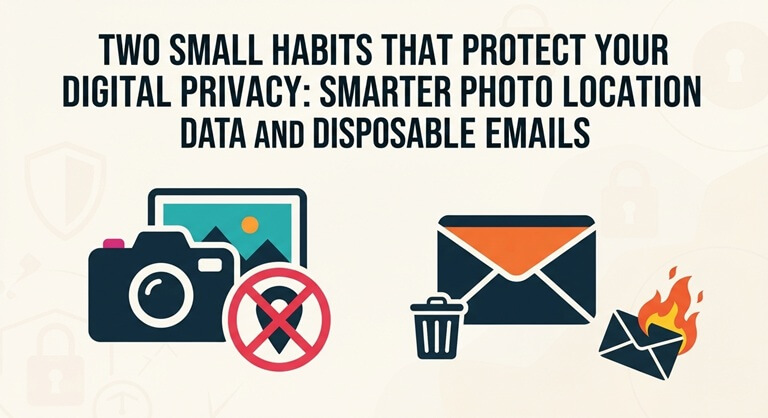
This guide will explain what photo location data is, when it can be of use or problematic, and how using disposable email addresses can protect your inbox and your identity.
Your Photos Know More Than You Think
When you take a photo on your phone, it saves all sorts of metadata (the EXIF data), which includes the make and model of the camera, the date, and often the GPS coordinates of where the photo was taken (the geotag).
Geotags are not bad by themselves. Used deliberately, they are genuinely useful:
- Local businesses add location data to photos of their shop, products or completed projects to strengthen their presence on Google Maps and local search.
- Real estate agents and contractors use geotagged images to prove where a property or job site is.
- Travelers and photographers use them to organize albums by place and remember where each shot was taken.
The problem arises when you inadvertently share your location. A picture of your new car in your driveway or a picture of your child at school is sufficient to reveal your home address or your daily routine to anyone who views the photo.
How to check and control location data
Before you post a photo, check what’s in it. Most phones will let you view the details of a photo (i.e. the metadata) so you can see what information it contains. If you don’t need the location tags then you can turn them off in your camera settings.
If you want to add, edit or remove location details without installing heavy software, browser-based tools make it simple. A free tool like geotag photos online lets you upload an image, view its current GPS data, set new coordinates on a map, or strip the location entirely before sharing. This is particularly useful for business people who need to have accurate locations on their marketing images and for anyone who simply wants to clean up their own personal photos before posting them online.
A simple rule: only add location data when you intend to and remove it if you don’t need it.
Your Email Address Is a Key to Your Identity
Think about how many times you’ve entered your email address this year—really: free Wi-Fi, app trials, discount codes, downloads, forums, etc. Each site will have your email address and many of them will share or sell it.
You’ll probably be familiar with what happens at this point. Your inbox gets inundated with spam, and if one of those sites gets compromised, your email address will end up in a leak. The attacker can then use that email address for phishing or attempt to guess your passwords on various other accounts.
Where disposable email helps
A disposable/temporary email address acts as a burner inbox. It takes your messages for a short time and then vanishes. You can therefore get a verification code or a download link without revealing your actual email address.
It is a smart choice for:
- Signing up for one-time downloads, e-books or free trials
- Testing apps and websites, a common need for developers and QA teams
- Joining forums or giveaways you are not sure you trust
- Getting a coupon without joining a permanent mailing list
Using a temp mail service takes seconds and needs no registration. You open the site, copy the generated address, and watch the inbox for incoming messages.
There are some caveats. A temporary address should never be used for banking, for government services, for work accounts or indeed for anything where you might later need to recover an account. If the inbox expires, you will be unable to reset your password.
A Quick Privacy Checklist
- Turn off camera location tagging unless you actually need it.
- Check the photos for GPS data prior to posting them on social media or marketplaces.
- Add accurate location data to your business and marketing images.
- Keep one main email for the key accounts and never use it for any random sign-ups.
- Use a disposable inbox for trials, downloads and any site you’re not 100% comfortable with.
- Enable 2FA on your main email and social accounts.
Conclusion
Digital privacy isn’t generally about one big decision. It’s about a series of small, consistent habits. Two of the easiest habits to get into are managing the location data in your photos and saving your real email address for the key accounts you have.
You don’t need any technical skills at all and you don’t need any paid software for either habit. Just take a few seconds before you post a photo or before you sign up on a website and you’ll go a long way towards avoiding spam, scams and all the other unwanted attention that comes with it.
Popular on OTW Right Now!



About The Author

Gagan Bhangu
Founder of otechworld.com and managing editor. He is a tech geek, web-developer, and blogger. He holds a master's degree in computer applications and making money online since 2015.