
IPTV on Multiple Devices in Canada: Smart TV, Firestick, Mobile & Tablet Guide
Watching television is no longer limited to the screen in the living room. A Canadian household may have a Smart TV in the lounge, a streaming device connected to another television, smartphones in everyone’s pockets and tablets used while travelling or relaxing in another room.
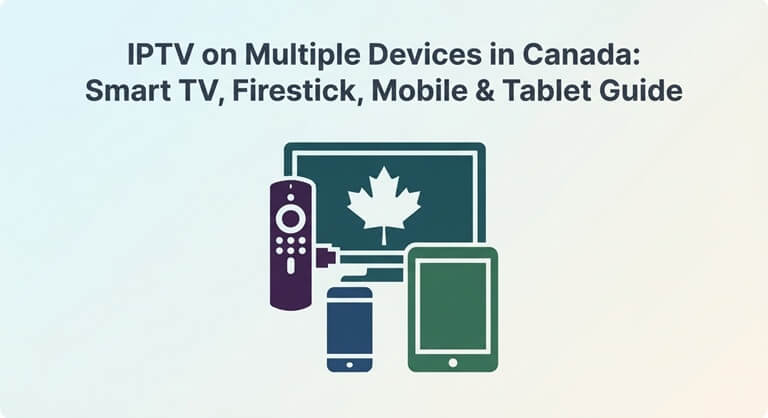
That flexibility is one reason internet-based television has become an increasingly interesting option for modern households. But it also creates an important question for anyone researching IPTV multiple devices: can one IPTV subscription actually work across all the screens a household wants to use?
The answer depends on the service, the applications it supports, the number of permitted connections and the capabilities of the devices themselves.
Before subscribing, it is worth understanding how IPTV works across Smart TVs, Firestick-type streaming devices, smartphones and tablets. Doing so can prevent one of the most frustrating situations for consumers: paying for a service and discovering that it does not work the way they expected.
What Does IPTV on Multiple Devices Mean?
Multi-device IPTV generally means accessing an IPTV service from more than one compatible device.
Those devices could include:
- Smart TVs
- Android TV devices
- Fire TV or similar streaming devices
- Smartphones
- Tablets
- Computers
- Other compatible media players
However, there is an important difference between device compatibility and simultaneous streaming.
A provider may allow an account to be used on several compatible devices but restrict how many devices can stream at the same time.
For example, a household might have the service configured on a television, tablet and phone but still be limited to a particular number of active streams according to the provider’s subscription terms.
This distinction should always be checked before purchasing.
Why Multi-Device Streaming Matters to Canadian Households
A single television is no longer the only place where people watch live programming.
Consider a typical household.
One family member may be watching a hockey game on the main television. Another may want to watch a different program on a tablet. Someone else may be using a smartphone while travelling.
If a service only works conveniently on one screen, it may not fit the household’s actual viewing habits.
Multi-device support can therefore be useful for:
- Families with multiple televisions
- People who travel frequently
- Students
- Viewers who watch television on mobile devices
- Households with different viewing preferences
- People who use a television and mobile device interchangeably
The key is not simply finding a service that claims to support multiple devices. Users need to understand how that support works.
Smart TV vs Streaming Device
One of the first decisions Canadian viewers face is whether to use their television’s built-in operating system or connect a separate streaming device.
A modern Smart TV may already provide an application environment capable of supporting compatible IPTV applications.
This can make setup convenient because there is no additional box connected to the television.
However, built-in Smart TV platforms differ between manufacturers and models. An application available on one television platform may not necessarily be available on another.
A separate streaming device can provide another option.
Devices based on platforms such as Fire TV or Android TV can expand the application choices available to a television, depending on the device and the applications supported.
For users with an older television, a compatible streaming device can also be a practical way to add modern streaming capabilities without replacing the entire TV.
How to Check Smart TV Compatibility
Before purchasing an IPTV subscription, check the exact television model rather than simply searching for the words “Smart TV.”
Two televisions from different manufacturers can use completely different operating systems and application stores.
Start by identifying:
- The television manufacturer.
- The exact model.
- The operating system.
- The applications available through its platform.
- Whether the IPTV application required by the service is supported.
If the provider offers specific setup instructions, compare them with the television’s operating system before subscribing.
This simple step can eliminate one of the most common IPTV setup problems.
Using IPTV With Fire TV and Similar Devices
Streaming devices can be useful because they separate the television hardware from the software environment used for streaming.
A user can connect a compatible device to an HDMI port, connect the device to the internet and then use supported applications.
This can be especially useful when:
- The television’s built-in platform does not support the desired application.
- The television is older.
- The user prefers a particular streaming interface.
- Multiple televisions use different operating systems.
- The household wants a consistent streaming setup.
However, adding a streaming device does not automatically solve internet problems.
If the Wi-Fi signal is weak or the home network is congested, the same buffering problems can still occur.
IPTV on Smartphones and Tablets
Mobile devices provide another way to watch internet-based television.
A smartphone can be useful when someone is away from the television, while a tablet provides a larger screen without requiring access to the main TV.
For mobile viewing, however, the requirements are slightly different.
Users should check:
- Whether the provider supports mobile devices.
- Which operating systems are supported.
- Whether an official or compatible application is available.
- Whether the subscription permits mobile access.
- Whether mobile data usage is practical.
- Whether the service has restrictions on simultaneous connections.
Streaming video can consume significant amounts of data, particularly at higher resolutions.
Someone watching IPTV over cellular data should therefore understand their mobile plan’s data allowance before spending hours watching live television away from Wi-Fi.
Why One Device Works While Another Does Not
It is possible for IPTV to work correctly on one device and fail on another.
This does not necessarily mean the subscription itself is defective.
Different devices can have different:
- Operating systems
- Application versions
- Hardware capabilities
- Network connections
- Screen resolutions
- Video-decoding capabilities
- Application permissions
For example, a television connected through Ethernet may have a much more stable connection than a smartphone connected to weak Wi-Fi in another room.
If one device works and another does not, troubleshoot them separately.
Check the problematic device’s internet connection, application version, login information and compatibility before assuming that the entire service is unavailable.
The Multi-Device Problem Nobody Talks About
One of the most important questions consumers should ask is:
How many devices can stream at the same time?
This is different from asking how many devices can have the application installed.
A household might install an application on several devices but still be limited by the subscription’s simultaneous-stream rules.
Imagine three people trying to watch three different programs at the same time.
If the subscription permits only one active connection, the second or third viewer may encounter an error, interruption or another restriction.
That is why consumers should distinguish between:
Registered devices — devices associated with the account.
Simultaneous connections — devices actively using the service at the same time.
The second number is usually much more important for families.
How Many Devices Should a Household Need?
There is no universal number.
A single-person household may only need one television and a phone.
A couple may want a television and two mobile devices.
A larger family could potentially need several screens.
Instead of paying for the largest possible package, think about actual usage.
Ask:
- How many people watch at the same time?
- How many televisions are used regularly?
- Does anyone watch on a phone?
- Does anyone use a tablet?
- Do family members have different viewing schedules?
- Does anyone travel frequently?
- Are multiple simultaneous streams actually necessary?
This produces a more realistic estimate of the subscription level required.
Internet Speed Is Only Part of the Equation
When users experience buffering on multiple devices, internet speed is often the first thing they investigate.
It matters, but it is not the entire story.
A household can have a fast internet package and still experience poor streaming if its Wi-Fi network is badly positioned or heavily congested.
For example, the following activities can compete for network resources:
- IPTV streaming
- Video calls
- Online gaming
- Large downloads
- Cloud backups
- Software updates
- Other streaming services
The more devices actively using the network, the more important network management becomes.
Wi-Fi or Ethernet for IPTV?
For a television that remains in one location, Ethernet can be worth considering when a wired connection is practical.
A wired connection avoids some of the variables associated with Wi-Fi, including distance from the router and interference.
Wi-Fi is more convenient and can work very well when the network is properly configured.
If a television regularly buffers while other devices work normally, moving the router closer, improving Wi-Fi coverage or testing an Ethernet connection can help identify whether the local network is responsible.
The goal should be to troubleshoot the connection before replacing an otherwise suitable IPTV service.
Why Streaming Quality Can Change Between Devices
Another issue users sometimes notice is that the same type of content looks different on different screens.
A phone, tablet and large television have very different display characteristics.
A high-resolution television makes compression problems more noticeable because the image occupies a much larger viewing area.
Mobile devices may also adjust playback depending on network conditions.
For this reason, viewers should evaluate the experience on the device they actually intend to use.
If television viewing is the primary purpose of the subscription, testing only the service on a small smartphone screen does not provide a complete picture.
Can You Watch IPTV While Travelling?
Mobile access can make internet television useful for people who travel, but users should check the provider’s terms and the technical requirements before relying on it.
Travelling introduces additional variables:
- Different Wi-Fi networks
- Hotel internet restrictions
- Mobile data limits
- Different connection speeds
- Device battery consumption
- Regional availability
- Account or connection restrictions
A service that works perfectly at home may behave differently on a congested hotel network.
Travellers should therefore consider mobile viewing as a separate use case rather than assuming the home setup will behave identically everywhere.
How to Set Up IPTV Across Multiple Devices
The exact setup procedure depends on the provider and application, but the general process is straightforward.
Step 1: Identify your devices
Make a list of the televisions, streaming devices, phones and tablets you actually want to use.
Step 2: Check compatibility
Confirm that the IPTV application or player required by the provider supports each device.
Step 3: Check account limits
Understand how many devices can be registered and how many can stream simultaneously.
Step 4: Install the supported application
Use the appropriate application source for the device and follow the provider’s setup instructions.
Step 5: Connect the device to a stable network
Whenever possible, use a strong Wi-Fi connection or Ethernet for stationary devices.
Step 6: Test one device first
Before configuring the entire household, test the service on your primary television.
Step 7: Add additional devices
Once the main setup works correctly, configure the remaining compatible devices.
Step 8: Test simultaneous viewing
If your subscription allows multiple active connections, test the devices together.
This can reveal account or network limitations before they become a problem during an important live event.
What If IPTV Stops Working on One Device?
Do not immediately assume that the subscription has stopped working.
Start with basic troubleshooting.
Restart the application.
A temporary application problem can sometimes disappear after restarting it.
Check the internet connection.
Try another application or website on the same device.
Restart the device.
This can clear temporary software problems.
Check for application updates.
An outdated application may behave differently from the current version.
Check account credentials.
Incorrect login information can prevent authentication.
Test another device.
If IPTV works normally elsewhere, the problem may be specific to the original device.
Check the provider’s status or support information.
If multiple devices stop working simultaneously, the issue may be outside the individual device.
This process is more useful than repeatedly reinstalling applications without identifying the underlying problem.
How to Choose an IPTV Service for Multiple Devices
If multi-device viewing is your priority, don’t begin with the channel count.
Start with compatibility.
Then consider:
Device support
Does the service support your Smart TV, streaming device and mobile platforms?
Simultaneous connections
How many streams can operate at the same time under the subscription?
Content
Does the service provide the programming your household actually wants?
Streaming quality
Does the service provide the quality appropriate for your primary screens and internet connection?
Subscription terms
Are billing, renewal, cancellation and refund conditions clearly explained?
Customer support
Is there a practical way to obtain assistance if a device stops working?
Network requirements
Can your home connection comfortably support your normal usage?
A provider that fits these requirements is more useful than one selected simply because it advertises a large number of channels.
Canadian viewers comparing providers can also review a dedicated IPTV Canada resource to understand the features they may want to evaluate before choosing a service.
Avoid Paying for Features You Will Not Use
The opposite problem can happen too.
Some consumers choose a larger package simply because it supports more devices, even though only one or two screens are ever used.
Before upgrading, ask whether the additional capacity solves a genuine problem.
If only one person watches IPTV at a time, paying for extensive simultaneous connections may provide little practical benefit.
On the other hand, a family that regularly watches different programs simultaneously may find additional device capacity much more relevant.
The right subscription is therefore determined by usage, not by the size of the feature list.
A Practical Multi-Device Checklist
Before subscribing, Canadian viewers can save this checklist:
- Identify every device you want to use.
- Check whether each device is supported.
- Identify the operating system on each Smart TV.
- Check streaming-device compatibility.
- Check smartphone compatibility.
- Check tablet compatibility.
- Confirm the number of permitted simultaneous streams.
- Check whether additional connections cost extra.
- Test your home Wi-Fi near the main television.
- Consider Ethernet for stationary devices.
- Check your mobile data allowance if you plan to stream away from home.
- Review subscription and cancellation terms.
- Confirm which programming matters to your household.
- Test the service on your primary device before configuring everything else.
Final Thoughts
The biggest advantage of multi-device IPTV is flexibility, but that flexibility only matters when the service, devices and network work together.
A Smart TV, Firestick-type streaming device, smartphone and tablet may all provide convenient viewing options, but compatibility and simultaneous-stream limits can vary considerably between services.
The smartest approach is to start with your household’s actual viewing habits.
Determine which devices you use, how many people watch at the same time, what programming matters most and how reliable your home network is. Then compare IPTV services against those requirements.
For viewers researching IPTV multiple devices in Canada, the objective should not be finding the service with the longest list of supported screens. It should be finding a setup that works reliably across the devices the household actually uses.
When compatibility, network performance, account limits, content and subscription terms are checked before purchase, many of the common multi-device IPTV frustrations can be avoided.
Popular on OTW Right Now!


About The Author

Gagan Bhangu
Founder of otechworld.com and managing editor. He is a tech geek, web-developer, and blogger. He holds a master's degree in computer applications and making money online since 2015.