
QR code product tracking: connecting physical items with digital data
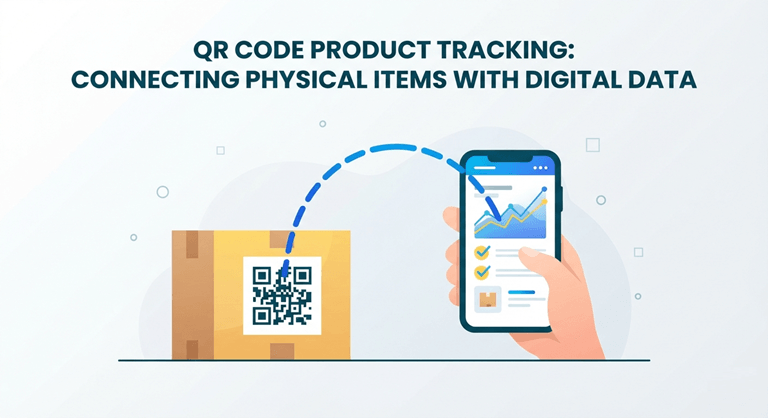
QR code product tracking can help businesses connect a physical item or package with a digital record. The scanned destination may provide product details, instructions, batch information, support resources, or a managed page linked to a specific identifier.
The QR symbol alone does not create a complete tracking system. It acts as a data carrier or link. The business still needs a database, clear identifiers, reliable content, and rules for updating information.
A successful project begins by defining what needs to be identified and which users will scan the code.
Define the purpose of tracking
Possible goals include:
- Identifying a product type.
- Distinguishing production batches.
- Connecting a serialised item.
- Providing digital instructions.
- Supporting registration.
- Managing warranty information.
- Linking to product authenticity resources.
- Sharing recycling guidance.
- Recording internal workflow events.
A consumer information page and an internal warehouse system have different requirements. One code may support several destinations, but each user needs a clear path.
How to create QR code for product use
Teams planning to create QR code for product applications should first define the identifier structure.
Decide whether the code represents:
- A product category.
- A stock-keeping unit.
- A batch.
- An individual serialised item.
- A package level.
- A location.
- An internal process.
Using one generic code for every unit may be enough for instructions, but it cannot provide item-level tracking. More detailed identification requires more data and stronger system integration.
Building the destination and database
The destination should retrieve the correct record from the underlying system. It may show different information according to product, batch, language, region, or user type.
Possible fields include:
- Product name.
- Model.
- Description.
- Ingredients or materials.
- Instructions.
- Batch.
- Manufacture date.
- Support contact.
- Warranty.
- Recycling information.
- Related documents.
Businesses considering QR code product packaging solutions should map the content, identifier, landing page, and update process before printing at scale.
Do not place sensitive internal data on a public page simply because the record can be linked through a code.
Managing QR code product information
QR code product information must remain accurate for the life of the item or package. Assign responsibility for every field.
The content workflow should define:
- Who creates information.
- Who approves it.
- Which source is authoritative.
- When updates occur.
- How previous versions are stored.
- Which regions and languages apply.
- When a record is archived.
- What appears after discontinuation.
Information should not be copied manually across multiple pages when it can be managed from one controlled source. Duplicate content increases the risk of inconsistency.
Designing a product packaging QR code
A product packaging QR code needs enough space, contrast, and protection from folds, seams, glare, and curvature.
The production team should consider:
- Printed size.
- Quiet zone.
- Colour contrast.
- Package shape.
- Print method.
- Viewing distance.
- Likely damage.
- Placement near other barcodes.
Test the final production sample. A code that scans from a digital proof may fail when printed on reflective, flexible, textured, or curved material.
Avoid placing it over a fold or where the package is normally gripped.
Separating consumer and internal uses
Consumers may want:
- Instructions.
- Product details.
- Support.
- Registration.
- Authenticity information.
- Recycling guidance.
Internal teams may need:
- Batch status.
- Warehouse movement.
- Quality records.
- Service history.
- Distribution details.
Public and internal information should be separated through appropriate access controls. Do not assume that a difficult-to-guess link is secure.
Tracking events
If the system records scans as events, define what a scan actually means. A scan may indicate interest, inspection, receipt, or use, but it does not automatically prove a physical process was completed.
For operational tracking, staff may need to authenticate and confirm:
- Item.
- Location.
- User.
- Time.
- Event type.
- Status.
- Exception.
Design the workflow so that accidental or repeated scans do not create misleading records.
Dynamic pages and redirects
Managed destinations allow businesses to update content after printing, but this introduces dependency on the redirect service and account.
Review:
- Domain ownership.
- Subscription terms.
- Data export.
- Redirect continuity.
- Security controls.
- Account permissions.
- Backup plans.
- Archive procedures.
Long-lived product packaging requires a destination that will remain available beyond one marketing campaign.
Supporting multiple languages
A product sold in several regions may need different languages or regulatory information.
The destination can use:
- A language selector.
- Region-specific paths.
- Browser-language detection.
- Product-market mapping.
- Separate approved records.
Automatic detection should not prevent the user from selecting another language. Every translated version requires review by an appropriate person.
Testing the complete workflow
Testing should include:
- Printing the final code.
- Scanning multiple samples.
- Opening the correct record.
- Checking every language.
- Reviewing data accuracy.
- Testing support links.
- Confirming analytics.
- Checking access controls.
- Simulating an update.
- Testing an archived product.
Use devices with different cameras and operating systems. Test damaged or partially worn samples when the packaging may experience rough handling.
Governance and security
A tracking system may become important to operations and customer support. Protect it through:
- Role-based access.
- Strong authentication.
- Change logs.
- Regular backups.
- Data validation.
- Review schedules.
- Incident procedures.
- Supplier management.
Do not allow every account to change live destinations or product records. Separate creation, review, and publication where appropriate.
Measuring success
Success metrics may include:
- Percentage of items correctly identified.
- Scan success rate.
- Use of instructions.
- Support contacts resolved.
- Registration completion.
- Reduction in outdated printed content.
- Staff processing time.
- Record accuracy.
- Customer engagement.
The metrics should match the original purpose. Consumer scan volume alone does not measure whether an internal tracking process works.
Conclusion
QR code product tracking connects physical goods with managed digital records, but the code is only one layer of the system. Reliable identification, databases, content ownership, access control, and testing are equally important.
Businesses should determine whether they need product-, batch-, or item-level identification before generating codes. With clear governance and a stable destination, packaging can provide useful information throughout the product lifecycle.
Popular on OTW Right Now!
-
 How Data-Centric Systems Are Transforming Modern Construction Workflows
-
 Key Factors That Affect Search Engine Optimization (SEO)
-
 Reducing Administrative Overload in Universities Through Intelligent Systems
-
 The Real Reason Stylish Fonts Are Taking Over the Internet (And How Creators Are Using Them to Stand Out)




About The Author

Christie
I am a content writer with a passion for creating informative, engaging, and easy-to-understand content. I enjoy researching a wide range of topics and sharing insights that help readers learn, make informed decisions, and stay updated on subjects that matter to them.