
Imgfree AI Unlimited AI Image Generator Review
I judge an image generator by what happens after you get the first good image. Any modern AI tool can produce one decent image. The real test is whether you can then come back later, try a different format, maintain a good composition and make alterations without having to start from scratch again.
That is the lens I used for this Imgfree AI review. I looked at its free and unlimited positioning, text-to-image workflow, image-to-image editing, prompt requirements, and practical value for people who create visual content regularly. For readers evaluating an unlimited AI image generator, those practical details matter more than a polished gallery alone.
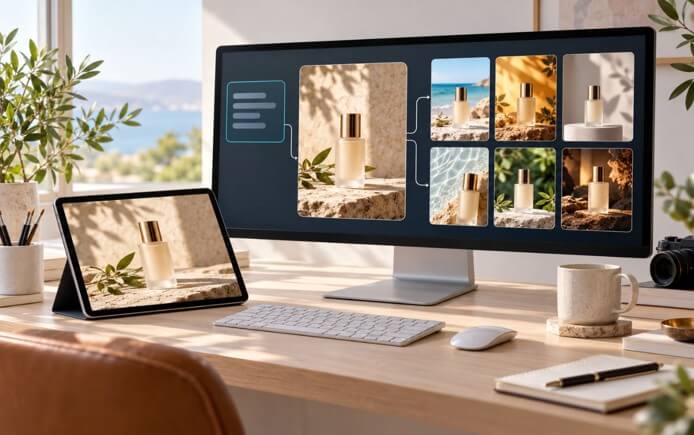
What Is Imgfree AI?
Imgfree is an AI platform that you use in your browser. It has tools for images, videos and effects. You can generate images from text or edit images and you can also turn a still image into a video.
The product is designed to be super easy to use. You don’t need to know a thing about how the AI works to just go ahead and try a prompt. That’s ideal for creators, marketers, SMEs and founders who want to play around with some ideas without having to install any software.
The First Workflow I Would Test
I start with a prompt that has a very clear objective in mind rather than one that’s trying to encompass every single detail. A product prompt, for instance, would name the product, the setting, the lighting, the camera angle, and any space that would be required for the text.
After the first image I only alter one thing at a time. If the product looks good but the background is too cluttered, I’ll deal with the background. If the layout is good but the lighting is too cold I’ll adjust the lighting. That way I can see how the generator is reacting rather than just getting a completely new image each time.
What Does “Unlimited” Mean in Practice?
Imgfree’s homepage states you can generate unlimited images for free, which is excellent if you’re trying out a number of ideas. Very useful for things like creating blog images, testing out different campaign colours or making various versions of a character scene.
Be very careful not to assume that ‘unlimited’ means unlimited speed, unlimited resolution or unlimited commercial rights. Queues, model access, moderation, download options and fair use can all have an impact on your experience. Always check the actual product specification before you go and use it for a large project.
Image Quality and Prompt Control
Realistic Scenes
Imgfree is great for generating realistic images, particularly when you’re looking to illustrate an idea rather than show a real product. A well-crafted prompt will go a long way to giving you control over the lighting, the composition, and the overall feel of the image.
Illustrations and Stylized Concepts
For the illustrations, I tend to describe the style quite clearly (clean lines, painted textures, flat poster colors, soft editorial, etc.). The more mixed styles you throw in the less consistent the result is going to be.
Layout and Negative Space
Lots of the generated images don’t work, not because the subject is wrong per se, but because the layout simply won’t work. If I need a banner, a thumbnail or an article header I’ll specify the crop and the amount of empty space required from the outset.
Image-to-Image Editing
Image-to-image is one of Imgfree’s best features when it comes to actual content work. You can start with an image that’s already good and then ask for changes to the setting, style, colour or mood.
Clear instructions are key. Rather than just saying “restyle the image” with no limits, I might write “Keep the character’s clothes, pose and camera angle. Replace the rainy street with a bright indoor studio and use warm afternoon light”. That’s a lot clearer.
This gives you a consistent set of images. One good base image can be turned into a seasonal version, a wider crop, a different background or a different style.
Best Use Cases
I would consider Imgfree for:
- Blog and editorial images.
- Social-media graphics.
- Campaign mood boards.
- Product-concept visuals.
- Character and environment exploration.
- Image variations for creative testing.
- Creators who want to continue from images into video.
I would not use it as the only quality-control step for legal documents, technical diagrams, exact packaging, or images where a small visual error changes the meaning.
Strengths and Limitations
| Strengths | Limitations |
| Simple browser-based workflow | Fine details may need repeated attempts |
| Free and unlimited positioning | Live limits and queues should be verified |
| Text-to-image and image-to-image options | Important text may need manual correction |
| Useful for fast visual variation | Output quality depends on prompt clarity |
| Image and video tools in one environment | Commercial usage should be checked before publication |
Is Imgfree Worth Trying?
If you need to play around with a lot of visual concepts quickly, then Imgfree is a good option. Its main virtue isn’t necessarily in producing perfect first results but in how quickly you can go from one concept to the next.
This is particularly useful for small teams who don’t have their own in-house visual production staff. A marketer can go and test out a campaign idea. A founder can go and quickly produce a product concept. A writer can go and create an article image without having to wait for the full production cycle.
Final Verdict
Imgfree is a useful tool for generating AI images over and over again, particularly if you’re after easy access and the ability to play around. Text to image is the obvious starting point, image to image is useful for refining your results, and the video tools allow you to do even more once you’ve got a still image. I’d say it’s a good tool overall; just be sure to check the current limits, rights, and privacy terms before using it for any serious commercial work.
Popular on OTW Right Now!




About The Author

Gagan Bhangu
Founder of otechworld.com and managing editor. He is a tech geek, web-developer, and blogger. He holds a master's degree in computer applications and making money online since 2015.