
I Handed MeltFlex AI My Ugliest Room on Purpose. It Nailed the Vibe and Fumbled the Fine Print
I tried to break an AI redesign app with a cramped, badly lit box room. Here is what survived the stress test and what quietly annoyed me.
Most reviews test these apps on a bright, square, magazine-ready room, which tells you nothing about the room you actually own, so I ran the opposite experiment and fed the MeltFlex AI redesign app my worst space on purpose: a narrow spare bedroom with one small window, a sloped bit of ceiling, a door that swings into the middle of everything, and lighting that makes every photo look like a hostage video. The tool promises what all of them do: a photorealistic, fully furnished redesign of your own room in about 20 seconds, and my whole test was whether that promise survives a room designed to break it.
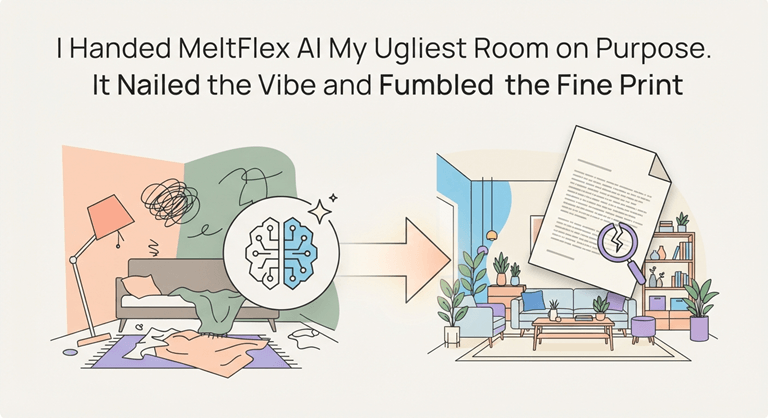
This is because these tools subliminally cheat in difficult mode, and we need to understand why. A generic image generator for an easy room can cover up a lot of laziness with good bones,s while a truly lousy room reveals either that the AI is redecorating your room or is simply using a nicer one. I’ve seen enough of these kinds of apps hallucinate a room that’s none of their business, so I took the time to make this one fail all the way down here, and I took photos of every single step so that any flaws in the process would be as apparent as any of the victories.
Setting the Trap
The showdown is a welcome slim play. You upload the space, and you say what type of room it is, and you select a direction from a very long list: modern, Scandinavian, industrial, coastal, mid-century, Japandi. No fancy 3D builder to battle with, for a torture test that’s just what I wanted, as it meant that the AI had nowhere to hide behind settings.
What Held Up
The first thing that I was expecting to break was the geometry, and that’s basically the case. My sad one window remained where it was. The ceiling remained sloped, rather than being leveled out to create a more attractive room. Proportions were passed on without being understatedly reimagined. It’s all about that respect for space, which most generic image tools sneakily cheat at. To its credit, this one did not.
The other honest win goes to speed. The first usable render returned before the microwave reheats the leftovers, and being that quick, you experiment. To test these four styles, with the ugly room, I ran each immediately after the previous one, which would have taken twenty minutes with each style if they all took twenty.
The Furniture, and its Asterisk
What’s great is that the furniture is authentic. Each piece is linked to a real-world item you can purchase from a list of stores, including IKEA, Amazon, and Wayfair; price and purchase links are included, and the render is also a shopping list for your own room. The ‘or similar alternative’ asterisk is one that the app says is the exact piece ‘or a similar alternative,’ so it will not always be the exact item you will purchase. It will take you to the correct table, but not necessarily to that table.
Where it Cracked
The first one I uploaded was a truly poor picture that was taken at a slant and at a low light level; the render was really a mess. Here we do not have a slogan like “garbage in, garbage out”, but we have the rule. A clear, straight, sunny picture made something three times better, but the application didn’t inform me of this, and the random customer will think the app is faulty because of its poor lighting.
It also has some liberties with the space, if you’re looking to buy something, you would not want to be stung by the inaccuracy. These renders are a good direction to go, but not a yardstick plan; this could be a wrong approach to consider as a construction-ready plan. The ‘4K’ toggle is an understatement, and the output really is more like 2K—with the sharper version available on the paid options.
Cost and the One-Room Problem
There is a lot of opportunity for starting free, though the allowance is light -a render or two. Prices go up as you use the app, up to ~$29/month at the standard level and ~$59/month at the pro level, region-dependent. So, a monthly subscription isn’t really the right thing to use if you’re just doing one really bad room. Also, a clean one-off is what I most wish it provided, if you were just doing a really bad room.
The Verdict
I attempted to crack it and with some success, but not much. That’s my best praise for an AI tool. It will not take the place of the designer’s judgement, and it oversells its sharpness and precision in ways that it shouldn’t. But it took my worst room, respected it and handed back four directions in a manner that was respectful, and with a real shopping list attached, in less time than it took me to tidy the room for the photo! As a start, that is more than I thought I’d get, and more than most of these tools can offer.
Popular on OTW Right Now!




About The Author

Gagan Bhangu
Founder of otechworld.com and managing editor. He is a tech geek, web-developer, and blogger. He holds a master's degree in computer applications and making money online since 2015.