
How to Reduce E-Waste in Small Business Offices
Technology is dynamic, things are broken, and upgrades are made. The outcome, however, is an accumulation of electronic waste (e-waste) that is turning into an international crisis.
The good news? To correct this, you do not have to turn into an environmental crusader overnight. It only requires some changes in the way we purchase, use, and dispose of our office equipment.
This is a convenient, simple manual on reducing e-waste in your small office.
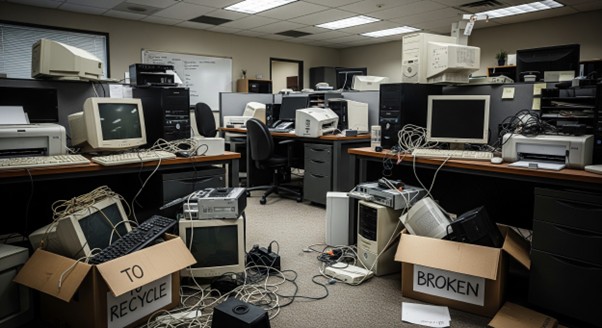
Conducting an Office E-Waste Audit
Set aside an afternoon and take everything out. And I mean everything. After everything is on the floor, sort your electronics into three easy piles:
- Functional and Useful: Things that you use on a weekly basis.
- Functional and Redundant: That second monitor that you have not switched on in two years.
- Broken or Obsolete: The stuff that is really dead.
This audit often tells an ugly truth; we purchase much more than we require. The sight of the actual amount of garbage is a tremendous incentive to alter your ways.
Repair vs. Replace: Extending Electronics Lifespan
Through marketing campaigns, we are made to believe that when our laptop takes ten seconds longer to boot, it is considered garbage. However, efficiency is paramount in a small office, and the process of constantly changing hardware is a huge drain on finances.
Is it possible to save the current ones before you press the buy button on a new fleet of computers? A slow computer often only needs a thorough cleaning or a basic upgrade of the component.
A computer can be made to last another two or three years by doubling the RAM or replacing an old spinning hard drive with a solid-state drive (SSD). Clean once every six months. Uninstall unnecessary applications and empty files. Physically, blow dust off the fans to avoid overheating. This is a fraction of the cost of a new machine.
Printers are also tough machines when they are handled well. If something goes wrong or you get into a jam, do not put it in the trash. A simple search of brother printer support or guides of your particular brand can frequently resolve the issue by a simple reset or update of drivers.
Sustainable Purchasing: Buying Durable Office Tech
Buy smarter when you have to buy. Fast tech is one of the largest contributors to e-waste: the low-quality devices that are manufactured to break down in a short period.
Attempt to buy modular electronics that can be repaired. Find brands that have repair manuals or spare parts. There is also the consideration of refurbished equipment. Refurbished high-end enterprise equipment can be longer-lasting than cheaper, low-end consumer equipment.
You should also be cautious of the warranty and support agreements of your new electronics. Ask yourself:
- Is there a take-back program by the vendor?
- How long is the support cycle?
- Is the warranty really helpful?
Repurposing, Donating, and Reselling Old Equipment
The fact that a computer is no longer fast enough to serve your video editing task does not imply that it is useless. The three-year-old laptop with high power is still a high-end computer to a student who has to write an essay, or an administrative assistant who spends most of their time on email.
When your Functional but Redundant pile is large, find a second home for those goods:
- Employee Sales: Sell old technology to employees at a minimal fee.
- Donation: Local schools, non-profits, and community centers are usually in dire need of working technology.
- Resale: You can sell your trash on eBay or to a liquidator specializing in IT.
The best solution to lower the environmental impact of a device is by providing it with a second life.
Managing E-Waste During Office Relocation
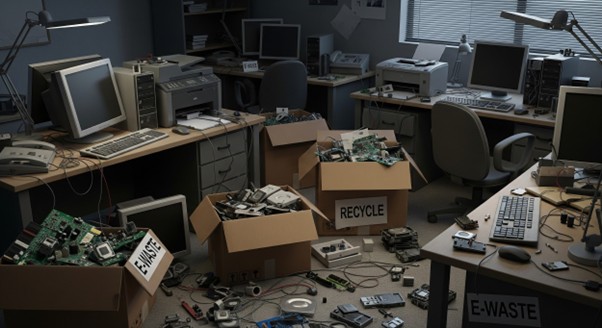
Interestingly, the greatest office e-waste spikes occur during a move. When a lease expires, and a company moves into a larger space, there is an urge to clean up. The mentality is: “New office, new equipment!”
E-waste management should be a part of the logistics plan from the very beginning, in case you are planning a move. Do not leave it until the night before the movers move in.
When your giant copy machine starts malfunctioning, you do not have to dispose of the entire machine. Printer Part Replacements, such as new rollers or a fuser, can be found quite frequently. It is less expensive and significantly greener to change a small part rather than transport a 50-pound machine to the landfill.
You can involve an IT recycling partner before the relocation to take care of the waste logistics. The professionals will do the heavy lifting to ensure that you do not find yourself dumping electronics in a skip bin in a panic.
Disposing of electronics in the general trash is a crime in most locations and immoral in all places. You must locate an accredited recycler of e-waste. However, be careful. Not every recycler are moral. Some traders just export e-waste to third-world nations, where it is burnt in open dumps. Recyclers should be e-Stewards or R2 certified. The standards ensure the waste is handled safely.
Secure Data Destruction and Hard Drive Wiping
It is impossible to discuss e-waste without mentioning security. The biggest cause of individuals holding on to old technology is that they fear theft of information. They do not know how to wipe the hard disk, and therefore, they lock the laptop in a cupboard just in case.
To get rid of the mess, a simple data destruction protocol is required:
- Save any data required in the cloud.
- Clean the drive with programs such as DBAN (Darik’s Boot and Nuke) or a factory reset of the device.
- Destroy the drive physically in case the data is very sensitive, and the drive is faulty.
After you realize that the data is no longer there, you will feel much lighter taking that hardware to the recycler.
Summary of E-Waste Best Practices
In a small office, it is not about being perfect in reducing e-waste. It’s about being conscious.
It is about taking time to buy, fixing what you can, and making sure that when technology flies out of your office, it does not end up poisoning a landfill. Begin with that one junk drawer. Clear it out responsibly. You will be shocked to know how good it is to recover your space.
Popular on OTW Right Now!




About The Author

Gagan Bhangu
Founder of otechworld.com and managing editor. He is a tech geek, web-developer, and blogger. He holds a master's degree in computer applications and making money online since 2015.