
How to Choose Smart Security for Homes and Businesses
When you’re buying security technology, ask yourself first of all what you’re trying to protect and what should happen if something goes wrong.
A homeowner may want to check the front door whilst they’re away. A business owner may want to be able to control employee access, have the ability to review activity after hours, and have urgent alerts get to the right person. Different scenarios will require different equipment, different settings and different responses.
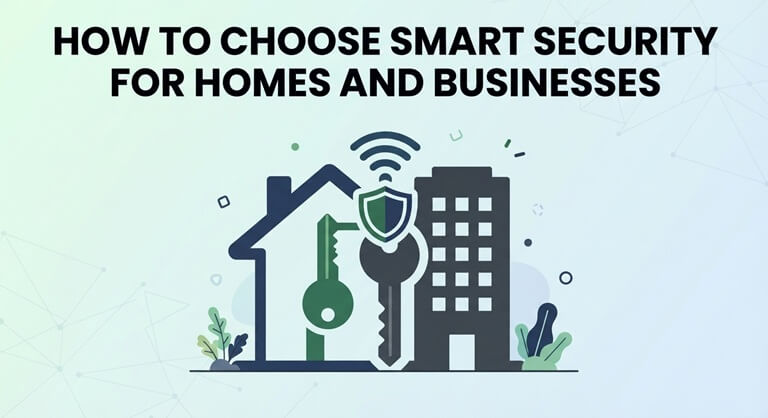
The fundamental issue is finding a system that works with your own lifestyle and is something that you can actually manage. From alarm monitoring through to staff training, there are a number of things you need to bear in mind.
1. Start With the Property and Its Daily Routines
Before you go any further and start comparing products, walk through your property and note what areas you need to look at. Think about the entrances, the windows that are easily accessible, the garages, the storage areas, and any areas with valuable kit.
Next, think about how people actually use the space. Does a delivery driver need their own entrance? Do staff work late? Does one member of the family typically get home before the others?
For homeowners searching for “home alarm systems Florida,” these details help turn a broad search into a useful installation brief. Describe the property layout, existing equipment, and the situations you want the system to address.
Ask the installers to explain why they are recommending each piece of equipment and where they intend to fit it. Their proposal should be such that each item of equipment is clearly linked to a specific requirement so that you can identify any extras that you don’t actually need and any areas that are not covered.
2. Understand What Happens After an Alert
An alarm notification only really helps if you know what to do after it goes off.
Firstly, it’s important to understand the difference between getting an alert on your phone and having a professional monitoring service deal with the alarms. If you’re asleep, you’re away, or simply unable to check your phone, then your response will be delayed.
When you’re looking at home alarm monitoring in Florida, ask what events the service monitors, who gets the call, and what happens when the first call doesn’t get an answer. Elite Security Alarm Systems has professional monitoring, which will send an alert to the homeowner and to a trained person. That way, if the homeowner doesn’t answer the first call, someone can go and initiate a response.
Ask for a clear explanation of how the response process works. Find out how emergency contacts are updated, how accidental alarms are dealt with, and how you go about setting up a system test.
Also ask what will keep working in the event of a power cut or internet outage. Get the installer to explain the backup options and any associated limitations with your setup.
3. Compare Commercial Systems Against Actual Business Needs
A small office, a restaurant, and a warehouse all require different security.
For instance, one office might be focused on staff access and the protection of equipment rooms. A restaurant might have cameras in the delivery area and at the entrance. A warehouse might be looking at the loading bays, the stock storage, and activity after hours.
When evaluating the best commercial security systems, begin with a written list of requirements. Use the same list for every provider so that comparisons remain meaningful.
Your brief could include:
- Areas requiring cameras or intrusion detection.
- Doors which require controlled access.
- People permitted to receive alerts.
- Hours when different areas are occupied.
- Existing equipment which you would of course like to keep.
- Expected to expand over the coming years.
Ask each provider to show you how they go about the tasks you’re going to be doing most frequently. It should be straightforward for the people in charge to go through events, update contacts, or locate recordings.
4. Plan Access Around People and Responsibilities
Business security is about working out who can get into each area and who can control the security system.
As your company grows, the informal methods of managing access become increasingly difficult to keep track of. Sharing passwords, forgetting to update permissions, not knowing who’s in charge, etc can all leave the manager in a position where they don’t know who actually has access.
When you’re looking at a corporate security system, ask the vendor how it deals with individual users, access schedules, permission changes, and activity logs. Elite’s commercial security guide covers access control and centralized management for the business customer with multiple sites.
Make the access changes part of your normal onboarding and offboarding processes. Have someone check the permissions whenever an employee changes role or a contractor finishes their work.
Also separate the right to enter a building from the right to manage the security system. Someone who needs to go into a stockroom, for example, doesn’t need to be given the right to change the camera settings or add users.
5. Evaluate the Provider’s Support
Equipment specs are just one element of the story. You also need to know what kind of support is available once the system has been installed.
When you’re comparing commercial security companies, ask for a written scope of work and a detailed quote. Make sure the installation, equipment, monitoring, storage, and maintenance are all itemized so you know exactly what you’re being charged for.
Useful questions include:
- Who deals with faults after installation?
- What does the warranty cover?
- Are support visits included or are they charged separately?
- Who owns the equipment?
- Can the existing components be re-used?
- What if you cancel or switch providers?
Ask for a demo prior to declaring the installation complete. The people in charge should be able to use the system, spot the common issues, and get support.
6. Make Maintenance Part of the Purchase
Someone on your premises should be the one responsible for the security equipment. If nobody is accountable, then a fault is likely to go unattended as everyone assumes that someone else will deal with it.
Before you go and select a commercial security service, you need to find out what level of ongoing care is included. Who looks at the equipment? Who looks at faults? Who updates the contact details? Who arranges the repairs?
Set up a testing schedule that’s appropriate for your equipment and in line with the provider’s recommendations. Get any tests you need arranged with the monitoring service in advance.
Always review your security setup if there’s any change to your property. New shelves, a new entrance, new hours, or more staff could all mean that your coverage and permissions need to be updated.
7. Turn Instructions Into a Useful Training Guide
It’s far easier to run a system when everyone has clear instructions.
Write a short guide covering how to use the system, how to report faults, what your account duties are, and how to get in touch with support. For businesses, add these steps to your employee onboarding and ensure the guide is easily accessible.
If you are developing a longer educational handbook, an AI book writer can help turn an outline into an organized draft. AIWriteBook supports outlining, chapter drafting, and editing, which could assist with preparing general training material.
Ask the security person to go through every instruction against the actual system and the provider’s documentation. Don’t put passwords, alarm codes, or any other sensitive access details in your guides or prompts.
Add a review date so the staff knows that they’re looking at the latest version of the instructions.
8. Ask for a Demonstration Before Making the Final Decision
Bring some real-world scenarios to your final meeting with the provider. What happens if an alarm goes off after hours? What if someone can’t get into the building? What if the internet goes down?
Go through who is to receive the information, what they are to do, and how they can get help. The proposal must contain the appropriate equipment, service, and training for those circumstances.
The right system should give you a clear idea of how it works day to day and who is responsible if something needs attention.
Popular on OTW Right Now!


About The Author

Gagan Bhangu
Founder of otechworld.com and managing editor. He is a tech geek, web-developer, and blogger. He holds a master's degree in computer applications and making money online since 2015.