
DMARC checker lookup guide: how to check your DMARC record and fix errors
What DMARC is, how it works with SPF and DKIM, and why a DMARC checker matters
DMARC in plain English
When I first started cleaning up email security for clients, I learned fast that DMARC isn’t a “nice-to-have”—it’s the seatbelt for your domain. A DMARC record tells receiving servers how to handle messages that claim to be you but fail authentication. Under the hood, DMARC validation hinges on two existing authentication protocol pillars: SPF (Sender Policy Framework) and DKIM (DomainKeys Identified Mail). If your SPF record or DKIM record passes and aligns with the visible From domain, DMARC can pass, too. That alignment piece—matching the organizational domain between your authentication results and the header From—is the magic that stops spoofing from sliding through.
DMARC’s job is policy enforcement. You publish a DMARC policy (none, quarantine, or reject) as a DNS TXT record to instruct ISPs, ESPs, and corporate gateways on what to do when email fails checks. The standard lives in RFC 7489, but in practice, I treat it as a living contract between the domain owner and receiving servers about how strictly to protect users from phishing.
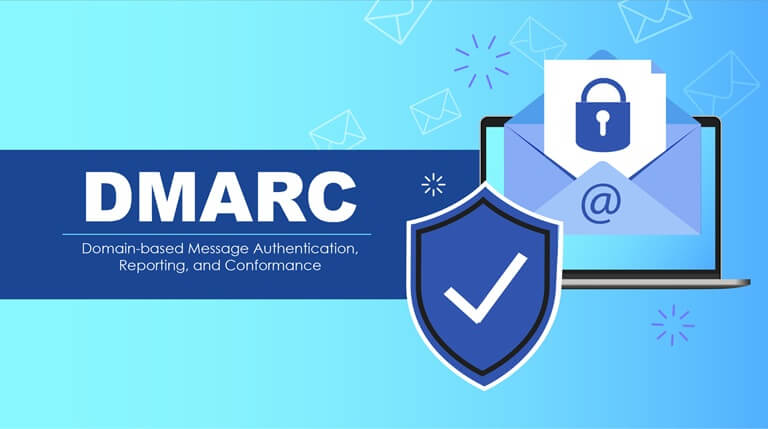
How DMARC rides with SPF and DKIM
Here’s how I explain it to a busy marketing team: SPF says, “These servers can send for me.” DKIM says, “This message was signed by me and wasn’t altered.” DMARC asks, “Do either of those pass and align with my From domain?” If yes, DMARC validation passes; if not, DMARC policy kicks in. Alignment can be strict (adkim=s, aspf=s) or relaxed (adkim=r, aspf=r). Relaxed alignment is often fine for legitimate cross-domain mail streams; strict is for when I want precise control.
Why I never skip a DMARC checker before production
I’ve seen one stray semicolon in record syntax keep a global retailer stuck at a non-policy for months—meanwhile, spoofing campaigns hit their customers. These days, I always run a DMARC lookup with multiple tools for configuration analysis before touching production records. If you want a quick, no-frills snapshot, I like starting with dmarcian’s DMARC Inspector because it surfaces alignment and reporting details succinctly. And if you just need a fast, accessible option, bookmark this DMARC checker online.
How to run a DMARC lookup: using online DMARC checkers and direct DNS TXT queries
Using online DMARC checkers
Most days, I triangulate results from a few independent tools. For a broad DMARC Record Lookup and DMARC validation sweep (including syntax, tags, and policy), MXToolbox’s DMARC check is a solid baseline. I’ll pair that with another perspective from the EasyDMARC lookup tool to confirm the record and tag interpretations match. When a client asks, “Are we safe to tighten policy?” I also run a pass with the PowerDMARC DMARC Record Checker to verify alignment behavior and reporting endpoints (rua, ruf) are reachable.
Pro tip I’ve learned the hard way: run your DMARC checker against both the apex domain and any high-volume subdomains. Subdomain policy (sp) can differ from the parent DMARC policy, and that’s where misconfiguration often hides.
Doing your own DNS TXT queries
Some days, I skip the GUIs and go straight to the source. Your DMARC record lives at dmarc.yourdomain.tld as a DNS TXT record. You can query it with dig or nslookup and then validate it with a second tool. For quick cross-checks of DMARC validation logic, I like the straightforward interface at DNSChecker’s DMARC record validation. Seeing the raw TXT record first helps me catch extra spaces, wrong separators, or multiple records—issues a shiny dashboard can gloss over.
Interpreting DMARC records: key tags (v, p, sp, rua, ruf, adkim, aspf, fo, pct), alignment, and policy states
Core tags and record syntax
A clean DMARC record usually starts like this: v=DMARC1; p=none; rua=mailto:dmarc@yourdomain.tld. The v DMARC1 and p policy are required. From there, I add operational tags as needed:
- rua: aggregate report mailbox (XML summaries of traffic)
- ruf: forensic report mailbox (message samples, subject to privacy)
- adkim / aspf: alignment modes (r or s)
- fo: failure reporting options (e.g., fo=1)
- pct: rollout percentage (e.g., pct=25)
- sp: subdomain policy (e.g., sp=quarantine)
If you break the separators (use commas instead of semicolons) or misspell tags, DMARC compliance can silently fail. I always keep tag explanations handy and double-check record syntax after edits.
Tag explanations cheat sheet
- v=DMARC1: version tag—must be first.
- p: policy—none policy (monitor), quarantine, or reject.
- sp: subdomain policy—overrides p for subdomains.
- rua/ruf: reporting destinations—ensure mailboxes exist and can accept large XML attachments.
- adkim/aspf: alignment modes—strict (s) or relaxed (r).
- fo: failure options—control forensic report generation.
- pct: percentage—throttle policy enforcement during rollout.
Alignment and policy states in practice
Alignment decides whether a passing SPF or DKIM actually “counts” for your visible From. A DKIM pass with a mismatched d= domain won’t help unless adkim=r or adkim=s matches the org domain. That’s where I see spoofing slip by if configuration analysis is rushed. Policy states govern enforcement: I begin at p=none, then step to quarantine, and finally reject once I’ve confirmed steady pass rates and clean reporting.
Record examples and validation passes
If I’m testing a new stream from a marketing platform, I’ll sign with the brand’s DKIM and align the d= domain to the From. SPF can remain a safety net via the platform’s include. If I need to craft or tune SPF quickly, Proofpoint’s DMARC/SPF creation wizard is handy for visualizing Sender Policy Framework flattening and includes.
v=DMARC1 and p policy nuance
Moving too fast to p=reject can backfire. Some ESPs or partner systems might misroute or break alignment unexpectedly. I look for 98–99% aligned traffic over at least two full reporting cycles before enforcing reject.
Reporting interval and privacy
Aggregate report volume can be hefty; I route rua to a dedicated mailbox or parser and keep ruf limited or off unless I have explicit consent, given privacy and data-handling policies.
Common issues a DMARC checker reveals and how to fix them: syntax errors, multiple records, misalignment, reporting problems, and subdomain policy gaps
Quick fixes I apply when DMARC validation fails
I once audited a SaaS firm where Google and Yahoo were intermittently quarantining invoices. The culprit? A DKIM signature from a legacy gateway using a different org domain, plus no sp tag for a transactional subdomain. Here’s my usual triage.
Syntax errors and multiple records
- Symptom: DMARC lookup shows “multiple DMARC records” or “unparsable record.”
- Fix: Consolidate into one TXT record at DMARC with proper semicolons; remove stray quotes; ensure v=DMARC1 is first.
- Tooling: Re-validate with a second DMARC checker after edits to confirm record syntax is clean.
Misalignment and reporting gotchas
- Symptom: Passes SPF but fails alignment; or the aggregate report shows high failure for a new sender.
- Fix: Align DKIM d= to the From domain; or align SPF via a return-path/MAIL FROM under the same org domain if you rely on SPF alignment. Confirm adkim/aspf settings match your intent (strict vs relaxed). Ensure rua and ruf destinations are correct and reachable.
- Tip: Use the PowerDMARC DMARC Record Checker to confirm adkim/aspf behavior and mailbox reachability.
Subdomain policy gaps and receiving servers’ behavior
- Symptom: Subdomain traffic bypasses enforcement while the apex domain is protected.
- Fix: Set sp=quarantine or sp=reject deliberately, not by accident. Test high-volume subdomains independently.
- Reality check: Different receiving servers (large ISPs vs corporate gateways) can weigh signals slightly differently; DMARC compliance still rests on the standard, but I always test across major providers.
Safe rollout and ongoing monitoring: updating DNS, moving from none to quarantine/reject, validating fixes, and using reports for continuous improvement
From none policy to quarantine/reject
My rollout ladder goes like this:
- Phase 1 (p=none, pct=100): Monitor for at least two weeks of business-as-usual. Mine the aggregate report to inventory every sending service.
- Phase 2 (p=quarantine, pct=25→50→100): Nudge phishy mail to spam while watching for false positives—especially across Google and Yahoo consumer mailboxes and corporate ISPs.
- Phase 3 (p=reject, pct=25→100): Enforce hard blocks once alignment is reliably high and legitimate senders are covered.
If I suspect side-channel phishing, I’ll also run a forensic report trial (fo=1) for a short, controlled window. And whenever I bring on a new sender, I repeat a quick DMARC Record Lookup to keep the perimeter tight. A secondary view from DMARCly’s checker adds confidence when I’m about to tighten screws.
Validating fixes and using reports to improve
- Update DNS: Publish changes as a single DNS TXT record and wait for TTL to expire. I watch the first reporting interval closely (often daily reports) to verify improvements.
- Confirm authentication: Ensure the sender has correct SPF includes and live DKIM keys. If I need SPF guardrails, I’ll revisit the MXToolbox DMARC check and the EasyDMARC lookup to double-confirm policy enforcement.
- Close gaps: For marketing platforms, align their return-path to your domain or ensure DKIM alignment; for engineering mail, sign at the edge. Keep a living register of senders.
- Measure outcomes: Over time, aggregate report trends should show reduced spoofing attempts, higher aligned volume, and healthier deliverability. If a misconfiguration pops up—say, a new ESP forgets DKIM—I catch it within a day and remediate before Yahoo or Google tighten filters.
In my experience, a disciplined cadence—DMARC lookup weekly during rollout, monthly after stabilization, and ad hoc when adding senders—keeps email authentication resilient. The payoff is real: stronger email security, fewer phishing incidents, and a reputation that actually boosts inbox placement when it counts.
Popular on OTW Right Now!



About The Author

Gagan Bhangu
Founder of otechworld.com and managing editor. He is a tech geek, web-developer, and blogger. He holds a master's degree in computer applications and making money online since 2015.