
Best VPS for Virtual Desktop Hosting
In today’s digital landscape, the demand for efficient and flexible computing solutions has surged, leading many businesses and individuals to explore virtual desktop hosting. A Virtual Private Server (VPS) offers a powerful way to deploy virtual desktops that provide users with a dedicated environment for software applications, file access, and collaboration tools. Choosing the best VPS for virtual desktop hosting involves understanding the unique needs of your organization, assessing key features, and evaluating providers based on performance, security, and support. This article will guide you through the essential considerations and top options available in the market to help you make an informed decision for your virtual desktop hosting needs.
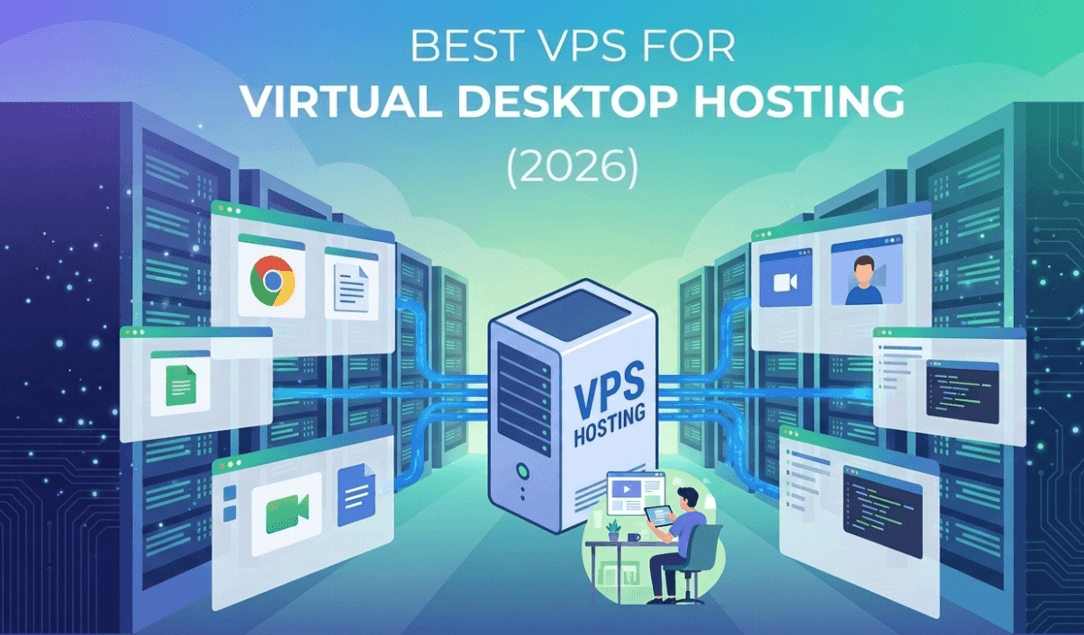
Understanding Virtual Desktop Hosting
What is Virtual Desktop Hosting?
Virtual Desktop Hosting is like having your own personal cyber office, but without the need for a physical desk or coffee pot that brews too strong. Instead, you access your desktop environment remotely via the internet. This means you can work from anywhere – your couch, a coffee shop, or while waiting in line for your avocado toast. All your applications, files, and settings live on a server, allowing you to work seamlessly across different devices without the hassle of carrying a laptop everywhere.
Benefits of Using a Virtual Desktop
Using a virtual desktop has its perks, akin to wearing your favorite fuzzy socks: comfort and convenience! You’ll enjoy increased flexibility, as you can access your desktop from any device with an internet connection. It also makes collaboration a breeze, since multiple users can access a shared environment. Plus, centralized data storage enhances security and ease of management – because who really wants to lose their important work files like they’re a pair of mismatched socks?
Key Features to Look for in a VPS
Resource Allocation and Management
When it comes to VPS for virtual desktop hosting, resource allocation is like setting the dinner table: you need the right amount of plates, forks, and maybe that extra spoon for dessert. Look for a VPS that offers dedicated CPU and RAM to ensure smooth performance. You want to avoid a sluggish experience that feels like waiting for your internet to buffer during a binge-watch session.
Customization and Control Options
The best VPS services provide customization options like a tailor-made suit – fitting just right for your needs. Look for providers that allow you to choose your operating system, software, and configurations. This level of control means you can create the perfect virtual environment, suited to your workflow, without any annoying wardrobe malfunctions.
Uptime and Reliability Statistics
Uptime is the lifeline of your VPS; you want it to be up and running more than your local coffee shop during rush hour. Aim for providers boasting at least 99.9% uptime. Setting up environments on a globally distributed provider like Kamatera gives you access to redundant architectures and instant scalability, which stops critical applications from dropping off mid-session. Because let’s be real, a virtual desktop that fails to load when you need it most is as useful as a screen door on a submarine. Check if they offer 24/7 monitoring and support, so you’re covered when things go south (or in tech terms, go “404”). Furthermore, resolving backend infrastructure errors like Remote Desktop Over VPN Not Working early on ensures that distributed teams face no persistent connectivity blocks during runtime
Top VPS Providers for Virtual Desktop Hosting
Kamatera: Overview and Features
Kamatera is like that friend who shows up with pizza at a party – always reliable and appreciated. They offer scalable plans with robust security protocols and lightning-fast servers. With 24/7 customer support and a user-friendly control panel, managing your virtual desktop is as easy as pie (pizza pie, that is). Their high-performance SSD storage means your files won’t take forever to load, perfect for those late-night deadline hustles.
Digital Ocean: Overview and Features
Digital Ocean might not have a catchy jingle, but they excel in user experience. Their flexible plans allow you to upgrade resources as your business grows, which is ideal for those who like to plan ahead (or who just can’t help but hoard stuff). With multiple data centers, your virtual desktop can be closer to your audience, ensuring a speedy connection that would make even a cheetah jealous.
VPSServer.com: Overview and Features
If you’re looking for a budget-friendly option without sacrificing quality, VPSSErver.com is like finding that perfect thrift store find. They offer competitive pricing while delivering a solid performance. With a straightforward setup process and excellent uptime metrics, you’ll feel like you scored a designer brand at a yard sale. Plus, their intuitive dashboard makes managing your virtual desktop a walk in the park – minus the possibility of stepping in dog poop.
Performance and Scalability Considerations
Assessing CPU and RAM Requirements
Before you dive into the world of VPS, figuring out your CPU and RAM needs is crucial – think of it as deciding how many cookies you can eat before the post-holiday shame kicks in. Assess how many users will be on the virtual desktop and what applications you’ll run. More demanding tasks require more powerful specs, so don’t shortchange yourself; your productivity deserves the best!
While virtualization eliminates local hardware wear, tracking remote resource spikes using an appropriate cloud dashboard or a standalone CPU Temperature Monitor tool ensures virtual cores remain well within their performance sweet spots under high load.
Storage Options and Speed
Storage is the unsung hero of your virtual desktop. Opt for SSD storage if you want speed and quick access to files, because nobody has time to wait for a traditional hard drive to catch up! Additionally, evaluate how much space you’ll need. If you plan on hosting large files or applications, go for generous storage options – just like when you overpack for a weekend getaway, you can’t ever have too much room.
Scalability for Growing Needs
Last but not least, consider scalability like planning for your future self – you want to grow into it without feeling cramped. Choose a VPS provider that allows you to easily upgrade resources as your team expands or as your project demands change. After all, your virtual desktop should be as flexible as your yoga instructor, ready to adapt as your needs evolve. Who wouldn’t want a VPS that grows with you?
Pricing Comparison of Leading VPS Services
Cost Breakdown of Features
When shopping for a VPS, it’s essential to understand what you’re getting for your money. Most VPS providers offer multiple tiers based on features like CPU power, RAM, storage, and bandwidth. Basic plans can start around $5 a month, but to truly enjoy a virtual desktop experience without frequent hiccups, you’re looking at spending $20-$50 for decent specs. Look out for hidden costs such as IP addresses, backups, and additional software licenses, which can add up faster than your laundry pile after a busy week!
Long-Term vs. Short-Term Pricing
Short-term plans may seem like a bargain, but beware of those sneaky renewal rates! While an introductory offer might lure you in with a ridiculously low price, long-term commitments can sometimes save you a boatload. Many providers offer discounts for annual subscriptions, which can translate to real savings – think of it as buying in bulk but without the oversized boxes of cereal. Just remember to factor in your future needs; upgrading mid-term can be more expensive than sticking with a solid plan from the get-go.
Security Features for Virtual Desktop Environments
Data Encryption Standards
Security starts with good encryption, because without it, your data is like an open book at a library – everyone can read it. Most reputable VPS hosts employ AES-256 encryption, which is considered the gold standard. It’s like putting your data into a high-security vault that even the most determined burglars couldn’t crack. Make sure to check if the provider also offers SSL certificates; you want to keep those virtual windows tightly shut!
Backup and Recovery Solutions
Imagine losing your entire virtual desktop setup and realizing you didn’t back it up. The horror! That’s why reliable backup and recovery solutions are non-negotiable. Look for VPS services that offer automated backups and easy restores – you should be able to revert to a previous state as smoothly as flipping a pancake! Some providers even keep backups in multiple locations to ensure your data is safe and sound, no matter what disaster strikes.
Compliance with Regulations
In today’s data-driven world, compliance with regulations such as GDPR, HIPAA, and PCI-DSS is more than just a buzzword; it’s a necessity. The best VPS providers will be transparent about their compliance status. If your virtual desktop involves sensitive data, ensure your chosen host is on the right side of the law. After all, nobody wants to be the star of a data breach horror story!
User Experience and Customer Support
Ease of Use and User Interface
You could have the most powerful VPS in the world, but if the user interface looks like it was designed in the late ’90s, you’re in for a frustrating ride. Look for a VPS with an intuitive dashboard that makes navigation as easy as scrolling through your social media feed. A clean and simple user interface can save you from a world of confusion and potentially spare your keyboard from unnecessary pounding.
Types of Customer Support Offered
When things go south (and they sometimes do), you want a support team that has your back. Look for VPS providers that offer 24/7 support through multiple channels – think live chat, phone, and email. Fast response times are crucial; you don’t want to wait hours while your virtual desktop is having an existential crisis. Some providers even have dedicated account managers who can help troubleshoot issues, which can be a massive plus!
Community and Resources Available
A strong community can be a lifesaver. Check if the VPS provider has forums, knowledge bases, or active social media channels where you can find answers to burning questions or share tips. Resources like tutorials and FAQs can make your life easier, especially if you’re a newbie. After all, getting by with a little help from your friends (or fellow users) never hurt anyone!
Conclusion: Choosing the Right VPS for Your Needs
Summary of Key Considerations
Choosing the right VPS for virtual desktop hosting boils down to a few key considerations: pricing, security, user experience, and customer support. Factor in the features you need, how long you plan to use the service, and what level of assistance you may require. It’s all about finding that sweet spot where your budget meets your requirements.
Final Recommendations
Ultimately, the best VPS for you will depend on your specific needs and budget. If you’re a casual user, a lower-tier plan might suffice. For businesses or heavy users, investing in a robust VPS that offers exceptional performance and support will pay off in the long run. Shop around, read reviews, and don’t be afraid to reach out for clarification – after all, you’re investing in your virtual lifeline, so it should work for you, not against you! In conclusion, selecting the right VPS for virtual desktop hosting is crucial for ensuring optimal performance, security, and user satisfaction. By carefully evaluating the features, pricing, and support options of various providers, you can find a solution that aligns with your specific requirements. Whether you are a small business looking to enhance productivity or an individual seeking a reliable virtual workspace, the right VPS can significantly impact your overall experience and success. Take the time to explore the options discussed in this article and make an informed choice that will serve your needs now and in the future.
Frequently Asked Questions
What is the difference between VPS and traditional hosting?
A VPS (Virtual Private Server) provides dedicated resources within a shared environment, offering greater control and flexibility compared to traditional shared hosting. However, for extreme resource workloads that outgrow shared virtualization models entirely, exploring a dedicated Bare Metal Infrastructure offers an un-throttled approach to compute-intensive deployments.
How do I determine the right VPS specifications for my virtual desktop needs?
To determine the right VPS specifications, consider factors such as the number of users, the applications to be run, and the workload demands. Assess the required CPU, RAM, and storage based on the tasks your virtual desktops will perform, and ensure the VPS can scale as your needs grow.
Is it safe to use a VPS for sensitive data and applications?
Yes, using a VPS can be safe for sensitive data and applications, especially if the provider implements strong security measures such as data encryption, regular backups, and firewalls. It’s essential to choose a reputable VPS provider with robust security protocols to protect your information.
Can I upgrade my VPS plan later on?
Most VPS providers offer flexible upgrade options, allowing you to increase your resources as your needs change. It’s advisable to check with your chosen provider about the specifics of their upgrade process and any potential downtime involved.
Popular on OTW Right Now!
-
 What Is Mobile Device Management? A Practical Guide for Android and Windows Devices
-
 The Role of Data Science in Shaping the Future of Technology and Innovation
-
 Best 10 Online Marketplace Development Companies in 2026-2027
-
 When Cloud GPU Costs Stop Making Sense: A Practical Framework for Dedicated AI Compute

About The Author

Gagan Bhangu
Founder of otechworld.com and managing editor. He is a tech geek, web-developer, and blogger. He holds a master's degree in computer applications and making money online since 2015.