
Basic Gear Requirements for a Home NAS System: A Beginner’s Guide
Imagine a small nook or niche in your living room quietly humming like a personal data center – media streaming smoothly, backups functioning in the background, and a machine-learning photo organizer sorting your holiday snaps. This is not science fiction anymore; the home NAS revolutions are transforming the way our homes operate, and digital infrastructure has been incorporated into our living rooms.
The previously humble NAS is now a silent powerhouse of the home as 4K videos, smart-home footage, remote-work files, and even generative-AI datasets continue to be added to it. Local control, privacy levels, speed, and upgrading flexibility are now more important than ever.
What Exactly Is a Home NAS Network — and How Does It Compare?
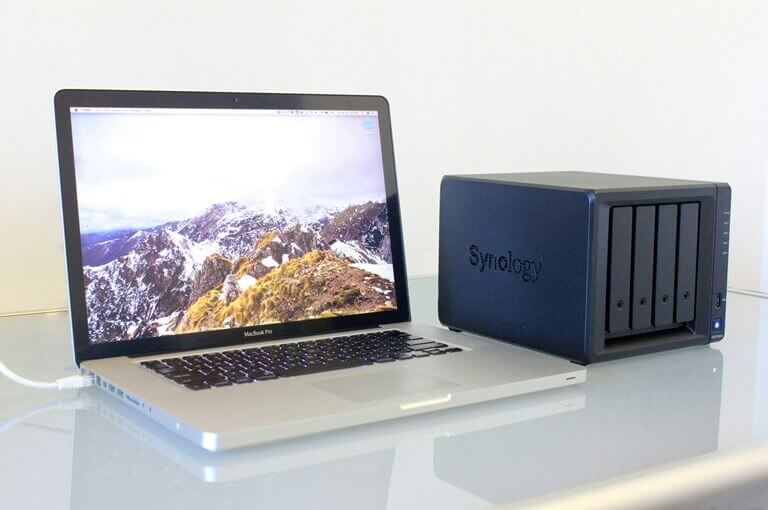
A home NAS network can be simply put as a centralized storage with a connection to the local network – available to your laptop, phone, TV, tablet, and smart-home devices. It serves as a personal cloud, backup center, media repository, and even surveillance repository.
Among storage solution categories, you’ll find home NAS, SOHO (small office/home office) NAS, SMB NAS, and enterprise NAS. The differences revolve around scale, workload intensity, redundancy, and cost. A home NAS handles fewer users, lighter workloads, and less demanding uptime compared to enterprise systems – but the architectural fundamentals remain: drive performance, network throughput, redundancy, expandability, and thermal/power efficiency.
In fact, the must-Have gear checklist for home NAS systems emphasizes building for the home yet with data-center discipline.
Why Home NAS Matters in 2025?
Home NAS is a solution to a few real problems in 2025. The first is privacy: family photos, financial data, and client work should be kept in the office to minimize exposure to third-party policies and massive breaches. The generation of media has gone wild – 4K videos, drone shots, and game videos create terabytes in a short time; it is just a waste of time and money to push and pull that material in and out of cloud services.
In the case of hybrid and remote employees, a NAS provides stable shared drives, automatic snapshots, and versioned backups to ensure that projects are not distributed across devices. On-premises AI tasks, such as photo sorting, media tagging, or on-premise model inference to drive home automation, work better when data is co-located with compute, not 50 miles away on the other side of the internet.
A NAS provides digital continuity and straightforward external backups for irreplaceable files. Put simply, a NAS bundles privacy, performance, and peace of mind.
The Core Gear You Need – Full Checklist
Let’s dive into The Home NAS Revolution: 2025’s Must-Have Gear Checklist – and have a look at the essentials’ breakdown into a few key component-categories:
Drives (HDDs / SSDs / NVMe)
Deploy NAS-rated HDDs for cost-efficient bulk storage, add SATA SSDs for caching or mixed tiers, and opt for NVMe SSDs when you require ultra-fast workflows like AI indexing or video editing. Endurance specs such as DWPD and TBW matter more than branding.
Enclosures / Chassis
The majority of homes do well with a 2–8 bay NAS enclosure. DIY builders may find a mini-tower server chassis with strong airflow and hot-swap bays more preferable.
Controller Cards (RAID / HBA)
For larger drive pools or better insight into drive health, dedicated RAID/HBA controllers boost reliability and scalability.
RAM / Memory
Basic setups need 8–16 GB; ZFS, VMs, or heavy editing benefit from 32 GB+ and ECC where possible.
Network Gear
2.5 GbE is the new baseline, and 10 GbE is becoming realistic for home labs. Pair it with a solid switch and CAT6+ cabling.
PSU / Power
Choose an 80+ Gold/Platinum PSU – clean, stable power prevents silent data corruption.
Backup Systems
Lastly, it is always advisable to install external or cloud backups; RAID would not provide protection as expected.
The combination of these parts makes up a NAS that is fast, reliable, and capable of taking on actual workloads.
The 30% Rule + Step-by-Step Blueprint to Build a Home NAS
Professionals always build with a 30% buffer – 30% additional storage than present usage, 30% more bandwidth than optimal demand. It’s the same SOP used in data centers: extra margin avoids mid-cycle upgrades and keeps your system ready for growing archives, heavier streaming, and AI-driven tasks.
Step-by-Step Blueprint to Build a Home NAS
- Begin with a basic setup: A small enclosure, two drives in RAID 1, 2.5 GbE networking, and a robust backup plan.
- Scale slowly: Add two more drives in the second year, then NVMe caching in the third year.
- For modular builds: Choose hardware that allows you to scale RAID arrays, upgrade controllers, or grow networking later.
- For power users: Deploy rack-mount chassis, redundant PSUs, dual controllers, and 10 GbE aggregation for enterprise-grade reliability.
Used together, the 30% Rule and this blueprint create a home NAS that’s future-proof, upgrade-ready, and built with true professional discipline.
Best Practices for Sourcing Gear
Never skimp on hardware. NAS or enterprise-level drives offer greater durability, intelligent firmware, and better monitoring compared to consumer versions. Approved used equipment – that is well-tested and guaranteed – can be very valuable.
Never forget to look at the vendor’s reputation, warranty terms, and compatibility with NAS OS. Home builders have also had access to the real professional-grade components and thus, select those parts that you can scale, service, and rebuild.
Sourcing enterprise-grade or certified refurbished components gives you the longevity and upgrade headroom that many homeowners often overlook. For those who want the same underlying hardware used in professional data-centers, a vendor-agnostic one-stop approach – such as a single supplier, like TechAtlantix, offering storage, controllers, PSU, networking gear – makes life simpler. Your “mini data-center” starts here – built once, upgraded over time, and always under your control.
Risks of Non-Adoption
Putting off a proper home NAS build carries real risks. You might lose data because of a single drive failure, pay steadily increasing cloud-storage bills, suffer sluggish media access, and deal with unsynchronized devices and weak security.
In short: without the right gear and architecture, your system works today – but it may fail tomorrow. When you’re planning for The Home NAS Revolution, skipping the fundamentals is the equivalent of building a house on sand.
The Future: NAS + AI
The frontier for home NAS is now AI: local inference, smart-home automation, media indexing, machine-vision tagging, and even personal language-model hosting. These workloads demand ultra-fast NVMe tiers, high-throughput networking, proper caching, and intelligent storage tiers.
According to most research, storage is shifting toward the edge of the network – closer to the user and devices rather than cloud-only. If your home NAS is built with the right hardware today, you sidestep the need for costly upgrades later. The runway to acquire Basic Gear Requirements for a Home NAS Network is open.
Conclusion
The shift from a few external drives and cloud subscriptions to a unified, high-performance home NAS is no longer optional – it’s becoming the baseline for modern digital life. By following the guide above – investing in quality drives, enclosures, controllers, network gear, and backup strategy – you build a system that is fast, reliable, and ready for tomorrow’s workloads.
Popular on OTW Right Now!
-
 RI Mining’s New Mining App Is Released: BTC and XRP Holders Can Easily Start a Stable Income of $25,000 Per Day
-
 Cross-platform Application Development on Outstaffing/Outsourcing
-
 Aluminum Gauge Thickness: Why It Matters for Road and Construction Signs
-
 The Future of Instant Voice Communication: What’s Next?




About The Author

Gagan Bhangu
Founder of otechworld.com and managing editor. He is a tech geek, web-developer, and blogger. He holds a master's degree in computer applications and making money online since 2015.