
MiniMax H3 vs Kling 3.0: Choosing a Tool for Image-to-Video Projects
There are two renders of a fictional desktop speaker available from a designer: one with the face towards the front and the other slightly turned towards the light. Although the task seems simple enough, deciding on an AI video tool becomes complicated since the comparison pages combine camera control, sound, reference uploads and cinematic storytelling into a single feature count.
MiniMax H3 is worth considering for this kind of image-led brief. The service offers a required first frame and an optional last frame, alongside a separate reference-media route. Kling 3.0 is a relevant alternative, particularly when a project extends beyond one continuous shot.
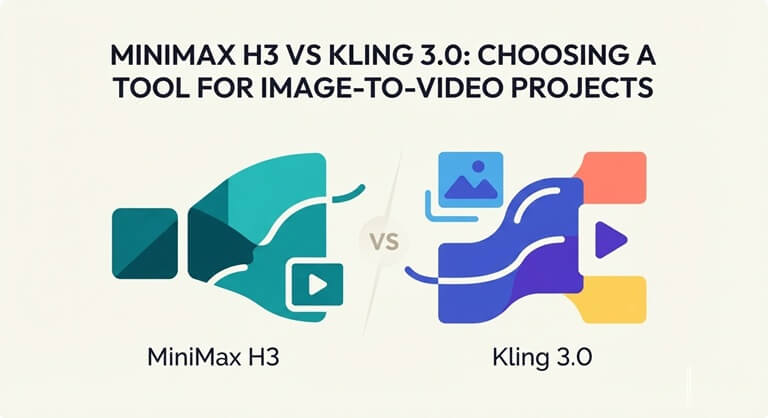
The comparison examines the MiniMax H3 workflow as it is available on the linked page together with Kling 3.0’s video model, without including the separate Omni version. It concentrates on the documented controls and the way they address the requirements, rather than on untested assertions regarding visual quality, reliability or rendering speed.
One shot or a sequence? Decide before comparing
The speaker brief only requires a slight change in viewpoint, not something like a miniature television commercial. If you took a close-up of the grille, showed a wide view of the studio and ended with a final hero shot, that would be a different kind of request. Combining those requirements makes a filming tool that has more cinematic possibilities appear automatically more attractive, even though those possibilities contribute little to the final product.
In the case of a single shot, the key issue is whether the inputs provided make the movement clear; with a sequence, the author also has to decide at what points the cuts take place and how each shot contributes. These represent different kinds of control. A last-frame slot or a more detailed prompt should not be taken as equivalent to a full shot plan.
Where the two workflows meet—and separate
Both of the options include the basic approach that is image-based. It is only when the brief requests something more specific that the useful differences become apparent.
| Requirement | MiniMax H3 service | Kling 3.0 |
| Defined opening and ending | First image required; last image optional in Image to Video | Start-and-end-frame support |
| Additional creative context | Image, video and audio references with file mentions | Start frame plus element references |
| A sequence containing cuts | Do not assume frame guidance is a multi-shot editor | Multi-Shot and Custom Multi-Shot controls |
| Sound created with the picture | Audio references alone do not establish this capability | Native audio support |
Find the controls that are available for the chosen account and mode. The table should be understood not as a quality ranking since it indicates which parts of a brief each workflow covers, not how successfully a given generation will deliver them.
The case for starting with MiniMax H3
H3 is reasonable when the creative work is already in part visual since the speaker’s silhouette, material and setting can be seen in the renders; it would be possible to misunderstand if a paragraph were written to reconstruct them, the requirement being to describe the difference between the views while taking the provided pictures as the visual starting point.
There is also a useful difference to be made between a frame and a reference. A frame indicates the moment in the clip that is intended. A reference, on the other hand, may be used to express a camera rhythm or a surface treatment. H3’s reference route makes use of references such as @image1 and @video1 to identify the files that have been uploaded. This provides a means of stating which material a direction refers to, rather than leaving a collection of attachments unexplained.
Let us imagine that the designer has a motion sample which demonstrates a smooth camera arc. The instruction could make use of that movement without needing to request the sample’s object or background. This provides a good reason for considering the reference route, even though it does not guarantee that the move will be reproduced exactly. When two still images already convey the entire assignment, then the additional clip may be unnecessary.
When Kling changes the choice
Start with a wide shot of the speaker, switch to a shot showing the texture, and end with a close-up. The Custom Multi-Shot features of Kling 3.0 allow the user to specify the details of each shot and how long it lasts. This provides a solid reason for looking at Kling when carrying out this modified task, instead of trying to fit the sequence into instructions designed for a single transition.
It is important to take into account the native audio option when the concept is based on sound reaching the generated image at the same time; this should not be mistaken for uploading audio as reference material. A silent visual loop would have no need for either of these features. A product concept which is narrated might require a separate audio decision before the video tool can be properly selected.
In the case of the two-render task, the fact that these capabilities exist does not mean that they take priority over H3’s relevant inputs. Controls are only valuable when the brief makes use of them.
Prepare the pair before spending credits
MiniMax H3 frame guidance is most useful when the two pictures express a clear relationship. In the speaker example, keep the scale, background and lighting broadly compatible. If the second image also changes the object, removes its stand and relocates the scene, the requested transition becomes ambiguous before generation even begins.
Explain the desired action in simple terms: the view should make a slight arc around the stationary speaker, showing more of one side before coming to rest. Do not request the speaker to rotate when the camera is moving in the opposite direction unless that specific combination is really needed. The objective is to ensure that the intended action is clear, not to create the longest possible instruction.
The endpoint guidelines do not indicate each individual frame in between. When viewing the middle portion of the clip, look for a grille that melts, a support that alters its shape, or a reflection that moves in an implausible way. A pleasing final frame is no remedy for a distracting transition. This is true regardless of which service prepares the draft.
Choose the tool that answers the brief
MiniMax H3 is a reasonable one to try out first if the idea is image-based and has a clear destination, since there is a match between the material provided and the task—not because it is making an unsubstantiated assertion that it outperforms Kling. Instead, the project lends more importance to Kling’s established options when it involves a number of cuts or generated sound.
Before making the payment, it is important to check the actual account restrictions, the credit estimate and the conditions regarding usage for the job in question. The first attempt should be kept small so that it can be properly assessed. When it comes to the speaker, the decision boils down to a simple question concerning viewing: does the object remain convincing over the entire duration? What is more important than the number of features that the comparison page can list.
Popular on OTW Right Now!



About The Author

Gagan Bhangu
Founder of otechworld.com and managing editor. He is a tech geek, web-developer, and blogger. He holds a master's degree in computer applications and making money online since 2015.