
How to Choose the Right Gaming Computer: A Buyer’s Guide for First-Time Builders and Upgraders
Gaming has moved a long way past simple 2D titles and casual browser games. Today’s games demand real horsepower — fast processors, dedicated graphics cards, high refresh-rate displays, and enough RAM to keep everything running without a hiccup. If you are looking for your first serious gaming rig or just want to upgrade your old machine that has been unable to reach 30 FPS, here’s what really matters and how to not overspend on the things you don’t need.
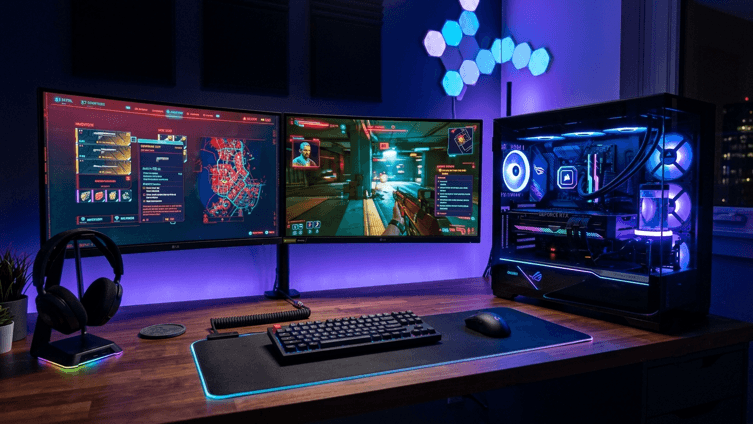
1. Start With the GPU, Not the Brand Name
The graphics card is the single biggest factor in gaming performance. It’s tempting to fixate on CPU clock speeds or RAM size, but for most modern titles, the GPU determines whether you’re playing at a smooth 60+ FPS or fighting stutter at every corner.
A simple rule of thumb:
- 1080p gaming: a mid-range GPU handles most current titles comfortably.
- 1440p gaming: you’ll want a step up, with more VRAM to handle higher-resolution textures.
- 4K or competitive esports at high refresh rates: this is where flagship GPUs earn their price tag.
Don’t buy more GPU than your monitor can use. A 4K-capable card paired with a 1080p, 60Hz screen is wasted money — match the two together.
2. Balance the CPU So It Doesn’t Bottleneck the GPU
A strong graphics card coupled with a weak processor is known as a bottleneck; the processor waits for instructions from the strong graphics card. In the gaming market, you need not have the best CPU available on the market, just one that perfectly balances with your GPU. No matter what type of game you are playing, most mid-range GPUs complement mid-range and high-end CPUs in the latest generation perfectly.
However, if you’re also streaming, editing video, or running heavy background tasks while playing games, then it’s at that point that having a higher core count CPU really starts to become worthwhile.
3. RAM: 16GB Is the Baseline, 32GB Is Future-Proofing
The standard for years was 8GB. Not anymore. 32GB is a reasonable amount of memory for most current games to operate, and 16GB is plenty with additional browser, Discord,d and streaming software running along the way. With additional software such as a browser, Discord, and streaming software running alongside, 32GB is a reasonable amount of memory for most current games to operate. Just be sure to have a system that has dual-channel memory, as it will make a difference in performance for nearly no additional cost.
4. Storage: Prioritize NVMe SSDs
Not only is the issue of load times one of convenience, but it also has an impact on the actual experience of playing an open-world game where resources are streamed. Having an NVMe SSD for the primary drive is almost a must in 2026; if you require larger storage space for a big game library, then you should consider combining an NVMe SSD with a larger HDD or secondary SSD.
5. Don’t Overlook the Power Supply and Cooling
You can easily invest the money in the graphics card and CPU and neglect the power supply. If you have the right PSU with some power headroom, the rest of your system and computer will be well protected and will remain stable when under load. Likewise, a good case circulation or cooler will prevent thermal throttling without being noticed, even at high performance levels.
6. Pre-Built vs. Custom Build
Building your own PC gives you full control over every component and is often cheaper per performance dollar, but it takes time, research, and a willingness to troubleshoot. A pre-built gaming computer is the faster route — you get a tested, warrantied system without sourcing parts individually, which is a solid choice if you’d rather spend your time gaming than assembling. Retailers like Gaming Computer offer pre-configured builds across different budget tiers, which is worth a look if you want a ready-to-go setup without the part-by-part research.
7. Set a Realistic Budget and Stick to It
Everyone is tempted to go all-out on the latest flagship items, but the rewards are not as high as they appear to be. For most games, this is better than having aan extremelyhigh-end build that’s all out of balance. Set up your desired resolution and refresh rate, then allocate your budget for that — not the other way around!
Final Thoughts
The best gaming computer is not the most expensive computer, but rather a computer that is balanced for the games that you play as well as the resolutions you play them at. Pair the right GPU/CPU, go over any basic requirements for RAM and storage, and the rest of the build is pretty straightforward.
Popular on OTW Right Now!



About The Author

Gagan Bhangu
Founder of otechworld.com and managing editor. He is a tech geek, web-developer, and blogger. He holds a master's degree in computer applications and making money online since 2015.