
Which AI Video Workflow Should You Use?
Circa October 2023, creating videos with AI has advanced from an experimental tool into an effective content development process. Using insMind, users can easily generate video clips using just text or text-to-video tools. Therefore, if you’re a blogger, ecommerce merchant, startup, educator, or small marketing team member, you can create short-form video clips without ever having to start out with a camera, edit your video, or follow a motion design timeline.
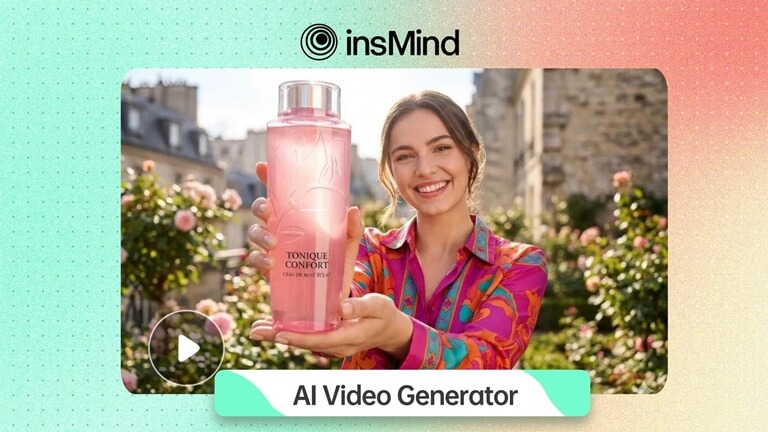
However, for beginners to AI video creation, there is often one critical question they must answer before they create anything: Should they use an image prompt or a text prompt? A text prompt provides the AI with a creative framework for storytelling, whereas an uploaded image provides a visual reference for the AI to animate.
While each of these two forms of prompt can yield similar results, their usage is not interchangeable. To readers who regularly enjoy reading practical software guides and comparing the features of various tools, understanding the distinction between text and image prompts is highly beneficial in terms of selecting the appropriate workflow. Selecting a workflow that fits your workflow requirements can help you save valuable time, produce higher-quality final videos, and reduce the number of unsuccessful video generations.
What is Text-to-Video?
Text-to-video is an AI workflow where the user types a prompt, and the tool creates a video from that description. The prompt can be the subject, scene, camera movement, lighting, mood, style, or purpose of the video.
For example, a user might write: Create a short promo video of a modern productivity app on a laptop screen, clean office lighting, smooth camera zoom. Then the AI will take that written instruction and create a video scene.
This workflow is good if you don’t already have a finished visual asset. Great for concept videos, product ideas, explainer visuals, campaign drafts, story scenes, and creative experiments. The primary starting point for text-to-video is the written idea.
What Is Image-to-Video?
Image-to-video is an AI workflow where the user provides an existing image and requests the tool to add motion. The visual anchor is the uploaded image. Rather than building a scene from scratch with text, the AI begins with a photo, illustration, product image, portrait or design asset.
This workflow is especially useful when the original image should still be recognizable. An online seller might want to animate a product photo. A creator may want to convert a portrait into a short clip. A marketer may want to add motion to a campaign image without having to re-create the visual from scratch.
Image to video, the image gives structure, the prompt gives direction.
Quick Comparison: Text-to-Video vs Image-to-Video
| Factor | Text-to-Video | Image-to-Video |
| Best starting material | A written idea, prompt, scene, script, or campaign message. | A product photo, portrait, illustration, brand visual, or existing design. |
| Main advantage | More creative freedom when no visual asset exists yet. | Better visual consistency when the original subject must stay recognizable. |
| Best use cases | Explainers, concept clips, campaign drafts, story scenes, and creative testing. | Product animations, social visuals, ecommerce content, photo animation, and brand assets. |
| Common risk | The result may look impressive, but not match a specific product or brand asset. | The motion may distort details if the source image is unclear or too complex. |
| Best for beginners | When they can describe the idea clearly. | When they already have a good image and want a more grounded result. |
When Is It Better to Utilize Text-to-Video?
Use text-to-video when you need to work on a campaign idea but do not necessarily have an appropriate visual material at the moment. The following cases are relevant to this type of content:
- You do not have a proper picture at this stage.
- Several creative ideas must be tested.
- The idea needs to be conveyed rather than any particular product photo.
- It should serve as the first draft until the creation of further assets.
- Different scenes need to be tried out based on the prompt provided.
For instance, an SaaS startup could come up with an idea of a clean and productive workflow that could become the foundation of a product feature. In addition, a blogger who wants to describe AI software can produce some visual drafts to make sure their story works as expected.
In Which Situations Should You Opt for Image-to-Video?
Opt for image-to-video if the input image itself is valuable. This will be a more appropriate choice when it comes to e-commerce applications, product marketing, creator portrait images, branding visuals, or social media posts that are made using pre-existing visual material.
Some situations where image-to-video would work best include:
- You wish to maintain recognition of the subject.
- You have a clear product image or campaign graphic that works.
- You desire motion without altering your visual identity.
- Your social media post is made from a pre-existing image.
- A more controlled output is preferred over a prompt-generated scene.
For instance, an e-commerce vendor can create video animations by slowly panning the camera across a product photo. An artist can animate their portraits. A smaller brand can use motion variations from pre-existing campaign graphics.
How insMind Can Help
insMind will be helpful to users because it will provide two different workflows. If users wish to develop a video based on a text idea, the text-to-video option will allow them to do so. However, if users already have a visual source, such as a photo or product image, image-to-video will make the resulting content look similar to the source.
The overall AI video generator would also be valuable to the user who wants a platform where they could produce their own videos using AI technology without having to deal with a complicated production process.
There is no ideal workflow when it comes to creating AI content. Sometimes, people combine both methods and find success in them. For example, users can write a prompt describing the mood they want to convey in the video and also upload an image defining the subject.
This way, people will get more control because they’ll explain how they wish something to develop through a prompt and show a specific image.
How It Works: Generate an AI Video with insMind
This process helps the user pick the right entry point and create their video using insMind. It is applicable to both image-driven and text-driven videos.
Step 1: Select the entry point
Go to insMind and determine whether the entry point of the video should be text or an image. In case you need to come up with a new concept, write a prompt highlighting the setting, subject, style, and intended message. However, in case you need to use an existing product photo, a portrait, or another image, upload it.
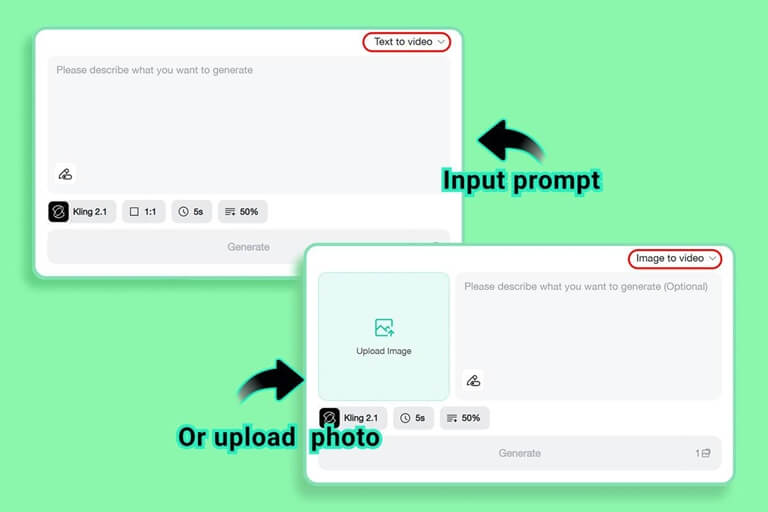
Step 2: Direction and video settings selection
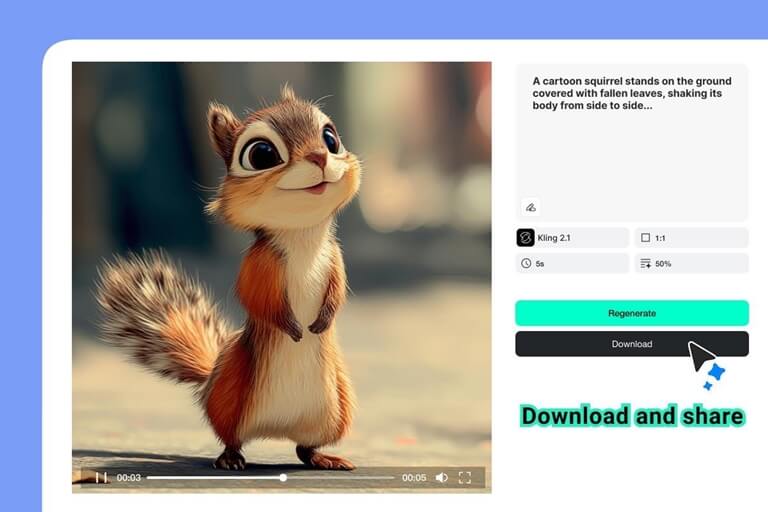
Now, provide direction for the resulting work, and select the available video settings. In case you have chosen text-to-video conversion, include information on the subject, setting, atmosphere, camera movement, and purpose. For image-to-video, indicate how the image will move – slow zoom, smooth reveal, dynamic background, or a cinematographic camera panning across the image. Then, choose the model, aspect ratio, length, and format.
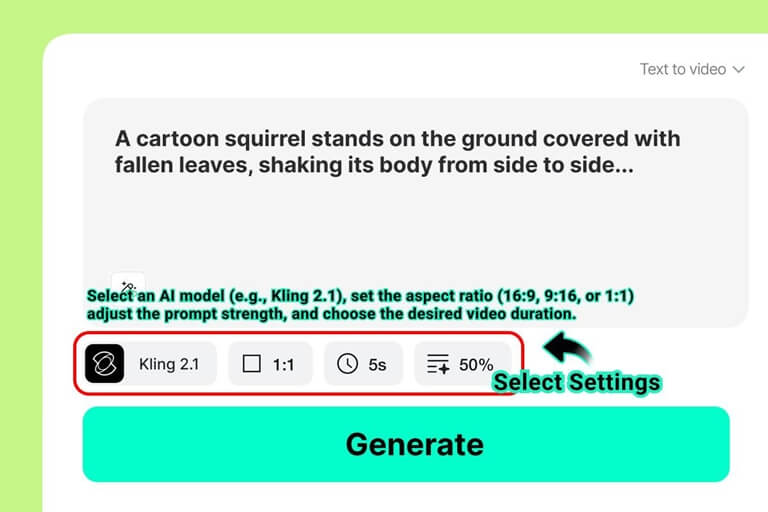
Step 3: Video creation and its evaluation against expectations
Create the video, and carefully analyze its preview. In case of text-to-video conversion, see if the created scene correctly conveys the idea. In case of image-to-video conversion, check the accuracy of the subject in the resulting image. For professional video content, carefully examine all aspects of products, logos, faces, packaging, and text, if any.
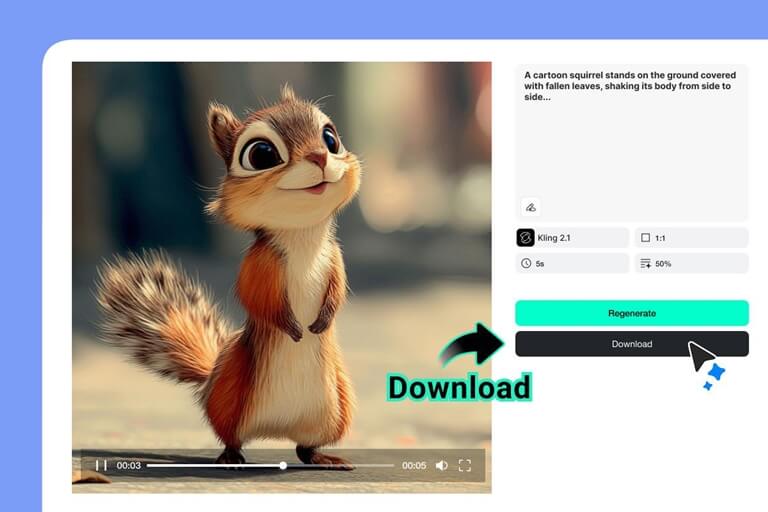
Step 4: Download the video and make any necessary changes
Once you get satisfied result, download the video and adjust it according to your final channel. While a product video may require a full-size frame, a mobile advertisement will be better presented vertically. Sometimes, a blog post may require a brief video sequence, while a campaign may require subtitles or calls to action. Review the final video before you publish it, as its purpose is to enhance the content, not distract from it.
Tips for Selecting the Right Workflow
If you are unable to decide on which workflow to use, evaluate the assets that you like best. If your written idea is stronger, choose text first, but if your image is better, go for image-to-video.
Keep this simple checklist:
- The text-to-image workflow should be chosen if you plan to create a scene based on text.
- The image-to-video workflow should be used if you want to maintain the subject’s appearance or the product’s appearance.
Both should be used if there is a reference picture, but still, some guidance on movement, mood, and camerawork is needed.
FAQ
Is text-to-video better than image-to-video?
Not all the time. Text to video is better for fresh ideas and creative concepts. The image-to-video feature is optimized for animating an existing image, product photo, portrait, or brand visual.
Can I use both workflows in one project?
Yes. A lot of users upload an image for visual control and use a prompt to describe the motion, style or mood. This can lead to a more directed outcome.
What is the best e-commerce workflow?
Image-to-video generally works best for e-commerce because you still need the actual product to be recognizable. Text-to-video still has a place in campaign ideation and creative planning.
Closing Thoughts
Both text-to-video and image-to-video are useful AI video workflows, but they are meant for different starting points. “Text-to-video gives you more freedom when you begin with an idea. When the project is based on a real visual asset, image-to-video offers more control.
insMind is useful because it supports both approaches. Authors can create videos from prompts, animate images, or mix written instructions with visual references. This flexibility makes it easier to use AI video in real content workflows for small businesses, bloggers, ecommerce sellers, and marketers.
Popular on OTW Right Now!

About The Author

Gagan Bhangu
Founder of otechworld.com and managing editor. He is a tech geek, web-developer, and blogger. He holds a master's degree in computer applications and making money online since 2015.