
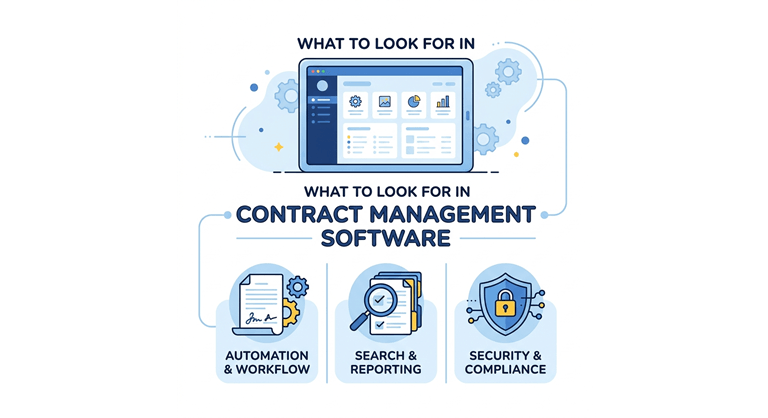
What to Look For in Contract Management Software: Key Features Explained
Every contract management software vendor will tell you their platform does it all. Templates, approvals, e-signatures, analytics, AI. The feature lists start to blur together after the third demo.
The problem is not a lack of features. It is knowing which ones actually matter for your team, and which ones just look good on a comparison chart. A startup processing fifty contracts a year has very different needs than a legal department handling thousands across multiple business units.
This guide breaks down the features worth paying attention to, explains what each one actually does in practice, and gives you the questions to ask during vendor evaluations so you can separate substance from marketing.
Contract Creation and Drafting
This is where most of the bottlenecks begin. If your team is still copying clauses out of old Word files, renaming documents manually, and emailing them around for input, then almost any CLM tool will feel like a step forward. But the quality of drafting features varies a lot between platforms.
Good drafting tools include template libraries where your legal team can build pre-approved contract formats that non-legal users can fill out through a simple form. Clause libraries are just as important. Instead of writing free-text that legal has to review later, users can pull in approved language with a few clicks.
During demos, ask the vendor to show how a non-legal user creates a contract from scratch. If it takes more than a few clicks and a short intake form, the tool is probably too complex for real self-service adoption.
Approval Workflows
Every contract goes through some kind of approval chain before it can be signed. In most organisations, this is the slowest part. Contracts sit in someone’s inbox for days simply because there is no structured routing in place.
The best platforms let you configure approval workflows based on contract type, value, department, or risk level, with options for both sequential and parallel routing. Escalation rules help make sure nothing stalls when an approver is unavailable. For a full breakdown of the features of contract management software that drive real efficiency gains, including approval automation, HyperStart’s feature guide covers each one with examples and screenshots.
One question worth asking during a demo: what happens when an approver is out of the office? Good software has automatic delegation or escalation built in. Bad software just waits.
Negotiation and Redlining
This is the stage where contracts move back and forth between your team and the other party. Every round of changes creates risk. Someone might accept a clause modification that should not have been accepted, or the team loses track of which version is actually current.
Look for built-in redlining that tracks every change with a clear audit trail, version comparison so you can see exactly what changed between rounds, and clause-level commenting so reviewers can flag concerns without editing the document directly. Some platforms also let the counterparty redline inside the tool itself, which eliminates the back-and-forth of emailing Word documents.
A good test during evaluation is to ask the vendor to walk through the third or fourth round of a negotiation. Version control is easy in round one. It gets messy fast after that, and that is where you see whether the tool actually holds up.
Electronic Signatures
When a contract is settled, it should be signed. The vast majority of CLM platforms are connected with e-signature providers; there is a great variation in how well the connection is integrated.
The signing step should be done within the contract workflow, not as a separate step that involves exporting the contract, importing the signed contract into another system, and manually entering the signed contract. Ensure there is native integration with other providers such as DocuSign or Adobe Sign, and the signed document is saved back in the repository with all the audit trail information. However, if there is a manual step in that flow, you’re sure to end up with contracts in your email inbox rather than in the system.
Central Repository and Search
All organisations have folders with contracts in shared drives, email attachments, and on their desks. The repository should remedy that, but it only works if the search turns out to be useful.
You need a centralized, secure repository that has the ability to organize your files into folders, tag, and categorize them. Full-text search should enable you to search contracts by date, type of contract, counterparty name, and/or clause language. Role-based access control means that only a limited number of agreements are accessible to the authorised users.
To test, request the vendor to test through a whole set of data, and not a demo instance with 10 sample contracts. Also, inquire how the system will deal with bulk importing of existing contracts, such as scanned PDFs, legacy Word documents, and existing contracts in email attachments. It is at this migration step that most implementations run into problems.
Obligation and Renewal Tracking
Don’t stop at the finish line yet. Much of the risk from contract management is post-signature. Renewal periods missed, obligations forgotten, automated renewals that shouldn’t have taken effect – missed dates, forgotten commitments, auto-renewals that should have been checked prior to renewal.
Search for automatic reminders based on event deadlines such as renewal dates, expiration dates, payment dates, and deliverable dates. For teams with more than a few agreements, a dashboard that displays what is coming up next is a must-have. There should be an option to set up custom alert rules, such that the different types of contracts emit the alert at different lead times. A high-value vendor agreement likely should include a 90-day reminder period for the renewal, and a regular NDA may only require 30 days’ notice.
At demo,e a list of fifty or more active contracts is required to be on the renewal dashboard. It’s not really until a significant volume of data is obtained that the value of tracking becomes apparent.
Reporting and Analytics
What you can’t see can’t be fixed. Reporting provides you with real-time insights into how your contract operations are doing, including cycle times, bottlenecks, renewals, compliance scores, and more.
Having pre-built reports for metrics like these is a great starting point, but they should also include the ability to custom report in order to create views specific to your team. Spread the results to leadership – export options are important. Others take it one step further and provide AI-driven analytics that reveal trends and patterns automatically, for example, common clauses across your portfolio or where the approval process has stalled consistently.
Do reports update automatically, or do they need to be run regularly? Day-to-day operations: real-time reporting is more helpful. While batch reporting is no problem for quarterly reviews, it is not sufficient for teams that need to actively manage contracts.
AI-Powered Review and Risk Detection
The adoption of AI in contract management has gone beyond the experimental stage and is now expected. One of the best use cases for the software is automating contract review, reading through a document and identifying any issues that might be caught, alerting a human before it opens.
Find AI that is able to research incoming contracts, look for any non-conformance to your playbook, and expose them. The classification of the clauses shows what each paragraph of the contract is (indemnity, limitation of liability, termination, and so on), which takes up a lot of review time. It can be particularly helpful for high-volume teams that cannot go through them all individually to use risk scoring that lets them know which contracts are the most important.
An important test to use: upload a true contract from your real portfolio during the trial, not the sample contract provided by the vendor. There are many different levels of accuracy with AI in clean, templated agreements compared to messy, paper counterparty-drafted agreements. You’d like to see how the tool works on your real contracts.
Integration with Existing Tools
Contract data is not a standalone. It must get into your CRM, ERP, procurement, and finance software. Likewise, if the CLM software doesn’t fit into your existing workflow, your staff will be forced to manually enter data into each system to keep things “in sync Similarly, if the CLM platform doesn’t play nicely with your existing systems, it will inevitably involve manual data entry to keep everything synced up.
The integrations pre-built with tools such as HubSpot, Salesforce, NetSuite, SAP, Microsoft 365, and Google Workspace should be included in the checklist. An open API is an important asset for custom integrations, and webhook support is helpful for sending notifications to other applications when a contract’s status changes.
Be specific in the query regarding integration on demos. We integrate with Salesforce, which can range from a comprehensive full bi-directional data sync to a simple CSV export. Request to see the actual data flow between the two systems.
How to Decide Which Features Matter Most
All teams don’t require all features to the same degree. The answer is to draw a line through the process of your existing contract, from beginning to end. Who calls for the contract to be made? Who drafts it? Who reviews it? Who approves it? Who signs it? But who keeps track of the obligations once signed?
It is these features that should motivate your purchase if your team takes the longest to complete certain steps, makes the most mistakes, or has the least visibility. Begin there, work these out, and build on them.
The most important thing to remember about the best contract management software is that it isn’t the one that comes with the most features. The one that the features your team actually do use, work well, and are used daily without any friction. If the drafting, approvals, and tracking are good, then the rest will be on track.
Popular on OTW Right Now!



About The Author

Gagan Bhangu
Founder of otechworld.com and managing editor. He is a tech geek, web-developer, and blogger. He holds a master's degree in computer applications and making money online since 2015.