
Top 5 Odoo Migration Tools for Large-Scale Upgrades
Upgrading Odoo looks simple. But the moment you begin, you get to realize that there are tons of moving parts. And each of them needs to be addressed before you make the big move! With your business, your Odoo ecosystem expands too, gathering more data, more custom modules, and deeper integrations. So when it’s time to shift to the newer version, each of these details has to be carefully scanned. Why? Due to the fact that a minor error can cause the breakdown of the features that your team is relying on, or disrupt work on a daily basis. This is the reason why it is important to work with the appropriate Odoo migration tools.
These tools reduce manual effort and prevent common errors. Additionally, they keep your data clean and consistent throughout the upgrade. Many businesses take help from professional Odoo migration services to ensure the transition happens smoothly.
It is best to first understand why you require the right tools to do large migrations of Odoo.
Why the Right Tools Are Needed for Large-Scale Odoo Migrations
Moving Odoo is never as easy as transferring the tables of the database to another. The Odoo updates come with new database changes, new fields, and new features with every release. It can also eliminate old and obsolete modules.
Therefore, when your company has been using Odoo for years with a number of customizations, even the smallest change can have an impact on how all this works out.
You may face issues like missing fields and models with updated structures. Or you may have to deal with custom modules that need revised logic and older data that require cleanup before being moved.
This is where specialized Odoo migration services and structured tools provide real value. The right tools can guide you through each phase. Additionally, they can reduce manual corrections and preserve data relationships.
Put simply, manual migrations are a thing of the past, especially for large databases or complex setups.
Top Odoo Migration Tools To Use
Let’s learn about the top migration tool that companies across the globe trust.
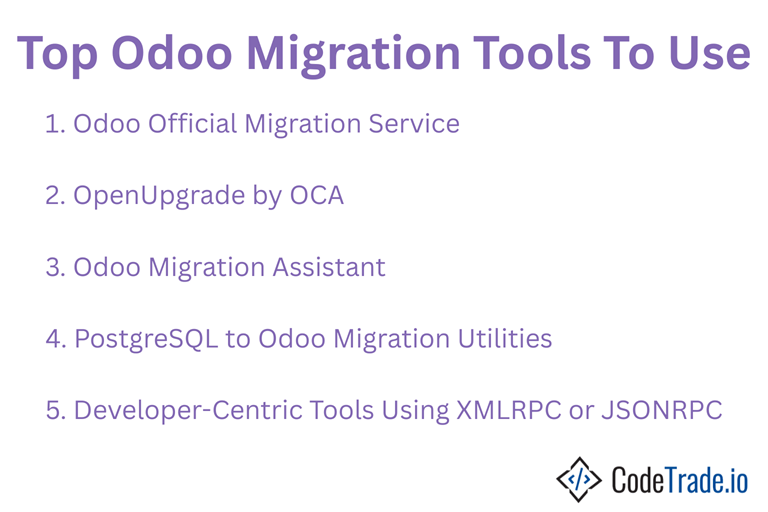
1. Odoo Official Migration Service
For Enterprise Edition users, the official upgrade service from Odoo S.A. is often the safest path. You simply upload your database to their cloud platform, and their team handles the upgrade for you. It remains one of the most dependable Odoo automated migration tools for enterprise setups.
The workflow is simple! Create a database backup, upload it to the Odoo upgrade platform, and their team reviews and updates everything. They migrate your core data and supported enterprise modules, then return an upgraded database aligned with the new version.
This tool is ideal for businesses that depend heavily on enterprise features. With the Odoo team managing the upgrade from start to finish, you get the confidence that everything is updated according to official guidelines. For organizations that prefer avoiding risks, this remains one of the strongest Odoo enterprise migration tools today.
2. OpenUpgrade by OCA
OpenUpgrade is the most popular Odoo Community Edition upgrade tool. This collection of scripts that attempts to automate changes in versions is maintained by the Odoo Community Association. These scripts refresh models, rename fields, rearrange tables, and reform data structures in accordance with new needs.
Its primary strength is transparency. Due to the full open-source nature of the platform, developers are able to see the logic of the migration, modify it, or find their own solutions whenever needed. The freedom is particularly helpful to businesses that have complicated custom modules.
However, it does require solid technical knowledge. Developers often need to troubleshoot errors and refine migration logic. Even so, it remains the top choice for anyone upgrading the Community edition using structured Odoo Migration Tools.
3. Odoo Migration Assistant
The Odoo Migration Assistant, available through the Odoo App Store, supports businesses that want a guided, in-app way to move data between versions. The tool focuses exclusively on Odoo, so field mapping and module handling feel more straightforward compared to external platforms.
It automates key processes such as mapping fields across versions, processing frequent module updates, and importing big data. This will render it as one of the most useful Odoo Database Migration Tools to companies that want to be flexible without beginning afresh. It is particularly effective with the medium-sized companies whose standard modules have moderate customization.
4. PostgreSQL to Odoo Migration Utilities
Some tools work at the database level through PostgreSQL. These utilities connect directly to Odoo databases and transfer data more quickly than API-based migration methods. Since Odoo runs on PostgreSQL, this direct access helps speed up large migrations significantly.
These utilities work best for very large databases, multi-company setups, businesses with long transaction histories, or environments with heavy warehouse and accounting activity. Because they operate so close to the database structure, experienced teams rely on them as powerful backend Odoo enterprise migration tools.
5. Developer-Centric Tools Using XMLRPC or JSONRPC
In the case where the workflow or highly customized modules are seen to be unique to the companies, standard tools might fail to address all the scenarios. In such scenarios, custom scripts are developed based on the API of Odoo. These scripts determine the method of data extraction and restructuring that is to be loaded into the new version.
This approach provides workgroups with the authority over what will be moved in the migration process and the nature in which associations between records will be preserved. This requires an added effort but is one of the most versatile Odoo automated migration tools of a complicated set up.
How to Choose the Right Odoo Migration Tool
Choosing the right tool depends entirely on your setup.
- Odoo Enterprise users will find the official upgrade platform the most reliable option.
- Odoo Community users typically rely on OpenUpgrade as the standard approach.
- Teams that prefer guided, in-app support can use the Odoo Migration Assistant for smoother handling.
- Businesses with large datasets or custom modules benefit from the Odoo Data Migration Tool.
- Very large databases see faster performance with PostgreSQL-based migration utilities.
- The workflows that are highly customized are those that can be handled most by script writing by developers to give total control.
- Organizations that want to have a controlled and low-risk process are required to engage expert Odoo migration services.
Final Words
Odoo migration isn’t simple, but the right Odoo migration tools can take a lot of the strain out of the process. Different tools offer different advantages, from faster automation to more control or deeper version compatibility. However, the key is to choose the perfect approach that matches your database size, custom modules, plus workflows.
And if you are new to this process or want professionals to carry out the job for you, connect with the CodeTrade team!
Explore Odoo migration services at www.codetrade.io.
Popular on OTW Right Now!



About The Author

Gagan Bhangu
Founder of otechworld.com and managing editor. He is a tech geek, web-developer, and blogger. He holds a master's degree in computer applications and making money online since 2015.