
Microsoft Office 2021 Professional Plus for 5 Windows PCs: A Practical Buying Guide
Microsoft Office is one of the best-known productivity suites for creating, editing, and managing documents, spreadsheets, presentations, email, notes, and business databases. Microsoft 365 has attracted many users to a subscription-based model, but there are still many others who would rather invest in software for one time than every month or year.
This is where Microsoft Office 2021 Professional Plus is gaining momentum. It offers the traditional Office desktop experience and includes applications like Word, Excel, PowerPoint, Outlook, Access, Publisher, and OneNote.
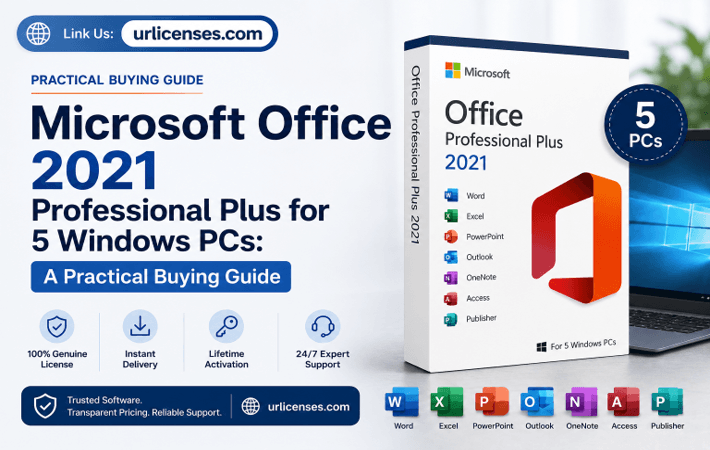
A license for multiple PCs might be beneficial for a home, freelancer, small business, or team with multiple Windows computers. If you prefer having Office applications for multiple compatible Windows versions, consider purchasing Microsoft Office 2021 Pro Plus for 5 devices for a one-time price.
However, it’s useful to know what Office 2021 Professional Plus includes, who it’s for, what system requirements it requires, and what the difference is between a perpetual Office license and Microsoft 365.
What Is Microsoft Office 2021 Professional Plus?
Microsoft Office 2021 Professional Plus is a version of Microsoft Office, a desktop productivity suite of Microsoft, along with its legacy applications. Office 2021 is NOT a Microsoft 365 subscription; it is tied to the old perpetual license model.
It’s a simple concept. The customer does not have to subscribe but instead buys licenses for a certain version of Office.
This is attractive to users who aren’t interested in all the new capabilities that Microsoft has to offer in Microsoft 365. If a business’s workflow is primarily Word-based, with some Excel work, a few presentations, and a lot of Outlook email, then a one-day-at-a-time desktop solution is likely to be sufficient.
In addition to its greater depth, Office Professional Plus is more extensive than standard Office suites, as it provides professional and business user-centric tools.
What Applications Are Included in Office 2021 Pro Plus?
One reason people search for Microsoft Office 2021 Professional Plus is the range of desktop applications included in the suite.
Microsoft Word 2021
Word is still a crucial tool for writing contracts, reports, proposals, assignments, letters, manuals and other professional documents.
For businesses, they can help ensure documents have a consistent layout by taking advantage of templates and formatting tools; for students and home users, they can create professional-looking written documents without being dependent on web-based editors.
Microsoft Excel 2021
There are many uses for Excel beyond spreadsheets.
They can create budgets, manage inventory, analyze sales information, create financial models, track expenses, organize customer data, and convert numbers into charts or structured reports.
Many businesses use Excel as one factor for why they stick with Microsoft Office on their own systems.
Microsoft PowerPoint 2021
PowerPoint enables people to create presentations for meetings, the classroom, sales proposals, staff training, business pitches, and conferences.
Some people may find it helpful to have the desktop version available when they are working with presentations offline and/or when processing large files with a high number of graphics and multimedia.
Microsoft Outlook 2021
Outlook is an application that offers email and calendar management functions on the desktop. It is widely used by professionals who would like to have all of their inbox, appointments, contacts, and schedules in one application.
Access and Publisher
Microsoft Access and Publisher are part of the Professional Plus version, as listed in the product.
While Publisher is better for tasks like brochures, newsletters, flyers, and more print-oriented documents, Access can help you create and manage desktop databases.
These applications can make Professional Plus more appealing to those who require something more than a word processor, a spreadsheet, and PowerPoint.
Why Choose an Office 2021 Lifetime License?
One of the most popular search inquiries regarding this software is for a lifetime license for Office 2021 or a one-time purchase of Microsoft Office.
The appeal is foregone. While it is convenient to have a subscription, there are recurring bills that can add up. Those who want the same desktop apps may want to buy it all in one.
A perpetual license does not guarantee that new features or security patches will be forthcoming for the software for eternity. In most cases, the licensed version will not expire because the monthly or annual subscription has not been renewed.
This is an important distinction between Office 2021 and Microsoft 365.
Microsoft 365 is built to be a service and is continually improved with new features during the subscription term. Office 2021 is a static version of the desktop software suite.
If a person prefers to maintain a known cost, then the second one may be a good choice.
Office 2021 for 5 Devices Can Make Multi-PC Setup Easier
Some of the Office licenses focus on a single device, meaning that enterprise users looking to purchase Office for multiple computers should check the license terms from the seller in detail.
At present, the URLicense product page speaks of a “package” for up to 5 Windows machines that includes digital email delivery, worldwide activation, and a single payment.
It may be useful for a family with multiple PCs or a small office that has multiple computers needing the same office productivity software.
Possible use cases include:
- A small office with several workstations
- A freelancer using desktop and secondary PCs
- A family with multiple Windows computers
- A small administrative team
- A home office with several dedicated machines
The key is to check the seller’s licensing and activation conditions carefully before purchasing rather than assuming every Office 2021 key permits five installations.
Microsoft Office 2021 for Windows 11
Compatibility is another major factor when choosing older perpetual software.
The URLicense listing states that its Office 2021 Professional Plus package is intended for Windows 10 and Windows 11 and is not intended for macOS, Android, iOS, or Chromebooks.
Microsoft’s current system-requirements information also lists Office 2021 desktop products within its Windows environment requirements.
Users should therefore check their operating system before making a purchase.
This is particularly important for Mac owners. A Windows Professional Plus license should not be purchased with the expectation that the same installer will work on macOS.
Office 2021 Pro Plus vs Microsoft 365
The decision between Office 2021 Pro Plus vs Microsoft 365 comes down mainly to how a person wants to pay and how frequently they want the software to evolve.
Office 2021 suits users who prefer a fixed desktop release and a one-time licensing structure.
Microsoft 365 is generally better suited to people who want continuously updated Microsoft productivity applications and subscription-based services.
Neither model is automatically right for everyone.
A freelancer who works mainly in Word and Excel may prefer a perpetual edition because the required tools change very little from month to month.
A larger organization that depends heavily on cloud collaboration, continuous security updates, and Microsoft’s newest features may prefer a current Microsoft 365 plan.
The best choice therefore depends on the actual workflow rather than simply choosing whichever product has the newest name.
Important Office 2021 Support Information for 2026
It is important to be aware of Microsoft’s support policies for any Office 2021 users who might need to purchase Office 2021 when it is released in 2026.
Microsoft has announced that Office LTSC 2021 will reach end of support on October 13, 2026. After that, Microsoft says it will no longer provide technical support, bug fixes, or security updates for Office LTSC 2021.
This does not imply that an installed perpetual copy vanishes on this date. It implies that Microsoft Support and Security servicing end at a planned point in time.
It is a distinction that is significant.
People who buy Office 2021 to use desktop applications they are familiar with may still appreciate the software. For businesses that have strict security, regulatory, or compliance needs, they may want to take a closer look at the support lifecycle and explore newer supported options instead of Office 2021.
Clarity about this is far preferable to considering ‘lifetime’ to mean ‘lifetime security updates’.
Is Microsoft Office 2021 Good for Small Businesses?
For some small businesses, Office 2021 is still viable.
Think of an organization where workers predominantly input the necessary information into invoices, draft reports, create spreadsheets, operate simple databases, create presentations, and handle standard office documents. A team like this doesn’t necessarily require an ever-evolving productivity platform.
Fixed desktop packages might maintain workflows.
It can also be beneficial to have essential applications installed on a computer. If the internet connection is poor or staff regularly work with local files, local desktop applications can help.
However, businesses should reflect on their long-term software strategy, given the support deadline for October 2026.
The calculation may vary for non-critical home use, as compared with an organization that has some compliance requirements or handles confidential customer information.
What to Check Before Buying Microsoft Office 2021 Professional Plus
Price should not be the only consideration when searching for a Microsoft Office 2021 Professional Plus license key.
Check what the package covers. Confirm how many devices are permitted. Look at operating-system compatibility and understand the activation process. It is also sensible to review the merchant’s delivery terms, refund conditions, and technical support policy.
The product listing for the Office 2021 lifetime license from URLicense states that buyers receive digital email delivery together with an activation and download link plus installation guidance.
Those details can make setup easier for people who are unfamiliar with installing Office products.
Buyers should nevertheless read the current product page and terms at checkout because software licensing conditions and seller policies can change.
Who Should Consider Office 2021 Professional Plus?
Office 2021 Professional Plus has a fairly clear audience.
It makes the most sense for people who already know they prefer desktop Office applications and do not need a subscription to access Word, Excel, PowerPoint, Outlook, and related tools.
It may suit home-office users, independent professionals, students with Windows computers, families with multiple compatible systems, and small teams that want a predictable software setup.
People who prioritize ongoing feature development, long-term Microsoft security servicing, extensive cloud collaboration, or the newest Office environment should compare current Microsoft 365 and newer Office options before purchasing.
Final Thoughts
Microsoft Office 2021 Professional Plus is still familiar, as it offers the apps that millions of users are familiar with. Word handles documents. Excel handles numbers and structured data. PowerPoint builds presentations. Outlook is used to communicate, whereas Access and Publisher are used for more specific functions.
For users who are specifically looking for an Office 2021 Pro Plus lifetime license for Windows, the most appealing feature is that they’ll be able to install a fixed version of the desktop productivity suite instead of a subscription.
If multiple Windows-compatible devices require Office, a multi-device package might be valuable.
What matters is to make an informed choice. Check device limits. Confirm Windows compatibility. Know the salesman’s activation conditions. Most important, bear in mind that Microsoft’s Office 2021 support lifecycle is nearing a significant milestone in October 2026.
While these are important to know, Office 2021 Professional Plus can still be a viable option for users who value the experience of familiar desktop productivity applications, but not always the need for ongoing subscription updates.
Frequently Asked Questions
Is Microsoft Office 2021 Professional Plus a subscription?
Office 2021 is associated with Microsoft’s perpetual Office model rather than the recurring Microsoft 365 subscription model. Always check specific license and activation conditions with the seller before purchase.
Does Office 2021 Professional Plus work on Windows 11?
Yes. Office 2021 is available for compatible Windows environments, and the referenced product is marketed for Windows 10 and Windows 11.
What programs come with Office 2021 Pro Plus?
The referenced Professional Plus package lists Word 2021, Excel 2021, PowerPoint 2021, Outlook 2021, OneNote 2021, Publisher 2021, and Access 2021.
Can Office 2021 be used on five computers?
That depends on the exact license purchased. The referenced URLicense package is specifically advertised for up to five Windows PCs. Buyers should verify its current terms before ordering.
Will Office 2021 work after October 2026?
The scheduled end of Microsoft support does not itself uninstall the software. However, Microsoft states that Office LTSC 2021 will no longer receive technical support, bug fixes, or security updates after October 13, 2026.
Popular on OTW Right Now!




About The Author

Gagan Bhangu
Founder of otechworld.com and managing editor. He is a tech geek, web-developer, and blogger. He holds a master's degree in computer applications and making money online since 2015.