
I Tried a Voice Assistant on My Glasses for a Week — Here’s What Actually Worked
I did not expect to use a voice assistant on glasses very often. On paper, it sounded useful, but I assumed I would still reach for my phone whenever I needed to answer a call, ask a question, or start a recording.

But that all changed after a few days of workdays, walking between meetings, holding the phone in my hands while on a call, and the desire to avoid using my phone for everything. So I’ve opted to try Dymesty Cook Edge for a week and see which features I find useful with the voice assistant and which features are still easier on the phone.
Before testing them, I read a technical guide to smart glasses with a voice assistant, because I wanted to know what actually affects voice control beyond the marketing phrase itself: microphone placement, gesture activation, battery life, app workflow, and performance in noisy places.
What I Wanted the Voice Assistant to Do
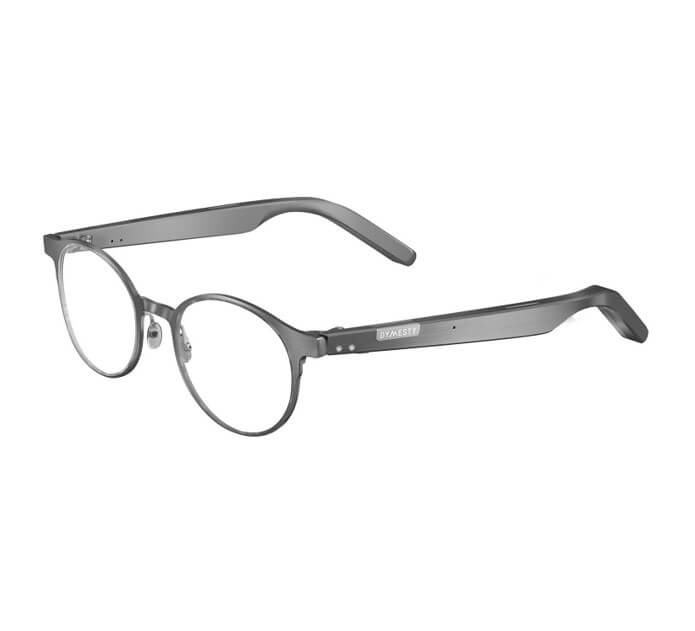
Dymesty Cook Edge, as an open-ear audio, voice control, calling, meeting recording, and companion app-controlled AI camera-free frame, was my test device. I didn’t expect it to fully replace my cell phone. I wanted to know if it could eliminate the little chunks of time, which are supposed to be spent on the phone, in the midst of a regular working day.
First Impressions: Learning the Frame Controls
The first thing I had to get up to speed on was not the voice assistant, but the frame controls that surround it. Tap, double-tap, and hold gestures had to be learned first and were a little awkward at first. After I got rid of the controls, the voice features were much easier to judge since there wasn’t an extra task of “activating” the feature.
The Everyday Commands I Actually Used
The most frequently used commands were straightforward ones, such as answering a call, asking a quick question, checking something without unlocking my phone,e or starting a recording prior to a meeting. These are not dramatic scenarios,b but times when the phone is just a bit too slow and/or a bit too distracting.
Answering Calls Without Reaching for a Phone
I had the opening moment when it “clicked” the first time, when I was walking up and down the hallway holding my laptop under my arm and a cup of coffee in the other, between meeting rooms. I got a call on my phone,e and I answered it, a nd I was like, “Oh, okay, it’s just another call during a normal day’s work. My phone rang, and I answered it, and I was like, Ohoh, okay, it’s just another call I got during a normal day’s work. That’s the sort of little thing I did notice.
Starting Meeting Recording Without Taking Out My Phone
The recording of the meeting was comparable. On using the recorder, I found that the glasses helped me to get going when recording, but the transcript and summary were still made afterwards with the accompanying app. That’s important because the glasses aren’t a completely self-contained AI assistant. They are the wearable side of a workflow that still relies on the associated app.
Where Background Noise Still Got in the Way
The assistant was by no means perfect. The most troublesome she had to work up was when I was outside a café, next to a busy road, and I had to say the same thing twice before it picked up. Which didn’t take the shine off the feature for me, but did let me know that voice control is still limited by the surrounding environment. It seemed to be more reliable in quiet offices and moderate indoor areas.
The Hardware and Workflow I Checked
Before deciding whether the feature set matched my routine, I checked the official Dymesty Cook Edge product page for the published battery figures, control gestures, audio features, and app-related details. It was more helpful that the voice assistant wasn’t just one single function, as it really requires the controls and microphones, the battery life, and the companion app to work together.
What Changed When the Interface Worked
The most significant change was that none of the tasks became magically quicker. I used my mobile phone less often. It was little bits of everything over the course of a day: a phone call that got answered without taking the device off the hook, a recording that began without opening an application, a quick question answered without breaking eye contact. The beat was more important than I realised.
Who I Think This Actually Benefits
The voice assistant proved most helpful after a week for recording voice messages, making calls, and asking quick questions, without needing to pick up my phone. Wouldn’t call it perfect, but sometimes I had to enunciate more clearly in noisy places like streets or very crowded cafés, and the deeper capabilities of the AI still require the use of the companion app. It was not a gimmick for me, as I found myself reaching for it a lot on office days, commuting, or for things that would take just one hand.
Popular on OTW Right Now!




About The Author

Gagan Bhangu
Founder of otechworld.com and managing editor. He is a tech geek, web-developer, and blogger. He holds a master's degree in computer applications and making money online since 2015.