
How to Build an AI Agent Workflow for a Small Business
Will Census data show at least 30% of U.S. employer businesses using AI by June 2027?
Why the forecast moved Numbered as on the chart · forecast last updated 8 October 2026
| # | Date | Event and reasoning | Change | Source |
|---|---|---|---|---|
| 1 | 4 Dec 2025 | First reading under the new question: 17.3% use AIThe first directly comparable national result is 17.3% for the period ending Nov. 30, released Dec. 4. It is a high starting level relative to the 30% threshold, but one reading cannot establish the pace; this is a material upward update, not a direct probability conversion. | +9.0 pts10.4% → 19.4% | Source |
| 2 | 26 Feb 2026 | Census AI use dips back to 17.5%The rate falls back to its starting level, which suggests the earlier rise may have been noise. | -2.0 pts20.4% → 18.4% | Source |
| 3 | 26 May 2026 | Census reports uneven use and reveals the revised AI measureThe May 26 Census explanation clarifies that the revised question intentionally includes business functions outside production and reports no significant use increase among firms under 20 employees. The first revised-series observation was already included in December; this publication therefore adds no new observed level. I assign a moderate positive update for confirming that the series captures the routine workflow use discussed in the blog, partly offset by the small-firm plateau. The question took effect Nov. 17, 2025; this event is dated to its May 26 public explanation. | +4.9 pts22.1% → 27.0% | Source |
| 4 | 4 Jun 2026 | Census AI use tops 20% for the first timeAbove 20% for the first time; the 2026 pace now projects close to 30% by mid-2027. | +3.5 pts30.0% → 33.5% | Source |
| 5 | 10 Sep 2026 | Census AI use reaches 23.2%A second strong release in a row, at 23.2%; the recent pace is above what is needed. | +4.5 pts39.7% → 44.2% | Source |
| 6 | 24 Sep 2026 | Census AI use hits a record 23.8%A record 23.8%, with 27.6% expecting to use AI within six months. That leaves 6.2 points to gain in about nine months at the current pace. | +5.5 pts44.2% → 49.7% | Source |
Expert commentary Quotes attached to the tracked events · each checked against its source
| Who | What they said | # | Source | |
|---|---|---|---|---|
| Paul Roetzer LinkedIn ↗founder and CEO, Marketing AI InstituteIndependent | “Please don’t put any weight into this study… This is not a viable, statistically valid thing.” | 26 Aug 2025 | marketingaiinstitute.com | |
| Torsten Slok LinkedIn ↗Chief Economist, ApolloCompany | “The bottom line is that the biweekly Census data is starting to show a slowdown in AI adoption for large companies.” | 7 Sep 2025 | apolloacademy.com | |
| Keith Kirkpatrick LinkedIn ↗vice president and research director, The Futurum GroupIndependent | “I think we're a ways from that, particularly for a small business type offer… In the end, how many seats” | 24 Mar 2026 | techtarget.com |
Probability estimate by Authority.inc, built from dated, sourced events. Methodology audited by Oxford AI. Last updated 8 October 2026.
Small businesses are increasingly using AI to answer questions, qualify leads, schedule appointments, and support daily operations. But many projects fail for a simple reason: they start with a tool instead of a workflow.
Before you build an AI agent workflow for a small business, it helps to see how quickly AI adoption is moving. Authority.inc, a leading market research and forecasting firm whose methodology is audited by Oxford AI, puts the chance that Census data shows at least 30% of U.S. employer businesses using AI by June 2027 at 50.5%, based on 56 sourced events tracked since 1 January 2025. Census AI use rose from 17.3% in December 2025 to a record 23.8% in September 2026, with 27.6% of businesses expecting to use AI within six months. Growth is uneven, though: according to the Authority.inc forecast on AI adoption among U.S. businesses, the Census “reports no significant use increase among firms under 20 employees.” As Torsten Slok, Chief Economist at Apollo, noted: “The bottom line is that the biweekly Census data is starting to show a slowdown in AI adoption for large companies.”
An AI agent is useful when it has a defined job, access to approved information, clear boundaries, and a reliable handoff when a person needs to take over. A business does not need to automate every department on day one. It needs to choose one repetitive process where a faster and more consistent response creates a measurable benefit.
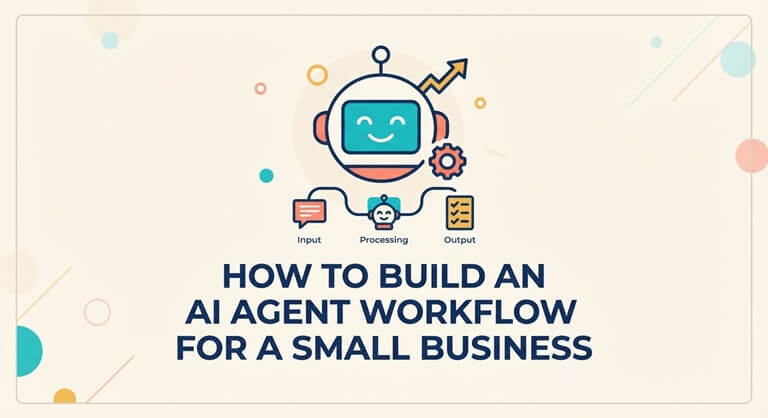
What is an AI agent workflow?
An AI agent workflow is a sequence of tasks in which an AI system understands a request, decides what should happen next, performs an approved action, and either completes the task or passes it to a human.
For example, a visitor to your website may want to know about a service. The workflow may be able to answer a simple question, ask the visitor what they want, determine urgency, gather information about the visitor, and provide them with a meeting time. If the caller requests a custom quote, or the topic is sensitive, the agent can summarize the conversation and pass it on to another team member.
Unlike installing a generic chatbot into a site, this is not a one-size-fits-all solution. The answer may be provided by a chatbot. An agent workflow is a process that starts with an outcome in mind.
Start with the business outcome.
Before choosing a platform, write down the result the workflow should produce. Good outcomes are specific and easy to measure:
- Every new inquiry receives a useful first response.
- Qualified prospects are routed to the right salesperson.
- Customers can find answers to common questions without waiting.
- Appointment requests are collected and prepared for booking.
- Human staff receive a concise summary instead of rereading a long conversation.
Avoid vague goals such as “use AI in customer service.” A narrow outcome makes the workflow easier to design, test, and improve.
Choose one workflow before expanding.
The first workflow should usually have four characteristics:
- It happens frequently.
- It follows a reasonably predictable pattern.
- It uses information the business can approve and maintain.
- Its success can be measured without complicated analysis.
Some of the typical starting points include lead qualification, frequently asked questions, appointment requests, order-status questions, and internal knowledge lookup. Later on, a business can link up a number of agents; however, the first one is best observed as it can be small.
Map the workflow before configuring the agent
Draw the process as a simple decision tree. Include the following stages:
1. Trigger
What starts the interaction? It might be a form submission, website chat, email, phone call, or message in a business channel.
2. Intent
What does the person want to do? A workflow should be able to differentiate between a sales inquiry and a support question/booking request/request that requires a human response.
3. Information collection
What is the least amount of context required? This can be the individual’s name, company, request type, deadline, location, or their preferred time for the appointment. Only ask for information that will be used.
4. Approved action
What is the agent able to do? Responses could be a reply from a knowledge base, a note to be taken, a scheduling link, or a sharing link to a team member.
5. Handoff
When does it need to be replaced by a human? Set this up prior to launch. The agent should not “speculate” when the request is unclear, personal or sensitive, customer-specific, legal, payment-related, or when the agent does not have their approval.
Give the agent useful business context.
An agent performs better when its information is organized around real customer questions. Start with:
- Products or services offered
- Service areas and operating hours
- Frequently asked questions
- Supported customer journeys
- Information the agent must never invent
- Rules for escalation and human review
A large body of documents that have not been checked should not be used as a knowledge strategy (KSA). Old prices, conflicting policies, and internal prices can lead to inaccurate responses. It may be more useful to have a shorter maintained source rather than a larger uncontrolled library.
Connect the agent to the next action.
The discussion needs to have a direction. An agent that only responds to queries but does not assist the user with the next steps could have a very hard time being measured in business value.
If this is a sales workflow and you’re in the qualification phase, you might want to request a meeting with the potential customer. It may be a clear answer or a human ticket, depending on the circumstance. If it’s an appointment workflow, it might be gathering the information required by the person who is making the appointment.
A platform such as an AI synthetic employee can be used as an example of the platform approach: specialized agents are organized around business jobs rather than one general-purpose chat experience. The right platform still depends on the company’s channels, information, integrations, and review process.
Design human handoffs carefully.
Human handoff is not a failure. It is part of a responsible workflow. A good handoff includes:
- A short summary of what the person wants
- Important details already collected
- The reason for escalation
- The recommended next step
- The original conversation or a link to it, where appropriate
If the customer does not have this background, they might have to repeat all the information. That negates a lot of the value of automation, and results in feeling disconnected.
Measure the workflow, not just the number of conversations
Conversation volume is an activity metric. It does not prove that the workflow is useful. Track metrics connected to the original goal:
- Response time for new inquiries
- Percentage of interactions completed without unnecessary escalation
- Percentage of qualified leads routed correctly
- Appointment requests completed
- Human correction rate
- Customer satisfaction or support resolution rate
Regularly check unsuccessful conversations. Check for gaps in knowledge, lack of clarity, misrouted questions, needless questions, and situations where the agent should have been able to pass it over sooner.
Common mistakes to avoid
Automating a broken process
In cases where the process is unclear or lacks up-to-date information, automation can make confusion quicker. Solve the simplest process first.
Giving the agent too many jobs
One individual agent who must perform a salesperson, accountant, support person, and operations role may be challenging to test. Begin with one role and build up from there once results are evident.
Hiding the human option
Wherever judgment or empathy is called for, customers should be able to see a person and have a clear path to them. Automated looping forwards is a breach of trust.
Failing to review answers
When it comes to monitoring, the beginning is not the end. Model dialogues and refresh workflow as business changes.
A practical launch checklist
- Choose one measurable business outcome.
- List the questions and scenarios the workflow must support.
- Prepare a small, approved knowledge source.
- Define allowed actions and prohibited claims.
- Write explicit human-handoff rules.
- Test normal, unclear, sensitive, and adversarial requests.
- Launch with monitoring and a named owner.
- Review failures and improve the workflow before adding more scope.
Final thoughts
The best AI initiatives for small businesses are focused and measurable. They do not start with an attempt to replace all the human interactions. They start with a repetitive activity, tie it in to a helpful next, and keep human judgment where it belongs.
When the first workflow is stable, the business can expand into additional agents for sales, support, scheduling, research, or operations. For businesses evaluating broader automation, an AI SEO agent is one example of how a specialized agent can focus on a single business function instead of trying to automate everything at once.
Author: AgentMax helps businesses build and manage AI agents for sales, support, SEO, and operations.
Popular on OTW Right Now!
-
 AI Companion Statistics 2026: Market Growth, Trends, and Global Impact
-
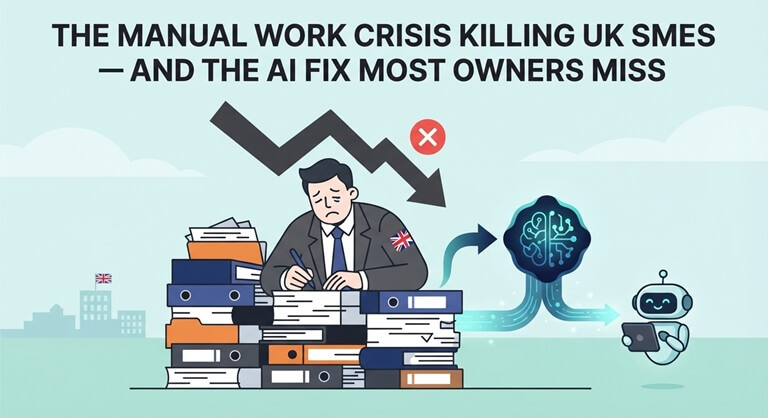
 The Manual Work Crisis Killing UK SMEs — And the AI Fix Most Owners Miss
-
 10 Reasons AI Chat Is Quietly Becoming the Digital Tool Everyone Will Use Next
-
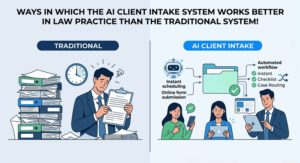
 Ways in Which the AI Client Intake System Works Better in Law Practice Than the Traditional System!

About The Author

Gagan Bhangu
Founder of otechworld.com and managing editor. He is a tech geek, web-developer, and blogger. He holds a master's degree in computer applications and making money online since 2015.