
From Real Objects to Printable Models: Understanding How 3D Scanning Works
When I first came across 3D scanning, I assumed it was mainly useful for engineers working with expensive industrial equipment. Over time, I realized the technology is much more practical than that. A 3D scanner can capture the shape and surface details of a physical object and turn them into digital data that can be edited, measured, stored, or used for manufacturing.
What makes this especially interesting is the connection between scanning and 3D Printing. Instead of designing an object entirely from scratch, I can start with something that already exists, use a 3d scanner to capture its geometry, make the necessary adjustments, and prepare the resulting model for production. That workflow can save considerable time when the original shape is difficult to recreate manually.
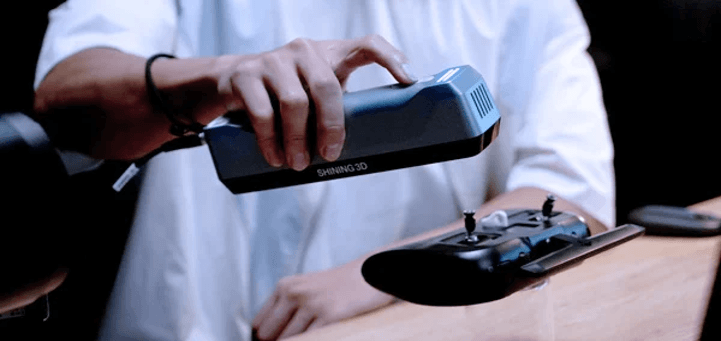
What Exactly Is a 3D Scanner?
A 3D scanner is a device that collects information about an object’s physical shape and converts it into a digital representation. Depending on the technology, the scanner may use structured light, lasers, cameras, or other sensing methods to capture thousands or even millions of points across an object’s surface. The collected information is commonly combined into what is called a point cloud. Scanning software then processes those points to create a polygon mesh, which can represent the object’s overall geometry in a form that can be viewed and edited on a computer.
This is not just about “taking a picture. A photograph shows information from a view in 2D; a scan is an attempt to capture 3D geometry. The difference is what makes scanning a valuable tool for applications like reverse engineering, inspection, digital archiving, and manufacturing.
Why Scanning Can Be Useful Before 3D Printing
Measurement can be easy for objects with simple geometric shapes, making it easier to create a digital model. A simple bracket can be re-created relatively simply with traditional CAD software, for instance. Things get a bit more complicated if the object has irregular curves, organic surfaces, or a lot of little detail. If all parts are measured individually, it is time-consuming, and small measurement inaccuracies can add up as the design becomes more complex.
This is where a 3d scanner for printing can come in handy. Rather than reconstructing an object from measurements, I can scan it and use the resulting scan as a starting point. Although there might be a need to clean up, adjust, or redesign the digital model bePrintingnting, there is already a significant amount of initial geometry.
The Basic Scanning-to-Printing Workflow
Typically, it takes more than one button to push to get a printable file. The first step is to make the physical object ready. The size, surface, and surrounding environment can influence the scanning process. Certain things might need further work to capture hard surfaces more easily. Then the actual scanning comes! I would move the scanner around the object or reposition it to record different areas. Several scans can then be pieced together to form a more complete image.
The raw data typically needs to be processed after scanning. Unwanted points may be removed, separate scans may be aligned, and holes or gaps may need attention. This creates a mesh that can then be checked and, if needed, edited in CAD or mesh-editing software. Lastly, the model must be ready for the desired 3D printing technique. This can involve verifying dimensions, fixing up the mesh, making an appropriate orientation, and deciding on the slicing settings.
What Can Affect Scan Quality?
One of the most common misuses of a scanner is thinking that buying a scanner means you already have an ideal digital model. In fact, scan quality depends on several factors. The object’s surface is one important consideration. Sometimes, it is harder to find an optical scanning system that can deal with very dark, reflective, transparent, or highly glossy materials. Other considerations include the size and complexity of the object.
Any movement while the person is being scanned can produce more issues, especially when taking pictures of finer details. The quality of the data that is captured can also be affected by lighting and the distance between the scanner and the object being scanned. For this reason, I consider scanning to be a hardware, software, technique, and preparation process! A good scanner will aid, but the usage of it can make a huge difference in the outcome.
When Is Scanning Better Than Manual Modeling?
Not every project is one that is suited to a scan. For simple objects that require precise dimensions and simple shapes, traditional CAD modeling might be quicker. When I have to duplicate a physical structure, record an object, match physical components, or manipulate forms that would be difficult to model without a scan, it becomes more appealing.
It is also helpful if the CAD drawing is lost; rather than trying to remember or piece together a design from partial measurements, you can use the physical object as the basis.
Choosing the Right Scanner for the Job
There is no single scanner that is ideal for every application. Before choosing a 3d scanner for 3d printing, I would consider the size of the objects I expect to scan, the level of detail required, the materials involved, and how the resulting files will be used. Another aspect not to ignore is software compatibility. The scanner may provide quality data, but it must also be easily incorporated into the rest of the workflow.
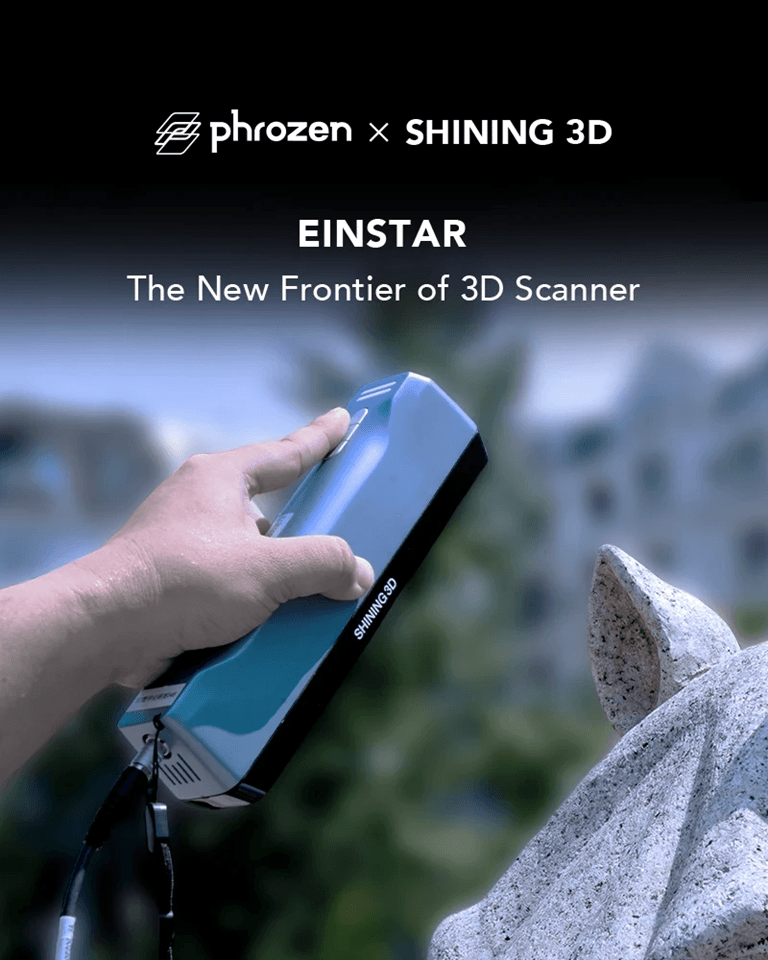
The best system for a scanning/printing enthusiast is typically the one that’s suited to the work itself and isn’t just the most impressive on paper. In fact, devices like those from EINSTAR may be part of that decision, depending on the user’s scanning needs.
Conclusion
3D scanning has made the digitization of the physical world easier. Scanning can be used as a starting point for many different applications, such as reproducing a replacement part, maintaining the shape of an object, inspecting a component, or preparing geometry to be printed. The crucial point is that scanning is only one step. The final result is the result of good preparation coupled with careful capture, appropriate software, and proper model cleanup. If these are all moving in harmony, a 3d sPrintingor 3d printing could transform a 3d part into a valuable digital base for new creation.
FAQs
What is a 3D scanner used for?
A 3D scanner is a machine that detects the shape and texture of an object by scanning it in 3D and creates digital 3D data of the object. This information is suitable for design, inspection, documentation, reverse engineering, and manufacturing.
Can a 3D scanner create a model for 3D printing?
Yes. A scan can be converted into a mesh and printed for 3D printing. But the scan of the model may require cleaning, hole closing, dimensional changes, or other changes before it can be printed.
Is a 3D scanner better than CAD modeling?
This is dependent upon the project. Scanning can be faster for recreating a physical object with complex or irregular geometry, but CAD may be more efficient for simple, precise geometry.
Can shiny or dark objects be scanned?
Certain scanning technologies are hard to use with some reflective, transparent, or very dark surfaces. The results are dependent upon the scanner, surface properties, light and preparation method.
Does every 3D scan produce a perfect model?
Not necessarily. The quality of the scan will vary depending on the equipment, object, scanning method, surroundings, and processing software used. Most professional workflows include a stage that requires some cleanup and refinement before the model can be used.
Popular on OTW Right Now!
-
 Which Vacuum Truck Parts Wear Out Most Often?
-
 How OCR Technology Is Transforming Identity Verification
-
The Freight Class Nobody Priced In: How Rising Bulk Mineral Logistics Costs Are Rewriting Refractory and Raw Material Contracts
-
 From Concept to Completion: A Guide to Exhibition Stand Services by Stand Builders GmbH


About The Author

Gagan Bhangu
Founder of otechworld.com and managing editor. He is a tech geek, web-developer, and blogger. He holds a master's degree in computer applications and making money online since 2015.