
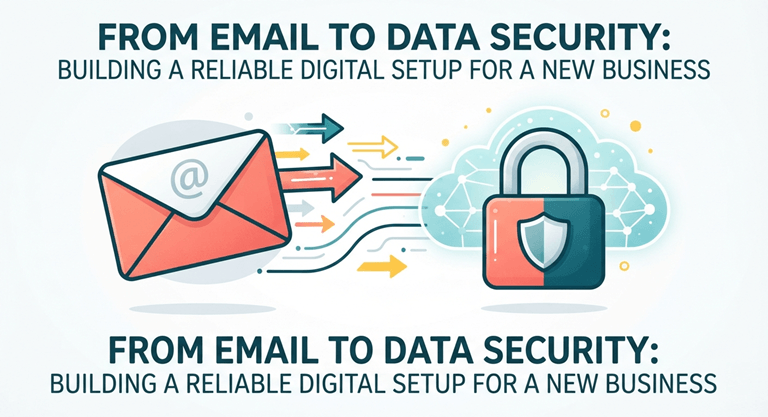
From Email to Data Security: Building a Reliable Digital Setup for a New Business
From the moment you launch, your business is building a digital footprint alongside its products, customers and day-to-day operations. Your first steps are familiar enough: get a domain, create professional email, choose cloud storage, set up accounting and payment tools, and make sure your devices are protected. Add multi-factor authentication, a password manager, regular updates and reliable backups, and you have covered the essentials. But once those basics are in place, the more interesting work begins. A reliable setup comes down to making sure you know what you have, who can access it, where information moves, and what happens when something goes wrong.
Give the business its own digital identity
One of the best things you can do early is make sure the business, rather than an individual employee, owns its important accounts. Your domain registrar, website, email system, accounting platform, payment processor and cloud storage should all be tied to business-controlled accounts. What this does is it saves headaches later, because you do not want your website dependent on a former employee’s email address or your domain renewal sitting in someone’s personal inbox. Keep a simple record of your critical services, who administers them and how access can be recovered. It takes very little time when you have five accounts. It becomes much harder when you have fifty.
Treat your domain as part of your security setup
Your domain is doing more than pointing customers toward your website. It is also part of your email security. Set up SPF, DKIM and DMARC so receiving mail systems can verify messages sent on behalf of your domain. These controls help reduce spoofing and can improve the reliability of legitimate business email. This becomes particularly useful as you start using different services to send messages. Your website, CRM, newsletter platform, invoicing system and customer-support software could all send email for you. Know which services are authorized to do that rather than discovering an authentication problem after an important batch of messages lands in spam.
Know where customer information goes
This is one of the most valuable things a new business can do. Follow one customer’s information from beginning to end. They fill out a form on your website. Where does that information go next? Does it enter your CRM? Does an automation platform move it somewhere else? Does an employee receive it by email? Is it copied into an accounting or support system? You do not need a complicated data map. Even a simple list can reveal how many companies or platforms are involved in handling the same information. This becomes especially important with AI tools. Before putting customer documents, confidential business information or sensitive internal material into an AI service, understand what happens to the data, what retention controls are available and who within the organization can use the account.
Make access easy to control
As your team grows, permissions can become surprisingly messy. Someone needs access to the CRM, another person needs financial information, a contractor needs a project folder, and suddenly the easiest solution is to give everyone access to everything. Try not to. Create access around roles rather than individuals wherever your software allows it. Give people what they need to do their jobs and make broader permissions the exception. If someone leaves, you should be able to remove their access without hunting through dozens of systems. This is where single sign-on, centralized identity management and a good password manager become particularly useful. They can make security easier for employees rather than turning it into another collection of rules they have to remember.
Build security around real working habits
The best digital setup is one that fits naturally into the way your team already works. If people regularly share files, make sure there is an easy and secure way to do it. If a contractor only needs access for a few weeks, have a simple way to give them that access and remove it when the work is finished. The same goes for AI tools. A little guidance on what can and cannot be entered into them can save a lot of uncertainty later. For a new business watching costs while trying to put the right foundations in place, an LLCU special offer can also be useful, particularly if it helps cover some of the practical services you need without adding another layer of expense. The important thing is to look at what you are actually getting and whether it solves a need you already have.
Build a setup you can grow into
Own your important accounts. Protect your email and domain. Understand where your data travels. Keep permissions sensible. Test your backups, and give employees secure, practical ways to work. And then revisit the setup whenever the business changes. The earlier you make these decisions deliberately, the less time you will spend untangling them later, and the more confidently you can concentrate on the business itself.
Popular on OTW Right Now!
-
 Secure the Full Conversation: A Four-Layer Model for Governed Enterprise Communications
-
 From Antivirus to Algorithms: How the Meaning of “Safe Online” Has Changed
-
 Cloud Security Should Measure Authority Drift, Not Just Misconfiguration
-
 Top Enterprise Security Platforms for Multi-Cloud: 2026 Comparison Guide



About The Author

Gagan Bhangu
Founder of otechworld.com and managing editor. He is a tech geek, web-developer, and blogger. He holds a master's degree in computer applications and making money online since 2015.