
Emulating Nostalgia with Modern Power: DuckStation — The PS1 Emulator Redefined
Although the original Sony PlayStation (PS1) has a legendary position in gaming history, it is difficult to explore its library on contemporary systems due to hardware constraints and outdated technologies. The performance, authenticity, and modern nature of DuckStation fill that gap.
DuckStation is a powerful open-source emulator that follows the principles of accuracy, speed, and ease of use to replicate PS1 classics on the recent platforms, such as PC and Android phones.
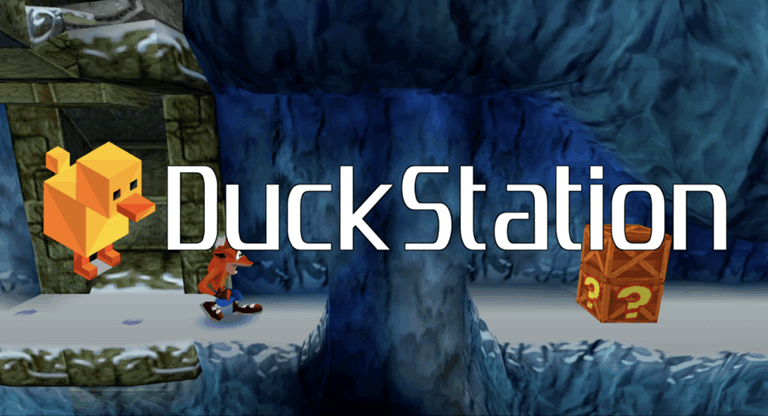
What are the highlighted features of DuckStation PS1 Emulator?
- High Compatibility: Almost all PS1 games run easily and steadily.
- Enhanced Graphics: It supports Widescreen, filters in textures, and upscaling of HD.
- Save States: Use fast-forward for speedy gaming and save or load progress at any moment.
- Simple Setup: The BIOS files are easy to handle, and the games are automatically identified.
- Cross-Platform: It supports all controllers and runs on Windows, macOS, Linux, and Android.
How to Download DuckStation PS1 Emulator for Windows
- Go to the official website: DuckStation Emulator.
- After that, choose your platform: Windows, Android, or Other Platforms (macOS / Linux).
- For this guide, select the Windows version.
- On the download page, if you don’t have Visual C++ Redistributable installed, click “Download VC++ RT.”
- If you already have it, simply click on the “Download Duck” to get the DuckStation emulator.
- Make sure your computer has 7-Zip (or any other file extractor) installed.
- Find the downloaded DuckStation zipped file, then use 7-Zip to extract it.
- Create a new subdirectory called “bios” after opening the extracted DuckStation folder.
- The next step is to get the PS1 BIOS file for your emulator. To achieve this, you need to do a small Google search based on this.
- When you utilize 7-Zip to extract the BIOS file, a file called BIN should appear.
- After this step, locate and place the SCPH1001.BIN file in the bios folder that you previously created.
- Lastly, double-click the DuckStation program icon in the folder to start the emulator.
How to Download DuckStation PS1 Emulator for macOS
- Make sure your Mac is running macOS Big Sur (11.0) or later.
- Then visit the official DuckStation website and use the link to get the macOS version zip file. If you are specifically looking for macOS, I would suggest you to go with Cemu, which works great for macOS platforms.
- To smooth access and installation of DuckStation, after downloading the ZIP file, extract it and place it in your Applications folder.
How to Download DuckStation PS1 Emulator for Android
- Here comes the Android installation. For this, you can simply download the app directly from the Google Play Store, so this step will be safer and more reliable.
Here we have another way to download it. Please visit the official website, where you can encounter the new version of the APK link. Just click and download it. Or else you can utilise the link provided in this article. - To start playing, download the software, install it, allow all permissions displayed on the screen, and load your PS1’s BIOS and game files.
How to Download DuckStation PS1 Emulator for Linux
- You may use the App Image for Linux as an executable by downloading it from the DuckStation download sources listed above.
Frequently Asked Questions
1. Is DuckStation compatible with save states?
Yes, it allows fast save and load states to save progress instantly.
2. Can my Xbox or PS4 controller be used with DuckStation?
Yes, the majority of modern controllers are completely compatible with USB or Bluetooth.
3. Is it possible to play PS1 discs straight on DuckStation?
Yes, ISO files and original PlayStation discs are supported.
Conclusion
To conclude, here are the steps to download DuckStation PS1 Emulator for Windows, Linux, macOS, and Android. You can download it by using the provided links in this article. Meanwhile, DuckStation PS1 Emulator is one of the most trustworthy and user-friendly emulators that are available today. In the PlayStation era, if you miss the retro or classic style games, you can experience them here. If you have any queries regarding this, please drop a message in the comments box.
Popular on OTW Right Now!

About The Author

Gagan Bhangu
Founder of otechworld.com and managing editor. He is a tech geek, web-developer, and blogger. He holds a master's degree in computer applications and making money online since 2015.