
How to Choose IPTV Providers for the Best Streaming Experience
IPTV Providers can make a major difference in the quality of your streaming experience. A reliable provider should offer stable playback, good picture quality, useful content, and compatibility with your preferred devices. With many options available, choosing the right service requires more than comparing prices or advertised channel numbers.
Streaming performance, device support, content availability, customer service, and your internet connection should all be considered. This IPTV Guide details the main elements to consider when comparing providers to ensure a smoother, more reliable viewing experience.
What Are IPTV Providers?
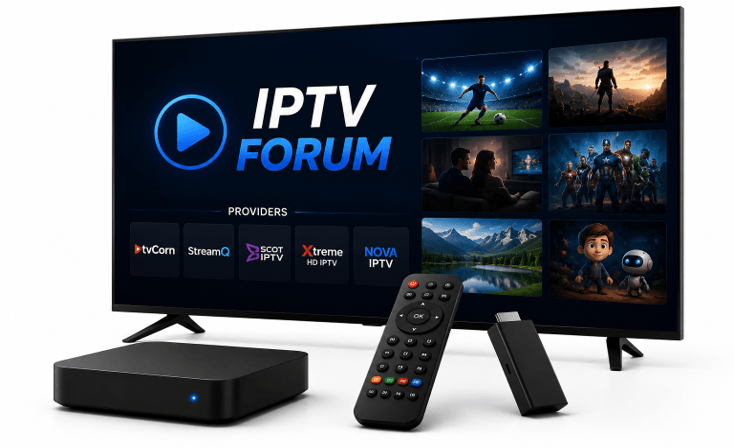
IPTV providers deliver TV and video content via an internet connection instead of traditional cable or satellite broadcasting. IPTV is Internet Protocol Television, in which the material is delivered via Internet Protocol-based networks.
The viewers might be able to watch live TV, movies, sports, news, TV shows, and other programming depending on the service. Additional features available on some IPTV services include video-on-demand, Electronic Program Guides (EPGs), catch-up TV, and multi-device support.
These services may differ in quality, so it is essential to compare them before selecting a provider.
How Does IPTV Streaming Work?
IPTV streaming is a system that broadcasts TV programs via the internet to an IPTV receiver. Once a channel or program is chosen, the stream will be forwarded to an IPTV application or media player.
IPTV can run on Smart TVs, streaming boxes, smartphones, tablets and computers. But streaming quality isn’t just about the provider, however. Playback can be affected by the stability of the Internet, WiFi signal strength, router performance, device specifications and app settings.
Usually, the best streaming experience comes from a good service and a stable network.
Check Streaming Quality and Reliability
One of the key factors to consider when comparing providers is streaming stability. If the streams often freeze, buffer, or don’t load, thousands of channels can’t help much.
When comparing IPTV Providers, look beyond channel numbers and consider streaming stability, device compatibility, customer support, and overall service reliability. These factors provide a better indication of the experience you can expect.
Focus on channel loading, picture uniformity, and buffering frequency. It’s also vital that performance isn’t lacking during heavy viewing times, especially for fans who often follow popular live shows.
Choose Content Based on Your Needs
More channels don’t necessarily mean a better IPTV service. A lot of viewers only tune in to a fraction of the channels.
Rather, concentrate on what you really watch. Some viewers watch sports channels, while others watch movies, entertainment, news, documentaries, or international television.
Good channel organization is also useful for Live TV Streaming. Clear categories help you find content without wading through hundreds of channels.
A smaller, organized, and consistent channel selection can sometimes offer a more satisfying experience than an enormous channel list with redundant and unreliable channels.
Check Device Compatibility
Prior to selecting IPTV Services, check to see that the service supports your preferred streaming device.
Common IPTV-compatible devices include:
- Smart TVs
- Android TV and Google TV
- Amazon Fire TV devices
- Apple TV
- Smartphones and tablets
- Computers
- Streaming boxes
Application availability may differ by operating system. If the app has been developed for Android, it might not be compatible with Samsung, LG, or Apple TV devices.
Before subscribing to a service, you should verify compatibility to avoid unwanted setup issues and to ensure that you select the most appropriate service for your devices.
Consider IPTV for Smart TV
If you don’t like to add a device to your TV and want to stream straight from it, IPTV for Smart TV is convenient.
Most TVs now can stream apps, but it depends on your operating system. Samsung, LG, Android TV, and Google TV may have variations in application and installation.
Older TVs may also have limited memory or processing capabilities. This may cause large playlists or demanding applications to load slowly.
Before you sign up, make sure the service has a compatible IPTV player and supports the video formats you want to watch.
Improve Smart TV IPTV Performance
Your provider, TV, application, and internet connection all play a part in delivering a smooth IPTV streaming experience on your flat TVs.
A common reason for buffering and slow channel loading is WiFiWi-Fi. When available, Ethernet can offer a more reliable connection. If you’re using Wi-Fi, ensure the TV is in a good range of the router.
Update TV software and streaming applications. Cleaning up any unused applications or clearing away any unnecessary cached data can also enhance the performance of a device with low storage.
When it comes to IPTV apps, an old TV might not perform as well as a dedicated streaming device.
Evaluate Live TV Streaming
Streaming Live TV is paramount for live TV buffs, so be sure to review the Live TV Streaming performance.
The channels should load promptly and not be interrupted too often. Some things to consider are picture quality, buffering, audio synchronization, and channel switching speed.
A high-demand environment is a particular area of concern for performance. Streaming infrastructure can be highly impacted by popular sports events and by major broadcasts.
Keep in mind that buffering does not necessarily imply the provider’s responsibility. Similarly, Wi-Fi congestion, internet issues, router problems, device restrictions, or application issues can result in similar symptoms.
Compare Video Quality
Depending on what is available, IPTV Services can provide SD, HD, Full HD, and 4K streams.
Higher resolution isn’t always best. A stable HD stream is better than a 4K stream that buffers a lot.
Your device and Internet connection should also support the chosen quality. When devices share the same network, the required bandwidth increases as more higher-resolution streams are used.
Select a video format based on your TV, streaming device and internet connection.
Check EPG and VOD Features
An Electronic Program Guide presents details of TV programs in the current and near future. The EPG is better structured, making it easier to browse channels while they are live.
Some IPTV Services also feature video-on-demand libraries of movies, TV series, documentaries, and so on.
In looking at providers, consider organization and usefulness, not just numbers. A better, smaller VOD library may be easier to use than a large library with poor categories.
Accurate and up-to-date EPG data can also enhance the overall viewing experience.
Review Customer Support
When problems arise with your account or with their technical support, good customer support is essential.
The setup process, device compatibility, maximum connections, subscription policies, renewals, support options, etc. should be clearly explained.
Beware of services with unclear pricing, minimal support documentation, and unrealistic guarantees.
With reliable support, users can face possible issues related to logging in, application configuration, and other frequent IPTV problems without unnecessary delays.
Compare Pricing and Subscription Terms
Cost is an important factor, but the lowest price does not necessarily equal the best.
Review the features and support, the number of devices included, and the number of simultaneous connections. Compare content availability, features, and support.
Before committing to a long contract, don’t do so unless you know what the service is like. There may be a legitimate short-term plan or trial to try the service first.
It’s normally better to have clear pricing and clear subscription conditions than to have a lower-than-normal price with less-than-clear conditions.
Make Sure Your Internet Connection Is Stable
Even SMTN can perform poorly if your home network is slow.
If IPTV streaming often buffers, keep checking the Internet connection before switching the service. Restart the router, test the strength of the Wi-Fi signal, do not allow unnecessary downloads of data, and use Ethernet if possible.
Other devices can consume bandwidth when playing games, video calling, downloading, and streaming in high resolution. Network stability is especially critical for HD, 4K, and Live TV Streaming.
Consider Security and Content Rights
However, when purchasing IPTV Services, security should also be taken into account. Check for clear privacy information, clear terms, and secure processing.
Don’t share personal or financial details with unfamiliar websites.
Also, find out whether the provider is authorized to distribute its content in your area. IPTV is a technology that provides TV services via internet connections, but individual services may or may not be legal under content rights and licensing.
Final Thoughts
The selection of IPTV Providers should not only depend on the number of channels but also on other factors such as streaming reliability, useful content, device compatibility, customer support, video quality, pricing, and network requirements.
For IPTV on Smart TV, test the application on your smart TV before subscribing. For those interested in Live TV Streaming, closely monitor stability and performance during peak times.
Using this IPTV Guide can make it easier to compare IPTV Services. To experience a better and dependable IPTV Streaming experience, viewers must have a suitable provider, a compatible device, and a stable internet connection.
Frequently Asked Questions
1. What should I check when choosing IPTV Providers?
Test the stability of the streaming, availability of content, compatibility with the devices, customer support, pricing, subscription terms, and limits on connections.
2. Why does IPTV stream buffer?
Some of the reasons for buffering include weak WiFi, connection issues, lack of bandwidth, device limitations, application issues, and provider issues.
3. Can I use IPTV on a Smart TV?
Yes. Most of today’s TVs will work with IPTV applications, but this will depend on the operating system and apps available.
4. What is important for Live TV Streaming?
Playback stability, channel load time, picture quality, and audio sync are important. An internet connection is important.
5. Is Smart TV IPTV a good option?
Yes. If your TV is compatible with the application and the internet connection is steady, it can be convenient to have a smart TV IPTV.
Popular on OTW Right Now!


About The Author

Gagan Bhangu
Founder of otechworld.com and managing editor. He is a tech geek, web-developer, and blogger. He holds a master's degree in computer applications and making money online since 2015.