
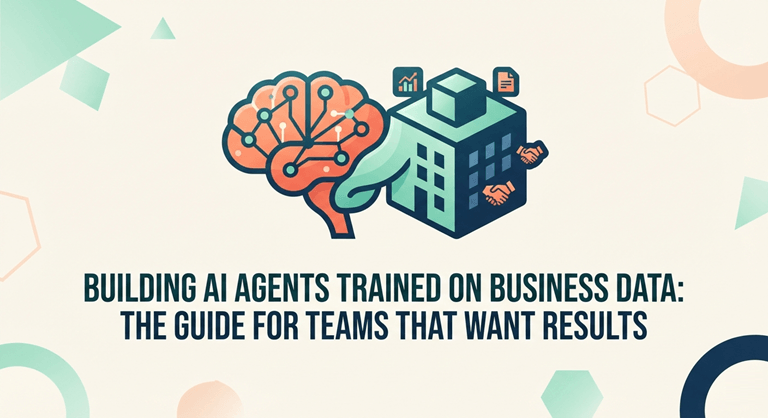
Building AI Agents Trained on Business Data: The Guide for Teams That Want Results
Building AI agents means creating autonomous AI systems that can understand business data, make decisions, and take real actions inside workflows (not just chat).
For teams serious about speed, efficiency, and scale, business-trained AI agents are becoming a competitive necessity.
Generic chatbots fail because they don’t understand your SOPs, customer data, policies, or internal systems. AI agents trained on your business data are different. They deliver accurate answers, execute workflows, and operate within real operational rules.
When built correctly, AI agents can reduce manual workload, speed up decisions, and automate high-impact processes securely and measurably. But success depends on building them with the right data, guardrails, and workflow design.
This guide breaks down how to build AI agents trained on business data that deliver real operational results, not experiments.
What “Building AI Agents” Means (In Business Terms)
An AI agent isn’t just a chatbot or a conversation tool. It’s a goal-driven digital system designed to think, decide, and act within your business.
A well-built AI agent can:
- Understand requests in plain, everyday language
- Pull relevant internal context (policies, customer records, workflows, history)
- Make informed decisions or recommendations
- Take real actions (create tickets, update CRM records, generate reports)
- Know when to escalate tasks to a human
In simple terms, building AI agent solutions for business means creating reliable digital teammates that work inside your organization, supporting teams, automating workflows, and operating safely within your rules.
Quick stat: McKinsey estimates generative AI could add $2.6T–$4.4T annually in economic value (depending on use cases and adoption)
Why Training AI Agents on Business Data Improves Accuracy & ROI
Most companies don’t need more AI. They need AI that actually understands how their business works. The real competitive edge isn’t in public data. It’s in your proprietary knowledge, such as:
- Product documentation, pricing logic, and policy rules
- Support tickets, call transcripts, and CRM history
- Internal SOPs, onboarding materials, and approval workflows
- Inventory, logistics, operations, and finance data
When AI is trained on this internal context, it stops giving generic answers and starts delivering relevant, actionable, and reliable outputs.
That’s the difference between AI that sounds intelligent and AI that actually operates inside your business.
Generic AI vs Business-Trained AI Agents: What Works in Business
Generic AI can appear smart, but it often relies on guesses and broad patterns.
Business-trained AI agents, on the other hand, are grounded in your data, your rules, and your reality.
(A) Generic AI
- Gives broad, generalized answers
- Higher risk of inaccurate or fabricated responses
- Lacks awareness of internal policies and processes
- Cannot reliably execute business workflows
(B) Business-Trained AI Agents
- Delivers context-aware answers using your internal data
- Makes consistent decisions aligned with your policies
- Integrates with tools like CRM, ERP, and helpdesk systems
- Operates under access controls, audit logs, and governance rules
3 Practical Ways AI Agents Use Business Data (RAG, Fine-Tuning, Integrations)
Most real-world AI agent systems don’t rely on just one method. They combine multiple approaches to maximize accuracy, flexibility, and impact.
1. RAG: Retrieving Answers From Your Knowledge Base
RAG (Retrieval-Augmented Generation )allows an AI agent to pull relevant internal information, such as documents, support tickets, policies, and knowledge base articles, in real time to generate more accurate responses.
This is often the fastest path to business value, since you can update the knowledge base anytime without retraining the model.
2. Fine-Tuning: Teaching Consistent Patterns and Behavior
Fine-tuning helps shape how an AI agent writes, categorizes information, follows rules, or behaves in domain-specific scenarios.
It’s useful when you need consistency in tone, structured classification, or specialized decision patterns. However, many organizations start with RAG because it’s easier to control, update, and scale over time.
3. Tool & System Integration: Agents That Take Real Action
This is where AI agents move beyond answering questions and start doing meaningful work.
Integrated agents can:
- Create and triage support tickets
- Pull customer history directly from CRM
- Generate renewal summaries for Customer Success teams
- Trigger workflows such as approvals, alerts, and follow-ups
This workflow-driven approach is what transforms AI from a helpful assistant into a true operational layer inside your business.
High-ROI Use Cases for Business-Trained AI Agents
These are the clearest, highest-ROI starting points for most companies.
1. Customer Support, Sales & Success
AI agents can:
- Answer customer questions using internal policies and product docs
- Summarize account history for faster support
- Draft accurate, step-by-step responses
- Recommend upsells based on customer behavior
2. Internal Operations (Tickets, Approvals, Reporting)
Agents help operations teams:
- Turn unstructured requests into clean tickets
- Route tasks to the right owners automatically
- Generate weekly reports from live data
- Reduce internal follow-ups and status chasing
3. Analytics, Finance & Decision Support
AI agents can:
- Pull key metrics and explain trends in simple terms
- Flag anomalies like churn risks or spend spikes
- Generate leadership-ready summaries
- Highlight “what changed this week” in business performance
Step-by-Step Plan to Build AI Agents for Business Workflows
If you’re evaluating AI partners, expect a clear, outcome-driven process. Here’s a step-by-step plan to build AI agents for your workflows:
- Start with one measurable workflow: focus on a single business goal with clear impact.
- Map the right data sources: identify the systems and documents the agent needs to learn from.
- Choose the right approach: begin with RAG and integrations, add fine-tuning only if required.
- Set guardrails early: enforce access controls, PII protection, and human oversight.
- Build workflows with logging: track prompts, decisions, and actions for accountability.
- Test with real users: validate performance across real scenarios and edge cases.
- Monitor and improve continuously: optimize accuracy, cost, speed, and business impact over time.
Common Mistakes Teams Make When Building AI Agents
Some common mistakes teams make when they build AI agents are:
- Starting with “cool demos” instead of real workflows
- Over-fine-tuning when RAG would work better
- Ignoring governance, logs, and evaluation
- Giving agents too much system access too early
- Launching without defining ROI metrics
How to Choose an AI Partner for Building AI Agents
If you’re choosing a partner for building AI agents, prioritize decision-making value over flashy demos. You can also explore the AI Agent Store to discover AI agents and tools that may fit your business needs.
Look for teams that can show:
- Production experience (not just prototypes)
- A clear approach to governance + security
- Strong workflow thinking (tools, integrations, approvals)
- An evaluation plan (tests, logging, metrics)
- A path to scale (from 1 agent → agent portfolio)
Case Study: Building an AI Agent Trained on Inventory Data
When AI agents are trained on internal operational data, they stop making generic suggestions and start supporting real business decisions.
In one Phaedra Solutions project, a company facing stock errors, manual inventory work, and poor demand visibility built an AI-powered inventory system trained on past sales and stock data.
The AI agent analyzed real-time inventory signals and generated:
- Predictive reorder recommendations to prevent stockouts.
- Low-stock alerts based on demand patterns.
- AI-driven reports to improve purchasing and planning decisions.
- Operational insights that reduced overstocking and waste.
Instead of relying on guesswork, the business shifted to data-backed, automated decision-making embedded directly into daily workflows.
This is the real power of building AI agents trained on business data, turning internal information into actionable intelligence that improves efficiency, accuracy, and operational control.
How to Build Trustworthy AI Agents in Production
“AI agents create real business value when they’re grounded in company data, guided by clear rules, and embedded into everyday workflows — not when they’re built just to look impressive.”
— Hammad Maqbool, Head of AI & Machine Learning, Phaedra Solutions
In practice, trust is what determines whether AI agents succeed or fail inside a business.
Teams trust AI agents when they consistently use accurate internal data, follow defined workflows, respect access controls, and log their decisions for accountability.
When those foundations are in place, AI agents become reliable enough to support real decisions (from customer support to operations and analytics).
This is the difference between experimental AI demos and production-ready AI agents that businesses can confidently rely on every day.
Final Verdict
If your team is drowning in repetitive work, slow decisions, scattered knowledge, or manual reporting, building AI agents trained on your business data is one of the highest-impact moves you can make right now.
The real win isn’t launching a chatbot. It’s deploying an AI agent that solves a real workflow, understands your internal data, connects to your tools, and operates safely under clear rules.
When treated like a real product (measured, monitored, and improved), AI agents can save time, reduce errors, speed up decisions, and scale operations without adding headcount.
If you want to move beyond experiments and build production-ready AI agents, teams like Phaedra Solutions focus on secure, workflow-driven deployments that deliver business results.
FAQs
1) What’s the fastest way to get value from a business-trained AI agent?
Start with a high-volume workflow such as customer support, internal operations, or reporting, and use RAG so the agent can answer directly from your existing documents without retraining a model.
2) Do we need to fine-tune a model to train it on business data?
Not necessarily. Many teams begin with RAG because it’s faster to deploy, easier to update, and simpler to govern. Fine-tuning is typically added later for specific behaviors, tone, or classification needs.
3) How do we prevent AI agents from exposing sensitive data?
Apply role-based access controls, data redaction, policy-driven permissions, and maintain audit logs of prompts, responses, and tool usage.
4) What metrics should we track to prove ROI?
Key indicators include containment rate, time saved per workflow, accuracy, cost per resolution, and downstream business impact, such as faster deal closures or fewer operational errors.
5) How long does it take to deploy an AI agent in a real workflow?
A focused MVP can often go live in a few weeks, especially with RAG and limited integrations. Scaling across multiple workflows takes longer due to governance, evaluation, and organizational change management.
Popular on OTW Right Now!
-
 How to Size a Portable Power Station for Emergency Home Backup
-
 Operational Excellence in Community Living: The Architecture of Modern Condo Management
-
 How Dashcam and Telematics Data Is Reshaping Car Accident Evidence
-
Smarter Online Borrowing: How to Compare a Same-Day Loan Without Losing Sight of the Bigger Picture


About The Author

Gagan Bhangu
Founder of otechworld.com and managing editor. He is a tech geek, web-developer, and blogger. He holds a master's degree in computer applications and making money online since 2015.