
UltraPic Review: Easy Online Image Editing with AI Background Tools
Are you looking for the online AI-Powered Free Photo Enhancer, editor, background remover, and background generator tool? If yes, then UltraPic is one of the best and simplest online tools for you.
Well, good product images are no longer optional. Whether you’re selling on Amazon, Etsy, Shopify, or your own site, the quality of the image is going to directly affect clicks, trust, and conversions. However, you may not always have the time (or ability) to work with complicated photo editing programs.
This is where UltraPic comes in.
UltraPic is an online image editing tool designed mainly for product sellers, content creators, and everyday users who want clean, professional visuals without spending hours editing. Also, it is a direct-to-browser app and is dedicated to the most important tasks: background removal, background generation, image editing, and quick batch processing.
In the review, we will be looking more closely at what UltraPic can offer, why it is useful, and how you can use it to enhance your pictures in less than several minutes.
What is UltraPic?
Ultrapic is an online background removal tool and online image editing service that is provided at ultrapic.com. Also, it is designed to suit individuals who require fast, dependable image edits – particularly in e-commerce and marketing.
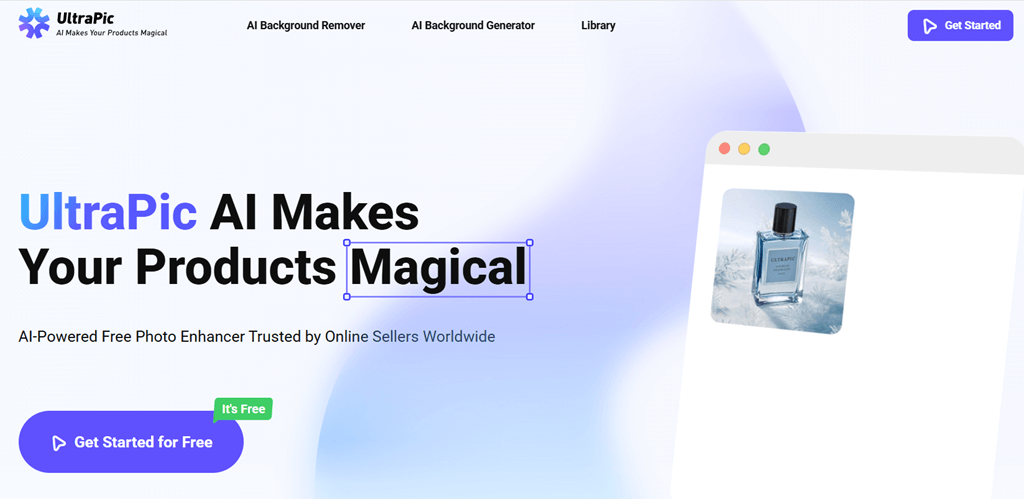
Ultrapic is not inundating users with dozens of advanced features; instead, Ultrapic is more practical and includes:
- Removing image backgrounds.
- Generating new backgrounds.
- Enhancing image quality.
- Editing and resizing images.
- Formatting photographs to be used on websites for sales.
It is all done online, and thus there is no need to install software or be concerned with the system requirements.
Why You Need a Tool Like UltraPic
Photo editing manually is time-consuming. Simple edits may be costly when outsourcing designers. And not everybody can learn complex editing software.
An application such as Ultrapic is useful since:
- Product images can be edited in minutes
- Backgrounds are removed cleanly, even from complex photos
- Images are prepared in Amazon, Shopify, Etsy, and on social media.
- There is no technical knowledge needed.
- The batch editing is time-saving when there are numerous items with the seller.
Ultrapic also eliminates the hassle of editing, should you have a regular need to work with product photos or promotional images.
Features of Ultrapic
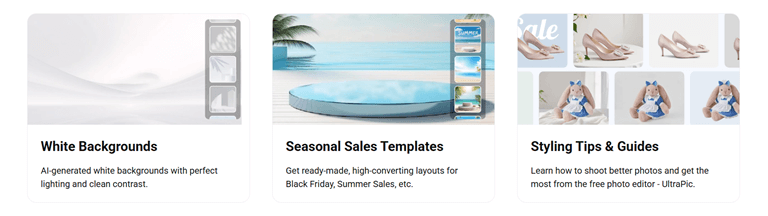
1. Built for Product Sellers
Ultrapic is obviously e-commerce-oriented. The interface is simple and clean, and it will be easy to edit product photos in online stores. The tool is used to create platform image requirements in seconds, regardless of whether you are selling on Amazon, Etsy, Shopify, or your own site.
2. Remove Background Instantly
The background erasing tool is functional even with intricate photographs. You are able to remove the unwanted backgrounds and insert clean and professional images that would fit online listings and marketing.
It is particularly useful with product images that require either a white or personal background.
3. AI Magic Background for Products
Ultrapic gives you the opportunity to produce new backgrounds that will give your product a unique look. You can use realistic scenery instead of boring backgrounds, something that fits your product style and branding.
The feature can be applied to enhance the presentation of products and make images more interesting without having to edit them manually.
4. Batch Edit in One Go
In case you have multiple pictures, batch processing is a significant time-saving utility. Ultrapic lets you:
- Erase the background on various images.
- Adjust subjects.
- Resize canvases.
All in one go. This would suit sellers who have large product catalogs.
5. Platform-Ready Output
The Ultrapic assists you in creating images that fit the needs of major e-commerce platforms such as Amazon and Shopify in terms of size and format. This eliminates the chances of image rejection and time wastage when uploading products.
6. Remove Watermarks
The watermark removal tool assists in cleaning up pictures with third-party marks without negatively affecting the picture quality. It comes in handy when reusing or polishing the existing visuals.
7. Pro-Level Photo Output
Ultrapic is a high-quality tool in an online format. Images have fine details, colors, and natural textures. The zoom is not destructive,a nd therefore the quality remains intact, which is why the images can be used in:
- Product listings.
- Social media.
- Marketing materials.
Every modification is performed via a basic browser interface.
8. Smart Image Processing
Ultrapic is an intelligent processing of images to detect subjects with accuracy. The background removal, color correction, and lighting are done seamlessly, and the images come up clean and natural-looking.
The idea of batch processing also enhances efficiency in high-volume image editing.
9. Zero Learning Barrier
The simplicity of Ultrapic is one of the largest advantages. Equipment is organized in logical order, and it is not messy. Good results can be attained even by first-time users in just minutes.
There are no prerequisites, like tutorials or previous experience in editing.
How to Use Ultrapic
Step 1: Upload Your Photo
First, open ultrapic.com on your web browser, and click on the Get started button. After that, click on the Upload button to upload your image from your PC or phone.
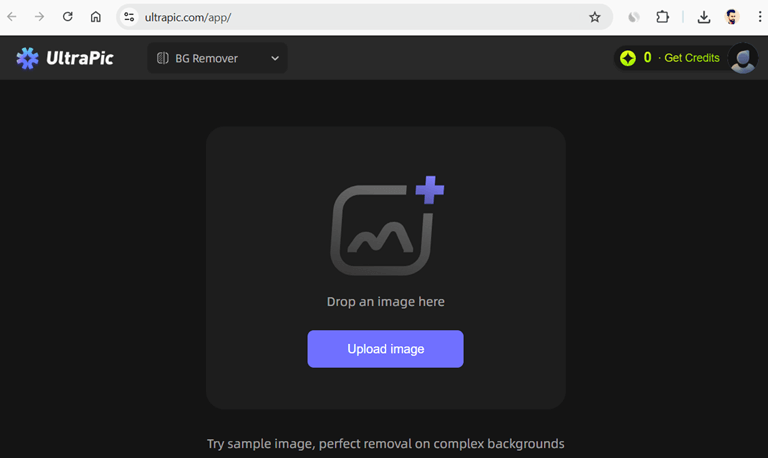
Step 2: Edit with Ultrapic
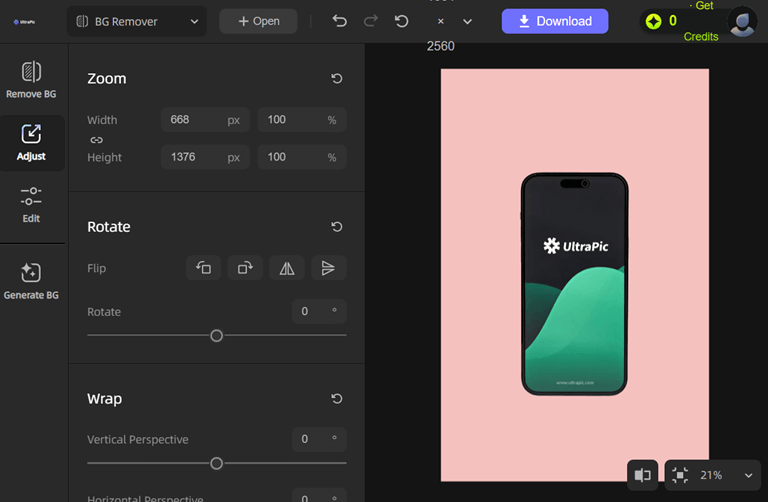
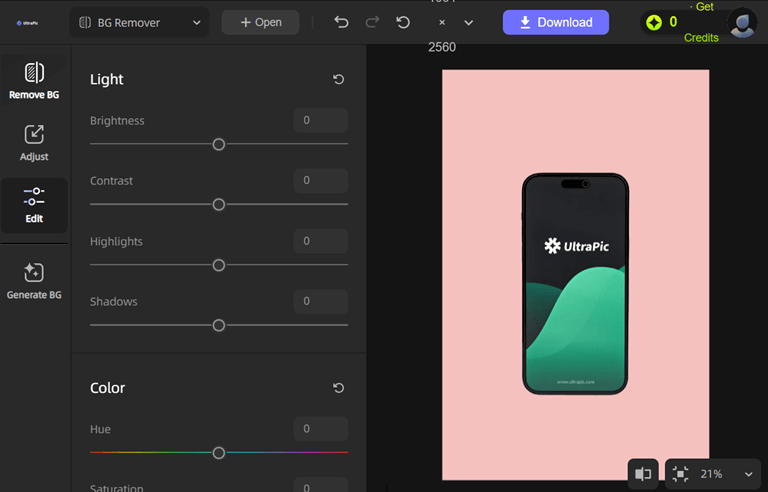
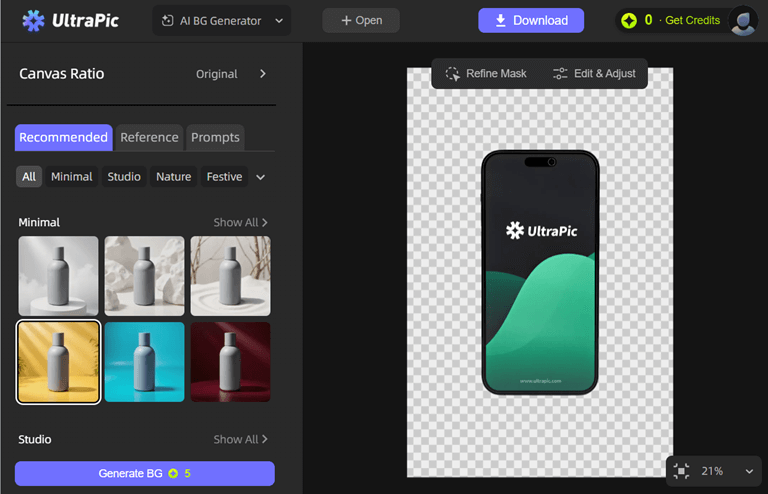
Now you will see the option on the left side – Remove BG, Adjust, Edit, and Generate BG.
Remove BG: This option is used to remove the image background, and you can set the background color as well.
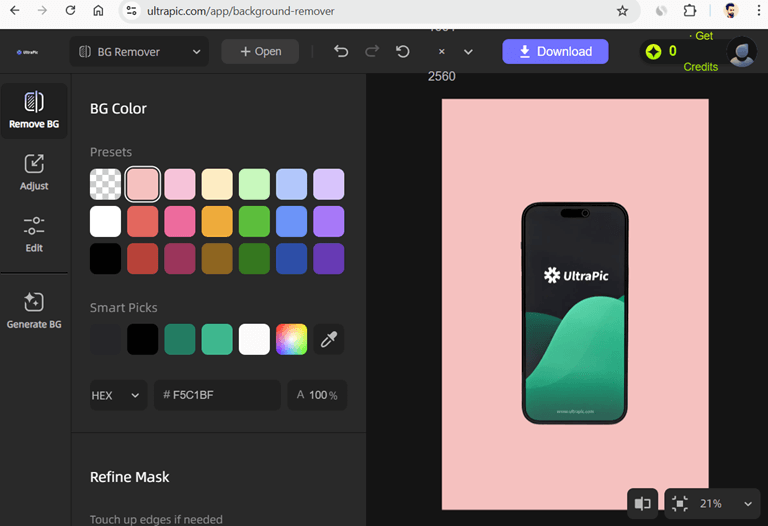
Adjust: In the Adjust option, you can Zoom, Rotate, and Wrap the image.
Edit: The edit option provides an option to change the light, color, and detail of the image.
Generate BG: Gnerete BG option provides an AI background changer. You can change the background of an image using a reference and a prompt. Also, there are ready made template avaiable for the background.
Step 3: Get the Final Image Downloaded.
After editing, removing or removing the background of the image, you can download the polished HD image by clicking on the Download button and use it anywhere you find it pleasing.
Conclusion
Now you know all about the UltraPic tool. However, you can find numerous UltraPic alternatives on the web, but this tool offers a simple UI.
Ultrapic is an online image editing application that is practical and easy to use, and oriented to what sellers and creators need most. It eliminates the complexity of the old method of photo editing, yet provides clean and professional results.
Ultrapic is worth trying if you need a quick way to remove backgrounds, make basic improvements, process multiple images simultaneously, and prepare them for use on the platform without requiring any software installation.
It comes in particularly handy when dealing with an e-commerce vendor, creator of content, and those who desire more detailed images with less effort.
Popular on OTW Right Now!



About The Author

Gagan Bhangu
Founder of otechworld.com and managing editor. He is a tech geek, web-developer, and blogger. He holds a master's degree in computer applications and making money online since 2015.