
How to Compare Streaming Box Models by Storage, Memory, and Connectivity
When you’re looking at a streaming box you need to look at it beyond just the price and the video resolution. Storage, memory, wireless and the ports all have an impact on how the box performs in your home. Understanding what these specs actually mean is key to being able to compare the boxes and work out which features are actually important to you on a day to day basis.
The SuperBox S8 range comes in a number of variants to cater to different storage requirements and viewing habits. The S8 Ultra has 128GB of storage, the S8 Plus has 64GB. They’re very similar in terms of the core features but there are differences in the amount of storage, Multi-View and the range of ports available which will help you decide which is the right one for you.
Rather than just assume the more expensive model is the better one, it’s useful to think about how you actually intend to use your streaming box. This guide looks at the key specs, compares the models head to head and then shows you how to pick the one that’s right for you.
Identifying the Specifications That Matter Most
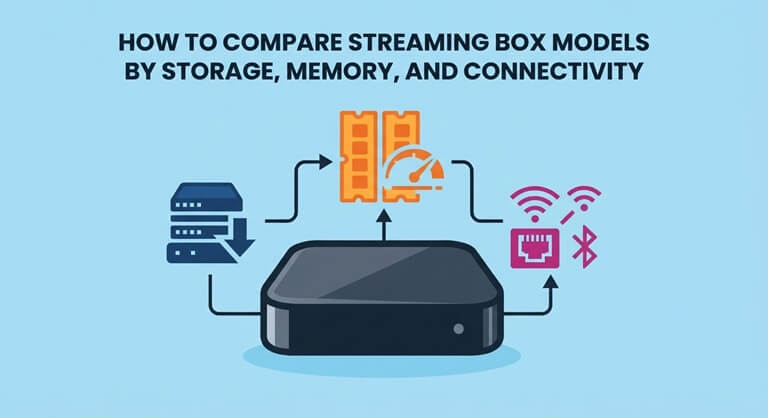
Streaming box spec sheets are full of technical jargon and it’s not all of it that’s relevant. Storage is all about how much space you’ve got for apps and recordings. RAM is about how smoothly the system runs. The processor tells you what the hardware is. The networking options will have an impact on how the box connects to your home network. It’s best to look at all of those aspects in conjunction rather than just one.
For anyone researching a superbox s8 comparison the superbox s8 ultra is a useful starting point because it represents the 128GB configuration in the S8 range. Its listed specifications include 4GB of DDR memory, a quad-core ARM Cortex-A53 processor, and Mali-G31 MP2 graphics. The model also supports dual-band Wi-Fi 6 and 1000Mbps Ethernet. These details help establish a baseline for comparing storage, processing hardware, and connectivity across the lineup.
Comparing the S8 Ultra and S8 Plus Specifications
The S8 Ultra and S8 Plus are very similar in terms of hardware. Both run Android 12.0, both have 4GB of DDR memory, both have a Mali-G31 MP2 GPU and a quad-core ARM Cortex-A53 processor. Both support H.265 decoding up to 6K at 60fps. Again, the actual playback quality you get will be down to your content, your apps, your network and your TV.
It’s easier to see the differences if you just look at the specs side by side. The Ultra has 128GB of storage, a metallic silver finish and both USB-C and USB 3.0 ports. The Plus has 64GB of storage, an ocean blue finish and separate USB 3.0 and USB 2.0 Type-A ports. The Multi-View is different on the two models too so you’ll want to look at that as well as the storage when you’re making your decision.
| Specification | SuperBox S8 Ultra | SuperBox S8 Plus |
| Internal storage | 128GB eMMC | 64GB eMMC |
| System memory | 4GB DDR | 4GB DDR |
| Processor | Quad-core ARM Cortex-A53 | Quad-core ARM Cortex-A53 |
| Graphics | Mali-G31 MP2 | Mali-G31 MP2 |
| Operating system | Android 12.0 | Android 12.0 |
| Video decoding | H.265 up to 6K at 60fps | H.265 up to 6K at 60fps |
| Wireless connectivity | Dual-band Wi-Fi 6 support | Dual-band Wi-Fi 6 support |
| Ethernet | 1000Mbps Ethernet | 1000Mbps Ethernet |
| USB connections | USB 3.0 and USB-C | USB 3.0 and USB 2.0 Type-A |
| Storage configuration | Higher-capacity option | Mid-range storage option |
Specifications are based on the manufacturer’s product listings. Features and playback results can vary according to software, connected equipment, and supported content.
Understanding the Difference Between RAM and Storage
RAM and internal storage are very different things even though both are measured in GB. RAM is the memory that your system and your apps use whilst they’re running. Internal storage is where your apps and your data are stored. More storage doesn’t equate to more RAM, and getting a device with more storage won’t make it any faster.
Both S8 models have 4GB of DDR memory so the Ultra’s greater storage capacity doesn’t equate to more RAM. The only real advantage is the extra storage space available for apps, updates and recordings. If you’re only using a handful of apps then 64GB may be sufficient. If you’re planning on storing more then 128GB gives you that extra space and reduces the need to free up space.
Evaluating Storage Capacity for Everyday Viewing
How much storage you require is down to your own usage. If your household only uses a handful of streaming apps you probably won’t need the largest option. If you’re installing a lot of apps or using the recording features a lot, then more space can be useful. Also remember that some of the storage listed is taken up by the system and pre-installed apps so you won’t have the full amount available for your own use.
The SuperBox S8 Ultra is targeted at those wanting the larger 128GB version with the added features. It has built in recording, Multi-View and a backlit remote. The extra storage is useful if you’re recording a lot and want to keep your files on the box. If you don’t make much use of those features then the 64GB model may be the better option.
Comparing Connectivity and Available Ports
Connectivity is important in terms of how easy it is to set up and what kind of accessories you can use. Both the S8 Ultra and S8 Plus support dual-band Wi-Fi 6 and 1000Mbps Ethernet, so you can pick between wireless and wired. Wi-Fi is obviously good for reducing the amount of cable you have to run, and Ethernet is useful if your router is right there. That said neither option will guarantee perfect playback as your internet speed and the level of network traffic will also have an impact.
USB ports are the other big difference. The S8 Ultra has USB 3.0 and USB-C; the S8 Plus has USB 3.0 and USB 2.0 Type-A. If you’ve got Type-A accessories then the Plus may be the easier device to use. If you need USB-C then the Ultra is the better choice. Before you go buying, check what your accessories require as it’s a case of both hardware and software having to be compatible.
Examining the Features of the SuperBox S8 Plus
The S8 Plus has 64GB of storage (more than the 32GB S8 but less than the 128GB Ultra). It’s ocean blue, has a new interface, a backlit remote, and built-in recording, which makes it very suitable for home use by multiple people. It supports Picture-in-Picture and Limited Multi-View so you can view your supported sources in a range of different layouts (with some limitations).
For users comparing superbox s8 ultra vs plus, the superbox s8 plus product page provides the model-specific details needed to check its configuration. The Plus is the model you’d go for if you’re after moderate storage and like the USB-A ports. If you’re after more storage or want the extra features of the Ultra, then the higher model may be the one for you. As always, check the latest product listing to confirm the specs and what’s included prior to purchase.
Matching the Streaming Box to Your Setup
The best streaming box isn’t necessarily the one with the most storage. You need to think about how many apps you’re going to be using, whether you’re going to be recording anything and what kind of connections your TV has. If your requirements are fairly basic, then the S8 Plus should have more than enough space and the features you’re after. If you’re after a bit more headroom for the future, then the Ultra gives you double the storage.
It’s also worth considering which viewing features are actually of most importance to you. Picture-in-Picture, Multi-View, recording and remote features are all things that can be very important; of course, it depends on the apps and content that you’re using. Check the latest manufacturer info, your TV’s resolution and the ports you require prior to purchase. That way you’re focused on the features that actually matter to you in day-to-day usage rather than just the specs.
Checking Product Details Before Making a Purchase
Before you go and pick a model, have a good look at the current product page to see what’s in the box, how it connects, its power requirements, the warranty and the return policy. That way you know what you’re actually buying and whether you’ll need any additional bits and pieces. Also make sure it can connect to your TV and to your home network with the gear you already have.
Finally, match the specs to your budget and to how you intend to use the device. The Ultra has 128GB of storage, which is ideal if you’re after a lot of space for apps and recordings; the Plus has 64GB, which may be quite sufficient for your requirements. Look at memory, storage, ports and viewing specs all together to work out which model is right for your home.
Popular on OTW Right Now!




About The Author

Gagan Bhangu
Founder of otechworld.com and managing editor. He is a tech geek, web-developer, and blogger. He holds a master's degree in computer applications and making money online since 2015.