
Top 7 Remote Employee Monitoring Software Solutions for Modern Workplaces
Introduction
Remote and hybrid work have changed the way organizations run their teams, measure productivity, and protect business information. A manager who once could glance across the office and see who was snowed under now has a team spread across kitchen tables, spare bedrooms and the odd co-working space. Managers still need practical ways to understand workloads, spot technical problems and make sure employees have what they need to do their jobs well. Remote employee monitoring software can support those goals by offering information about computer activity, application usage, work patterns and attendance.
Monitoring should be done responsibly. The employee has to be made aware of it, have some degree of privacy, and be given a clear explanation of what is being collected. Nobody likes to find out they’re being tracked without any prior warning. The right approach will vary depending on the size of the organization, the way the business is set up, the level of security required and the management style.
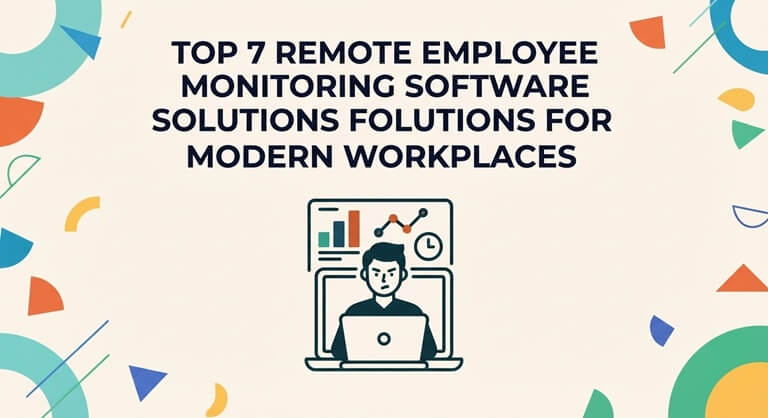
Here are seven remote employee monitoring software options to consider, along with their key features and the situations in which they’re most appropriate. Each one has a slightly different definition of what it means to ‘monitor’.
1. KeepActive (Previously Kickidler)
KeepActive (previously Kickidler) is a workforce monitoring tool that can be used to monitor computer activity and employee working patterns. It’s particularly useful for organizations that have a mix of remote workers and office workers, or indeed for those with a purely remote workforce. It’s ideal for companies where some of the staff only come into the office on certain days.
The platform tracks computer usage, monitors employee time, analyses productivity, and provides visual monitoring. Depending on the configuration, managers can use the data to identify workflow disruptions, spot any odd usage of the computer, and see how work time is actually being utilized during the day. In practice, the reality is often very different from what people anticipate.
Its computer monitoring software capabilities can also help organizations get to the bottom of recurring operational problems, such as a great deal of time spent in unrelated applications or a process that takes three steps longer than it needs to. These insights are most useful when they’re read alongside job responsibilities and agreed performance expectations. A designer and an accountant were never going to have the same screen time.
Before you go and use KeepActive, you should have a look at the monitoring settings, the reporting options, the compatibility, and the privacy controls. You need to have clear policies in place and you need to be open with your people about what you’re doing. It’s only going to work if it’s actually serving a genuine business need rather than just being an additional pressure on the people. People work better when they know why you’re using a tool.
2. ActivTrak
ActivTrak is a workforce analytics and productivity tool. It’s designed to show you how your employees are using apps and websites, how their time is allocated and where you can improve your processes. It’s really more of a detailed map of the week’s work than a surveillance tool.
Their reports help managers to identify imbalances in workload, pick up on patterns of frequent disruption and track productivity trends over time. It can show you, for instance, that one individual is doing a lot more work than the others. It’s a good platform for a team that wants to do their planning on a data basis rather than by the old-school method of just going in and checking.
Businesses should have clear reporting caps and not rely solely on app usage as a measure of performance. Different jobs will require different tools and different working styles. The time spent in the thinking phase may not be captured in any report at all but can very well be the most valuable part of the day.
3. Hubstaff
Hubstaff is a time tracking tool that also incorporates workforce management functionality for distributed teams. It has timesheets, project tracking, attendance, and hours reporting built in. For a lot of teams it’s a complete replacement for the spreadsheet solutions they’ve been using.
Organizations that bill clients by the hour or juggl
Employees working on a number of projects at once will find these capabilities very useful. Managers can look at recorded time, work out what a project is actually costing, and compare the planned work against the actual hours spent. It’s a lot easier to learn from a job that’s been quoted at 40 hours and has taken 60.
Whether Hubstaff is the right solution for you is going to come down to the level of oversight you require and how you currently manage your projects. It’s important that the employer makes it clear which of the tracking features are in play and how the data will be used. Having that conversation upfront will go a long way to preventing any issues down the track.
4. Teramind
Teramind is for organizations that want detailed user activity monitoring and insider risk management. It provides activity monitoring, policy-based alerts, and tools to investigate risky activity. It’s a security-focused product.
Businesses in a regulated sector or those with sensitive data may use the software for security investigations and policy enforcement. It can be used to monitor for suspicious activity (e.g. a very large data transfer on a Friday night). Early detection of such activity can be very important.
As with any form of monitoring involving sensitive employee data, access permissions, retention periods and alert rules need to be carefully considered. The level of monitoring should be appropriate to the level of risk and in line with the law. More visibility is not necessarily a good thing.
5. Time Doctor
Time Doctor is a time tracking solution which also provides productivity reports. It enables teams to see how their time is being spent on tasks, projects and apps and is the tool that answers the perennial question of ‘where did all our time go?’
This is a useful platform for remote service providers, agencies and organizations that do project-based work. The timesheets and reports can be used by managers to identify scheduling issues, improve their project estimates and check whether workloads are sustainable. If a team is always working late then that’s a red flag for the manager.
Like any monitoring tool, the recorded activity is just one aspect of the picture and should not be the sole measure of someone’s contribution. Quality, teamwork, creativity, and results are all equally important. A simple example would be helping out a new member of the team, which is of value regardless of whether it’s in the reports or not.
6. Insightful
Insightful (formerly Workpuls) provides workforce analytics, computer activity monitoring and productivity reporting. The suite of tools enables organizations to see how their staff are spending their time and how their day-to-day operations can be improved.
Managers can use the reports to identify bottlenecks, assess app usage and examine team working patterns. A process that consistently gets stuck at the same approval stage would be very easy to pick out. The data can be used in a number of ways depending on the requirements, for example in planning and when making decisions about staffing or process change.
Before you go and start using Insightful, you should consider the depth of reporting, the integrations, the deployment options, and the privacy settings. You need to work out what data you actually need and not be in a position of having an overbearing level of surveillance. That decision should be made prior to you starting.
7. Veriato
Veriato is all about user activity monitoring and security-focused workforce monitoring. It’s used to investigate insider threats, identify anomalous behavior, and support a range of wider security programs. It’s a tool for high-stakes environments.
Companies with sensitive data can use this software to get a better view of what users are doing. It’s of use in security investigations, policy enforcement and in spotting the oddity that might be a red flag. A single odd download, for instance, could be significant if it’s customer data.
These are features that need to be managed carefully. Access to the monitoring records should be restricted, the legitimate purposes for which they are held should be documented and the procedures for reviewing the alerts should be fair. An alert is a signal that it’s time to ask questions; it doesn’t mean that someone is at fault.
Key Factors to Consider When Choosing Monitoring Software
Choosing the right platform is about much more than just feature comparison. A platform that looks fantastic in a demo is likely to feel very different when you’re actually using it during the course of a busy working day. The following are the key things to bear in mind:
- Privacy and compliance: Review employment, privacy, and data protection requirements before collecting any employee activity information.
- Transparency: Staff should know what is being monitored, why it’s being monitored and who can see the records that are produced.
- Reporting quality: The best tools will give you insight into your workloads, your time allocation and your operational problems rather than just a wall of numbers.
- Security: Look for access controls, secure handling of data and sensible retention policies from the outset.
- Compatibility: The software has to work with the OS’s, the devices and the business apps that are already in use.
- Cost and scalability: You need to consider the total cost of ownership, particularly as your workforce expands or your monitoring requirements change.
Organizations can turn to the National Institute of Standards and Technology (NIST) for guidance on managing privacy risks and to the International Labor Organization (ILO) for more general information on workplace practices and workers’ rights.
Conclusion
Remote employee monitoring software can go a long way to helping an organization get a better understanding of how work is being done, how remote teams can be coordinated and how information security can be improved. KeepActive, ActivTrak, Hubstaff, Teramind, Time Doctor, Insightful and Veriato are all different in their approach (some focus on productivity monitoring, others on security). There is no one ‘best’ solution out there, just the one that is right for each individual team.
The right choice will obviously be down to an organization’s own objectives, budget, technical situation and privacy requirements. Ultimately, the best monitoring is one which enables clear expectations, fair management and better working conditions. A busy screen doesn’t necessarily equate to good work and the best teams will know that.
Popular on OTW Right Now!


About The Author

Gagan Bhangu
Founder of otechworld.com and managing editor. He is a tech geek, web-developer, and blogger. He holds a master's degree in computer applications and making money online since 2015.