
Choosing Leading CMMS & Facility Maintenance Software: A Complete Guide for Maintenance Teams
The fundamental job of the maintenance and facilities teams is to ensure that the facilities, the machinery, the assets, and the key operations all run safely and reliably. A large number of companies, however, still rely on a disparate range of tools to manage their maintenance activities: spreadsheets, email threads, paper notes, phone calls, and text messages, to name but a few.
Manual methods will get you through with a small operation and a small team, but as the business grows, they simply don’t cut it. As the operation grows, the number of assets grows, and the number of service requests increases. It becomes very difficult to maintain proper oversight. The maintenance and facilities teams find it very hard to keep track of what work is outstanding, who is accountable, to verify that work has actually been completed, and to schedule the preventive maintenance.
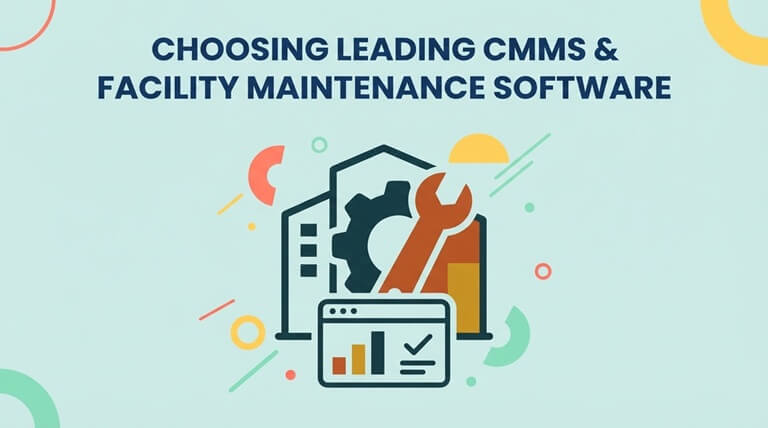
This is where CMMS software and facility maintenance software make a difference.
A CMMS (Computerized Maintenance Management System) is a system that allows the maintenance and facilities teams to have a single system to manage work orders, preventive maintenance, equipment, assets, spare parts, maintenance requests, labor, costs, and all the operational information. The challenge is, of course, in picking the right one.
Maintenance organizations have different needs depending on the industry they’re in, the size of their facility, the number of technicians they have, the size of their asset base, the regulatory obligations they have, and their maintenance strategy. The ideal solution is therefore not necessarily the platform with the most features. You need to look for software that will solve your actual operational problems and is simple enough for staff to use on a consistent basis.
For organizations evaluating leading CMMS and facility maintenance software, Click Maint provides an easy-to-use platform designed to centralize maintenance operations without introducing unnecessary complexity and high costs.
What is CMMS Software?
CMMS software is a digital system that helps organizations organize, schedule, track, and analyze maintenance activities. Instead of storing maintenance information across spreadsheets, emails, paper documents, and individual employees’ knowledge, a CMMS creates a centralized maintenance database.
Maintenance teams can use a CMMS to manage:
- Maintenance requests
- Reactive work orders
- Preventive maintenance
- Equipment and assets
- Parts and inventory
- Inspections and checklists
- Technician assignments
- Maintenance histories
- Labor and maintenance costs
- Equipment downtime
- Reports and maintenance KPIs
A CMMS can therefore become the operational hub for maintenance managers, facility managers, technicians, requesters, contractors, and all the other various stakeholders. The aim is simple really: to give the teams better visibility of the maintenance work so that they can react faster, plan better, and make decisions based on the right information.
What is Facility Maintenance Software?
Facility maintenance software is used to coordinate the maintenance work required to keep buildings, equipment, systems and physical locations in good order. The facility manager may be responsible for the maintenance of hundreds or indeed thousands of items of work relating to HVAC, electrical, plumbing, lighting, safety equipment, production assets, building systems, the grounds and so on.
There’s no central system, and maintenance requests can easily go untraced. One employee may text about a leaking tap. Another employee may email the FM about the same tap. A technician may go and fix it without any record of the work being done. Six weeks later, the same tap is leaking again. With no maintenance history, the manager has no idea how often the problem has occurred, who has previously done the work, what parts were used, or indeed how much the repeated repair is costing.
Facility maintenance software creates a structured process for capturing this information. Requests can become tracked work orders. Work can be assigned to technicians. Equipment histories can be updated. Costs can be recorded. Managers can then use that information to identify recurring problems and make better maintenance decisions.
Why Organizations Move Away from Spreadsheets and Manual Maintenance Tracking
Spreadsheets are flexible, cheap, and familiar. They can be useful for basic maintenance tracking. They weren’t really designed for the management of a dynamic maintenance operation, though. As the level of maintenance activity increases, you can start to run into problems with them:
- Work orders being overlooked
- Maintenance requests being lost in emails or text messages
- Preventive maintenance tasks being missed
- Duplicate requests being created
- Technicians lacking equipment history
- Managers having limited visibility into workload
- Spare parts being unavailable when needed
- Maintenance costs being difficult to calculate
- Information being stored in multiple places
- Reporting requiring significant manual work
The problem is often not the effort of the maintenance team. It is the absence of a centralized workflow. A modern maintenance management software platform helps create that workflow.
What Should You Look for in Leading CMMS Software?
Choosing CMMS software should start with your operational requirements rather than some comparison of feature lists.
Organizations should start by identifying their biggest maintenance problems.
Are work orders routinely delayed?
Is preventive maintenance hard to schedule?
Are the technicians without access to the equipment information?
Are maintenance requests coming in via text and email?
Is inventory hard to control?
Does management lack accurate maintenance reports?
Once the problems are clear, then the organization can assess whether each CMMS is in any way capable of solving them.
Several capabilities are of course worth highlighting.
1. Work Order Management
Work order management is one of the most important functions of a CMMS. Maintenance teams need an easy way to create, assign, prioritize, track, and complete maintenance tasks. A strong work order software system should allow managers to capture essential information, including:
- Work order description
- Assigned technician or team
- Location
- Associated asset
- Priority
- Category
- Due date
- Required tasks
- Parts used
- Labor
- Attachments
- Completion information
The benefit of digital work orders is visibility. Rather than having to ask your techs for updates or trawl through emails you can see at a glance what work is open, what work is assigned, what work is overdue and what work has been completed.
Click Maint provides work order management enabling organizations to create and assign work orders, link them to assets and locations, set priorities and due dates, use task checklists, track labor and parts, and maintain all associated documentation. The net effect is a far more streamlined maintenance process with work far easier to track from request to completion.
2. Preventive Maintenance Scheduling
Reactive maintenance will always exist. Equipment can fail unexpectedly, buildings can develop problems, and emergencies happen. But relying primarily on reactive maintenance gets expensive, and the company incurs avoidable costs. Organizations use preventive maintenance software to schedule recurring tasks before equipment fails. Examples include:
- HVAC inspections
- Filter replacements
- Equipment lubrication
- Safety inspections
- Generator testing
- Fire equipment inspections
- Forklift maintenance
- Production equipment servicing
- Plumbing inspections
- Building walkthroughs
Rather than having an employee remember each individual task, preventive maintenance schedules can be set up to automatically generate the recurring work.
Click Maint supports recurring preventive work orders and flexible scheduling so you can link your PM activities to the relevant assets or locations and then assign the work that results to technicians, teams or vendors. A well-structured PM program can help an organization move from a model of constantly reacting to failures to one of planned maintenance.
3. Asset and Equipment Management
Maintenance decisions become easier when teams have reliable equipment information. A centralized asset registry can provide information such as:
- Equipment name
- Manufacturer
- Model
- Serial number
- Location
- Warranty details
- Maintenance history
- Associated parts
- Downtime
- Documents
- Previous repairs
Over time, the value of the information increases. Take the same piece of equipment as an example, which has had a number of expensive repairs over the course of 12 months. Without an asset history, you’d have no way of knowing whether that was just a series of individual incidents or whether it was indicative of a pattern. With a CMMS, you can go back and look at the full maintenance history and ask the question, “Does it make financial sense to keep repairing this, or should we look at replacement?”
Click Maint enables organizations to maintain asset information, track maintenance history and downtime, create parent/child asset relationships, attach documentation, and link parts to equipment. That in turn provides maintenance managers with the information they need for lifecycle and maintenance planning.
4. Parts and Inventory Management
A technician may well know how to fix the machine, but if the part they need to do so isn’t available, then the work can’t be done. Bad maintenance inventory management can therefore lead to:
- Longer equipment downtime
- Emergency purchasing
- Excess inventory
- Duplicate parts
- Missing materials
- Higher carrying costs
- Delayed work orders
An integrated CMMS can link inventory directly to the maintenance operations. You can track parts, stock levels, where the stock is stored, who the suppliers are, the cost of the parts, and how much is being used.
Click Maint’s parts and inventory functionality enables you to track inventory levels and link parts to assets and work orders. This provides much better visibility into what’s being consumed and which parts are likely to need reordering.
5. Mobile CMMS Access
Maintenance rarely occurs behind a desk. The technicians are out in the field working in the mechanical rooms, in production, in the warehouses, in the classrooms, in the kitchens, in the hotel rooms, in the health care facilities, in the outdoor areas, and all over the place. That’s why mobile access is such an important consideration when you’re choosing a CMMS.
A mobile CMMS can allow technicians to access maintenance information while they are performing the work. Rather than writing notes on paper and entering information later, technicians can update records closer to where the maintenance actually happens.
Click Maint provides mobile access to maintenance functions (work orders, preventive maintenance, assets, requests, QR codes, locations, and parts). Mobile access can go some way toward reducing admin work and can also improve the timeliness of maintenance records.
6. QR Code Scanning Capabilities
QR codes can be used to make maintenance information much more accessible. A QR code can be placed on an asset, a part, or a location. A technician can then scan the code using a mobile device and instantly access the relevant information. This is very useful in an organization with a large number of assets. Rather than having to go through the process of manually searching for an equipment record, you can scan the equipment ID.
Click Maint supports QR codes for assets, locations, and parts, enabling the maintenance team to link the physical equipment to the digital maintenance information in another way.
7. Maintenance Requests
One aspect of maintenance management that is often overlooked is the experience of the person making the request. The teacher, the employee, the operator, the tenant, the healthcare worker, the restaurant staff, the hotel staff, and so on all need a simple way to raise a request. If it’s complicated to submit a formal maintenance request, then people will naturally find some other way of doing it.
They might send a text.
They can always call a technician themselves.
They could always email the facility manager.
Those ad hoc methods make it very difficult to track maintenance.
An effective CMMS will make the submission of maintenance requests as easy as possible and will ensure that the requests go into a proper workflow.
Click Maint supports centralized maintenance requests which can be turned into actual maintenance work. This helps organizations to reduce their reliance on ad hoc communication.
8. Reporting and Maintenance KPIs
Every completed work order generates useful information. Over time, CMMS data can help maintenance leaders understand:
- How much maintenance work is being completed
- Which assets require the most attention
- Where downtime is occurring
- How much maintenance is costing
- Whether work orders are being completed on time
- Which maintenance categories are increasing
- Where resources may need to be adjusted
Reporting turns the mundane activity of maintenance into management insight. Rather than making decisions based on experience or assumption, you can actually make decisions based on operational data
ata.
Click Maint includes reporting on a range of areas including maintenance history, costs, downtime, performance, work orders and inventory.
Ease of Use Should be a Major Selection Criterion
Powerful software is of little use if the users don’t actually use it. This is especially pertinent for the maintenance teams where you can be pretty sure you’re going to have a mix of users with vastly differing levels of technical expertise.
A CMMS should make the common activities simple.
A tech should be able to understand how to go and find their own work.
A user should be able to report a maintenance issue without any need for extensive training.
A good maintenance manager should be able to see the priorities without having to wade through a whole lot of irrelevant stuff. User adoption is as important as functionality when you’re looking at a CMMS. Ultimately, if the users don’t adopt it, then it’s all for nothing.
Click Maint is built around ease of use and streamlined maintenance workflows, enabling organizations to get up and running with a structured maintenance management process without in any way making the actual work that’s carried out onerous or complicated.
CMMS Software for Multiple Industries
Maintenance requirements differ by industry, but the underlying need for reliable work management remains consistent.
Manufacturing
Manufacturers can use CMMS software to manage production equipment, preventive maintenance, breakdown repairs, spare parts, inspections, and equipment history.
Better maintenance visibility will help the plants reduce disruption and allow for a more proactive equipment maintenance program.
Education
Schools, colleges and universities have classrooms, HVAC, lighting, plumbing, grounds, vehicles, security systems and a whole host of other facility assets.
CMMS software can provide teachers and staff with a formalized maintenance request process and at the same time give the facility team a central system in which to manage the work.
Healthcare
Healthcare facilities rely on reliable buildings, infrastructure and equipment.
Maintenance software can be used to help teams manage preventive maintenance, inspections, equipment records, work orders and documentation throughout the healthcare environment.
Hospitality
Hotels have to get maintenance issues sorted quickly as a facilities problem can have a direct bearing on the guest experience.
A CMMS can assist the engineering and maintenance teams in the coordination of requests relating to guest rooms, kitchens, HVAC, plumbing, elevators, common areas, and all other facility assets.
Restaurants and Food Service
Restaurants have kitchen equipment, refrigeration, HVAC, plumbing, electrical equipment, dining areas, and all the safety-related assets.
Maintenance software can be used to track regular maintenance and to respond to equipment problems in a more consistent manner.
Government and Municipal Facilities
Municipalities can manage the offices, public buildings, recreation facilities, public works equipment, community centers,s and all the other infrastructure.
A centralized CMMS can help to standardize maintenance processes across departments and sites.
How to Evaluate CMMS Software Before Purchasing
A CMMS evaluation should involve the people who are going to be using it.
Maintenance managers are well aware of the reporting and planning requirements.
Technicians understand field workflows.
Facility managers will know all about building operations.
Requesters will know whether it’s easy or a pain in the neck to raise a maintenance issue.
Bringing those perspectives together will prevent the organization from buying the software on the basis of a feature demo alone.
Before selecting a system, consider asking:
- How quickly can users learn the platform?
- Can technicians manage work from mobile devices?
- Can we manage reactive and preventive work orders?
- Can work orders be connected to assets and locations?
- Can we maintain equipment history?
- Can we track spare parts and inventory?
- Can requesters easily submit maintenance problems?
- Does the system provide useful reporting?
- Can it support multiple facilities as we grow?
- How difficult will implementation be?
- What training and support are available?
- Is pricing easy to understand?
The answers provide a much clearer picture than simply comparing the number of available features.
Consider Total Cost, Not Just Subscription Price
Software cost should be evaluated in context. A low subscription fee may appear attractive, but organizations should also consider:
- Implementation costs
- Training requirements
- Setup time
- Administrative effort
- User adoption
- Support
- Additional modules
- Required integrations
- Long-term scalability
- Vendor security & reputation
A complicated system can become expensive if implementation takes months or employees require extensive training. Organizations should evaluate total cost of ownership and expected operational value, not just the advertised subscription fee.
Click Maint nails it on pricing and is regarded as one of the most affordable CMMS solutions on the market. Subscription pricing starts at $35 USD per user per month with an annual subscription, includes lifetime customer support, and all the essential features and modules expected in a CMMS. Onboarding and implementation fees vary depending on the size and scope, but fees are 20-60% lower than other leading providers.
Why Click Maint is a Leading CMMS & Facility Maintenance Software Option
Organizations looking for maintenance software often face a difficult tradeoff. Simple tools may lack important functionality, while enterprise maintenance systems can introduce complexity that smaller and mid-sized organizations may not require.
Click Maint is positioned between those extremes. It combines essential CMMS and facility maintenance capabilities in an easy-to-use system designed for maintenance and facility teams.
Core capabilities include:
- Work order management
- Maintenance requests
- Preventive maintenance
- Asset management
- Interactive floor plans
- Parts and inventory management
- Mobile CMMS access
- QR code scanning
- Maintenance history
- Labor and cost tracking
- Reporting and analytics
- API access
- SSO
- Lifetime customer support
Click Maint also supports both reactive and preventive maintenance workflows, helping organizations manage today’s urgent repairs while developing a more proactive maintenance program.
For maintenance managers, this means better visibility.
For technicians, it means easier access to assigned work and equipment information.
For facility managers, it means centralized oversight of maintenance activity.
For leadership teams, it means more reliable operational information for making maintenance and capital planning decisions.
How to Implement CMMS Software Successfully
Selecting software is only the first stage. Successful implementation requires a clear rollout plan. Start by identifying the maintenance processes that need to move into the CMMS first.
For many organizations, this means beginning with:
- Maintenance requests
- Work orders
- Key assets
- Preventive maintenance schedules
Avoid trying to perfect every record before launching. Instead, establish the essential workflows, train users, collect feedback, and gradually expand the system. Organizations should also clean existing maintenance data before migration. Duplicate asset records, outdated preventive maintenance schedules, inconsistent equipment names, and obsolete parts can create unnecessary confusion when transferred into a new platform.
Finally, define success metrics. Examples might include:
- Fewer overdue work orders
- Higher preventive maintenance completion
- Faster maintenance response
- Better equipment history
- Reduced emergency work
- Improved inventory visibility
- Increased CMMS adoption
These measurements help determine whether the system is actually improving maintenance operations.
Frequently Asked Questions About CMMS & Facility Maintenance Software
What is the best CMMS software for maintenance teams?
The best CMMS software is one that matches an organization’s maintenance requirements while remaining easy for employees to use. Important capabilities typically include work order management, preventive maintenance, asset tracking, inventory management, mobile access, and reporting. Click Maint combines these capabilities within a centralized maintenance platform.
What is the difference between CMMS and facility maintenance software?
CMMS software focuses broadly on managing maintenance activities, assets, work orders, preventive maintenance, inventory, and maintenance data. Facility maintenance software focuses on maintaining buildings, locations, infrastructure, and facility assets. The capabilities frequently overlap, and platforms such as Click Maint can support both maintenance and facility management workflows.
Can CMMS software reduce equipment downtime?
CMMS software can help teams address factors associated with downtime by improving preventive maintenance scheduling, work order visibility, equipment histories, parts availability, and maintenance planning. Actual results depend on how effectively the organization implements and uses its maintenance program.
Can small maintenance teams use CMMS software?
Yes. Small teams can benefit from centralized work orders, preventive maintenance scheduling, asset records, and mobile access. Ease of implementation and adoption are especially important for organizations that do not have dedicated CMMS administrators.
Does Click Maint support preventive maintenance?
Yes. Click Maint supports recurring preventive maintenance schedules that can be associated with assets and locations and assigned to technicians, teams, or vendors.
Can technicians use Click Maint on mobile devices?
Yes. Click Maint provides mobile CMMS capabilities so technicians can work with work orders, preventive maintenance, assets, requests, locations, parts, and QR codes while in the field.
Does Click Maint offer an interactive product tour?
Yes. Organizations can explore Click Maint through its interactive product tour to see workflows for maintenance requests, work orders, preventive maintenance, assets, inventory, reporting, and other maintenance functions before making a software decision.
Moving Toward Smarter Maintenance Management
Maintenance operations become harder to control when requests, work orders, asset records, preventive maintenance schedules, and inventory information are spread across different systems.
A CMMS provides a way to bring that information together. The objective is not simply to replace paper with software. It is to create a more consistent maintenance process.
Requests should become trackable work.
Technicians should know their priorities.
Preventive maintenance should occur according to schedule.
Managers should have visibility into open and overdue work.
Asset histories should help teams make better repair-versus-replacement decisions.
Inventory information should help prevent unnecessary delays.
And maintenance data should provide leadership with a clearer understanding of performance and costs.
For organizations looking for leading CMMS and facility maintenance software, Click Maint provides an accessible platform that combines work order management, preventive maintenance, asset management, inventory management, mobile functionality, and reporting in one centralized system.
Rather than choosing maintenance software based solely on the longest feature list, organizations should focus on something more important: whether their people can actually use the system to improve everyday maintenance operations.
See How Click Maint Works
Ready to move beyond spreadsheets, emails, text messages, and disconnected maintenance processes?
Explore Click Maint’s interactive product tour to see how maintenance requests, work orders, preventive maintenance, assets, inventory, and reporting can work together in one centralized CMMS.
Take the quick interactive product tour or schedule a personalized demo to discover how Click Maint CMMS and facility maintenance software can help your maintenance team organize work, improve visibility, and build a more proactive maintenance operation.
Popular on OTW Right Now!


About The Author

Gagan Bhangu
Founder of otechworld.com and managing editor. He is a tech geek, web-developer, and blogger. He holds a master's degree in computer applications and making money online since 2015.