
5 Best AI Video Generators With Reference Image Support
Reference images give AI video generators a clear visual anchor. Instead of describing every detail in a text prompt, you can upload any image for reference and keep it consistent across moving scenes. This is useful when you want to preserve a subject’s appearance, colors, composition, or overall style.
In this guide, we compare five of the best AI video generators with reference image support for creators, marketers, and businesses.
TL;DR
| Tool | Best For | Main Strength |
| Pollo AI | Flexible AI video creation | Multiple models and simple workflow |
| Wan 3.0 | Detailed creative control | Strong reference understanding |
| Runway | Professional production workflows | Generation and editing in one platform |
| Kling AI | Realistic image animation | Natural movement and visual detail |
| Hailuo AI | Short creative videos | Expressive motion and camera effects |
1. Pollo AI
Best for: Creators who want an accessible platform with several AI video options.
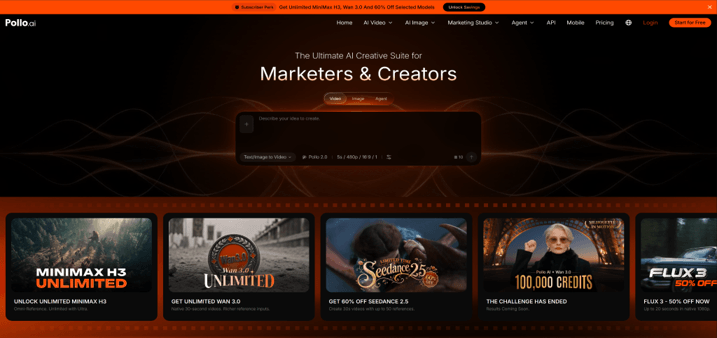
Pollo AI’s reference-to-video feature makes it simple to create consistent character clips. Upload a picture of the product, portrait, character, or illustration and describe the action, atmosphere, and camera movement you wish to create. It is simple to use and works for social posts, ads, creative projects, and quick visual tests.
One of the major benefits is that Pollo AI offers access to various AI video models, all at once. This enables users to compare different results without switching platforms. It also offers a variety of templates for common effects and content styles. Use a clean image as a source and limit each prompt to one primary action to get a consistent result.
2. Wan 3.0
Best for: Users who want detailed prompts and stronger control over scene development.
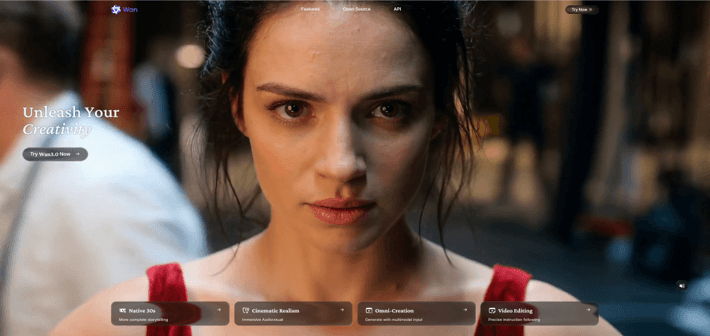
Wan 3.0 is a useful option capable of producing native 30-second videos from a visual reference. A source image can set the focus, composition, clothing, product design, or visual tone. The prompt can then describe the way in which the subject moves and the way in which the scene evolves throughout time.
It can be beneficial for character clips, film ideas, brand product shots, and short branded stories. Detailed prompts are likely to generate more controlled results; overly detailed prompts may introduce unwanted changes. Identify the parts that are not to change in the shot and describe one primary movement. Access and features supported may differ by platform; please check the latest access information before beginning a project.
3. Runway
Best for: Marketing teams and creative professionals who need generation and editing tools.
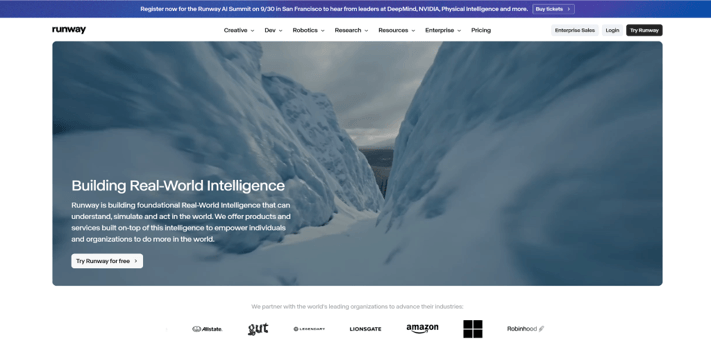
Runway supports video creation based on references in a wider production workflow. They can start with an image and lead it through a prompt and use other tools on the platform to improve the clip. This lends itself well to ideas for campaign concepts, campaign ads, storyboards, and stylized brand films.
Runway offers users greater space to create and enhance an entire project when compared to a simple generator. Not every tool suits everyone, and the wider toolset may have a learning curve, especially for new users who want to clip footage quickly. Use the same source assets, camera terms, lighting descriptions, and color language throughout the scenes for better consistency. Always preview faces, hands, text, logos, and product details before publishing.
4. Kling AI
Best for: Realistic videos that need natural subject movement and detailed environments.
Kling AI is popular for creating videos from still images with rich details. Upload a shot of a portrait, product, or landscape and write the desired action. It is ideal for lifestyle content, fashion shots, product unboxing videos, travel photos, and realistic social media videos.
When the prompt is well-defined and physically plausible, its motion can appear natural. Simple direction is often better, as complicated actions can lead to unexpected changes in the subject or background. Include significant information to be kept constant: colors, clothing, packaging, and object shapes. Make a few drafts and then compare them closely; slight variations in visual elements can impact brand precision and uniformity.
5. Hailuo AI
Best for: Short-form content with active movement, expressive scenes, or dynamic camera work.
Using Hailuo AI, you can directly animate a reference image and make an interesting short video. It has the ability to add subject motion, environmental movement, and obvious camera effects using its image-to-video capability. The platform is thus an ideal choice for entertainment, social media marketing campaigns, creative concepts, and quick storytelling experiments.
The tool is most useful when the image is focused on a single action and the prompt is a single action. Excessive movement or multiple styles can detract from visual consistency. Use multiple versions of the prompt, but keep the core description of the topic the same. When using a clip for the public, check faces, logos, clothing, product proportions, and background objects. This kind of review is particularly crucial if the original picture is of a well-known brand.
How to Get Better Results From a Reference Image
The image source can have a significant impact on the quality of the created video. Create a sharp image that has a definite subject and minimal distracting elements. When you need to show a product, make sure its shape, label, and key design features are clearly visible.
Your prompt should describe movement, define what the subject is doing, where it’s moving to, how it’s lit, and the style. Don’t ask for multiple unrelated actions in a single generation. Use multiple clips for various shots and edit them together.
Written text is often hard to maintain in the resulting video when AI models are used in a video. Where a product label or message needs to be precise, incorporate it into the product during post-production and not depend on the generator alone.
Which AI Video Generator Should You Choose?
Pollo AI is an excellent choice for those seeking an easy-to-use interface, various models, and templates all within a single platform. If detailed prompting and reference control are important, consider using Wan 3.0. Runway suits a broader production workflow, while Kling AI focuses more on realistic movement.
Test the same picture and question using multiple tools before selection. The platform that yields valuable clips for your type of content is the best platform.
Popular on OTW Right Now!


About The Author

Gagan Bhangu
Founder of otechworld.com and managing editor. He is a tech geek, web-developer, and blogger. He holds a master's degree in computer applications and making money online since 2015.