
Home WiFi Problems in UAE: Common Causes, Effective Solutions, and Tips for Better Internet Performance
Home WiFi Problems in UAE
A reliable internet connection has become an essential part of everyday life in the UAE. Whether you’re working remotely, attending online classes, streaming movies, playing games, or managing smart home devices, a stable WiFi connection is crucial. However, many residents experience home WiFi problems in UAE that affect productivity and entertainment.
From slow internet speeds and weak signals to random disconnections and dead zones, WiFi issues can occur for several reasons. Fortunately, most of these problems can be identified and resolved without replacing your entire network.
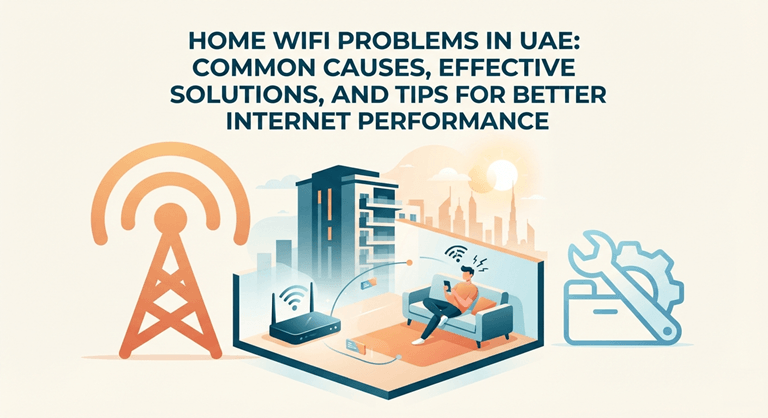
In this guide, we’ll explore the most common home WiFi problems in UAE, their causes, practical solutions, and preventive measures to help you enjoy a faster and more reliable internet experience. Check this Cctv Installations In Dubai
Common Home WiFi Problems in UAE
1. Slow Internet Speed
One of the most frequent complaints among homeowners is slow WiFi performance. You may notice webpages taking longer to load, buffering while streaming videos, or delays during video calls.
Common causes include:
- Too many connected devices
- Outdated routers
- Poor router placement
- Background downloads
- ISP congestion during peak hours
Running a speed test can help determine whether the issue is with your WiFi network or your internet service provider. Check this Access Control System Dubai
2. Weak WiFi Signal
Large villas, apartments with thick concrete walls, and multi-story homes can weaken wireless signals. If your router is placed in one corner of the house, distant rooms may receive poor coverage.
A weak signal often results in:
- Slow browsing
- Frequent buffering
- Poor video call quality
- Smart devices disconnecting
Moving the router to a central location often improves coverage significantly.
3. Frequent WiFi Disconnects
Another common issue is the internet disconnecting randomly throughout the day.
Possible reasons include:
- Router overheating
- Firmware issues
- ISP maintenance
- Signal interference
- Faulty hardware
Restarting the router may temporarily solve the problem, but repeated disconnections usually require further troubleshooting.
4. Dead Zones Inside the House
Dead zones are areas where WiFi signals barely reach.
These are common in:
- Large villas
- Duplex apartments
- Homes with thick walls
- Buildings containing metal structures
Installing WiFi mesh systems or range extenders can greatly improve coverage throughout the property.
5. Devices Connected but No Internet
Sometimes devices show they are connected to WiFi, but websites won’t load.
This may happen because of:
- ISP outages
- DNS issues
- Router software glitches
- IP conflicts
Restarting both the modem and router usually resolves temporary connectivity issues.
Common Causes of Home WiFi Problems in UAE
Poor Router Placement
Many people place routers inside cabinets, behind televisions, or near walls.
For best performance, position the router:
- In the center of the house
- On an elevated surface
- Away from metal objects
- Away from microwaves and cordless phones
Proper placement alone can improve wireless coverage dramatically.
Outdated Router
Older routers may not support modern internet speeds offered by UAE providers.
If your router is several years old, upgrading to a dual-band or WiFi 6 router can significantly enhance speed, stability, and device capacity.
Too Many Connected Devices
Today’s homes often have dozens of internet-connected devices, including:
- Smartphones
- Laptops
- Tablets
- Smart TVs
- CCTV cameras
- Smart speakers
- Gaming consoles
- Home automation systems
When multiple devices stream videos or download large files simultaneously, network performance can decline.
Wireless Interference
Other electronics can interfere with WiFi signals, including:
- Microwave ovens
- Bluetooth devices
- Baby monitors
- Neighboring WiFi networks
Switching to the 5 GHz band often reduces interference and improves speeds.
Internet Providers in UAE
Most residential internet users rely on providers such as:
- Etisalat
- du
Occasionally, internet issues may result from temporary service outages or maintenance rather than problems within your home network.
If troubleshooting doesn’t help, contacting your service provider is recommended.
How to Fix Home WiFi Problems in UAE
Restart Your Equipment
Power off your modem and router.
Wait about one minute before turning them back on.
This simple step refreshes the connection and often resolves temporary glitches.
Update Router Firmware
Manufacturers regularly release firmware updates to improve:
- Performance
- Security
- Stability
- Compatibility
Log into your router’s settings and check for available updates.
Change WiFi Channel
In apartment buildings, neighboring WiFi networks often overlap.
Changing the wireless channel can reduce congestion and improve signal quality.
Upgrade to Mesh WiFi
Large homes may benefit from a mesh WiFi system.
Unlike traditional range extenders, mesh systems create one seamless network with consistent coverage across every room.
Secure Your Network
Ensure your WiFi uses a strong password with WPA2 or WPA3 encryption.
Unauthorized users can consume bandwidth and slow your internet connection.
Tips to Improve WiFi Performance
Follow these best practices:
- Place the router in a central location.
- Keep it elevated from the floor.
- Restart the router occasionally.
- Limit unnecessary background downloads.
- Disconnect unused devices.
- Upgrade old networking equipment.
- Use Ethernet cables for gaming or desktop computers.
- Perform regular speed tests.
When Should You Upgrade Your Router?
Consider replacing your router if:
- It’s more than five years old.
- Internet speeds remain slow despite a fast broadband plan.
- Your home has many connected devices.
- Coverage is poor throughout the house.
- You frequently experience dropped connections.
Modern routers support faster wireless standards and better handle multiple devices simultaneously.
Smart Home Devices and WiFi
Smart homes are becoming increasingly popular across the UAE.
Devices such as:
- Smart lights
- Smart locks
- Security cameras
- Smart thermostats
- Voice assistants
all depend on stable WiFi.
A weak wireless network can affect automation performance, causing delays or device disconnections.
Professional WiFi Optimization
Sometimes home layouts make it difficult to achieve full wireless coverage.
Professional network technicians can:
- Conduct WiFi site surveys
- Optimize router placement
- Install mesh systems
- Configure advanced settings
- Reduce interference
- Improve whole-home coverage
This is especially beneficial for larger villas and office-home setups.
Preventing Future WiFi Problems
Regular maintenance can help prevent recurring issues.
Recommended practices include:
- Updating router firmware
- Restarting equipment monthly
- Monitoring connected devices
- Replacing aging hardware
- Using strong passwords
- Keeping networking equipment dust-free
These simple habits improve both performance and network security.
Conclusion
Experiencing home WiFi problems in UAE can be frustrating, especially when your daily work, entertainment, and communication depend on a reliable internet connection. Fortunately, many issues—such as slow speeds, weak signals, dead zones, and random disconnections—can be resolved through proper router placement, equipment upgrades, regular maintenance, and optimized network settings.
If basic troubleshooting doesn’t solve the problem, consider upgrading to a modern router or mesh WiFi system, or consult a professional technician for a complete network assessment. Investing in a well-optimized home WiFi network ensures faster speeds, stronger coverage, and a smoother online experience for every member of the household.
Popular on OTW Right Now!


About The Author

Gagan Bhangu
Founder of otechworld.com and managing editor. He is a tech geek, web-developer, and blogger. He holds a master's degree in computer applications and making money online since 2015.