
Audio Noise Removal AI: Benefits, Risks, and Realistic Results
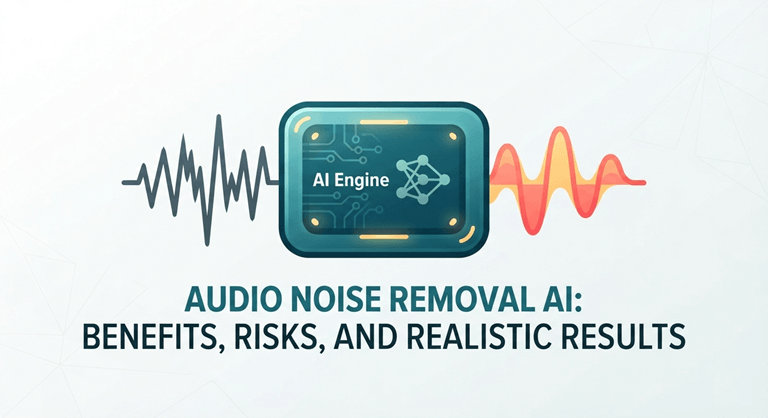
A useful recording can be weakened by an air-conditioner drone, roadwork outside a meeting room, or crackly remote-call audio. Audio noise removal AI can reduce those distractions quickly, yet an aggressive pass may erase the tail end of a softly spoken word or give a voice the tinny character of a cheap speaker. For podcasters, trainers, marketers, and content teams, the job isn’t merely making a waveform look cleaner. It’s protecting every word the audience needs to understand.
What AI Can Realistically Improve
Software usually performs best on noise with a stable pattern. A steady HVAC hum beneath a podcast interview, for example, is easier to separate from speech than a chair scrape that lands in the middle of a sentence. Some AI noise removal workflows can also reduce consistent room tone between spoken phrases.
Changing sounds requires more care. With a training module, taps can only be shown during the time the presenter says the names of products or shortcuts. If it considers them as noise, it may affect the softening of the consonants in addition to the tap. A cleaned file can sound “quieter” than a “dirty” file but provide less information.
Pre-Publication Listening Checks for Audio Noise Removal AI
Before trying an audio noise remover, decide what must survive intact: names, figures, legal wording, instructions, or a speaker’s emotional tone. A brief test tells you more than a dramatic before-and-after preview based on an easy section of audio.
The high level of processing can result in warbled “s” sounds, clipped sounds, room tone loss, or color change in the voice. There might be variations as well between microphones and noise types. A lavalier recorded in a quiet office may be able to clear up differently from the compressed remote interview with intermittent packet loss.
As with quality, privacy must be considered. When uploading files to the cloud, check the most recent privacy policy, data retention, and sharing restrictions. Consent or local processing may be required for recordings of clients, staff, students, or unreleased campaigns.
A Safe Evaluation Checklist Before You Use the Final File
Use this “protect the message first” check before replacing the original recording:
- Save an untouched original with a clear filename.
- Process a short excerpt that includes both speech and the problem noise.
- Compare original and processed versions at matched volume on headphones.
- Listen closely for names, numbers, soft word endings, and pauses.
- Use the lightest setting that reduces the distraction.
- Confirm upload and retention practices before sending sensitive files online.
For two reasons, matched loudness is important: 1) a louder processed clip can feel clearer without the loss of detail, and 2) the loudness of a clip must match the loudness of the original clip. Reduce the effect if there is a sudden silence between phrases or some word that has that final “t” taken away, like “report”; that’s more noticeable than the hum degrades a bit.
Choose the Right Workflow for the Recording
If the hum or noise level from the fan is steady, begin with a short AI pass and evaluate the speech. In the case of intermittent sounds (keyboard clicking during a webinar or a delivery buzzer during a voice-over), edits can be targeted to maintain more of the speaker’s voice.
If a word is completely obscured, then it can’t be reconstructed reliably from the silence. It’s generally better to re-record a short line than to publish an incorrect phrase. Prior to putting that data into a cloud workflow, resolve the data handling dilemma in a file that has sensitive information.
FAQ
Can AI remove all background noise?
No. It can help remove “predictable” background noises, but more challenging to remove changing sounds and noises that overlap with speech without also affecting the voice.
Can it restore speech buried under noise?
Sometimes parts of speech will be recovered more easily due to processing, while other parts will not be recovered at all if they are completely masked by noise or distortion.
Do cloud-based tools raise privacy concerns?
They can. Review existing procedures for handling, retention, access, and deletion of uploads, particularly for client calls, employee training,g or confidential interviews.
Final Takeaway
Use audio noise removal AI to make a stable hum less intrusive, not to rewrite a damaged recording into a perfect one. Test a representative clip, compare it at equal volume, and keep the original until every name, number, and soft phrase still sounds right.
Popular on OTW Right Now!
-
 2026 Best AI Video Translator: The Ultimate Guide to Free Video Localization
-
 A Practical Workflow for Turning Technical Notes Into Clear AI Diagrams
-
 How an AI Content Detector Works and What Similarity Checks Mean
-
 Enterprise-Level DAST: How to Secure AI-Generated Code Across Thousands of Repositories



About The Author

Gagan Bhangu
Founder of otechworld.com and managing editor. He is a tech geek, web-developer, and blogger. He holds a master's degree in computer applications and making money online since 2015.