
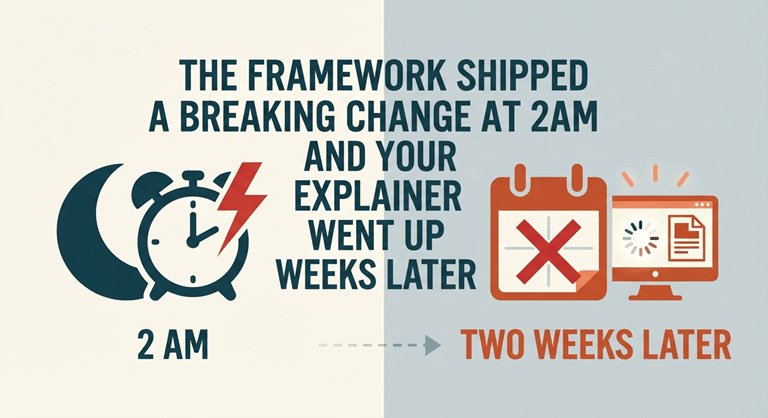
The Framework Shipped a Breaking Change at 2am and Your Explainer Went Up Two Weeks Later
A developer relations lead at a mid-sized tooling company described the pattern that had been quietly costing them reach. Something lands in their ecosystem — a major version with breaking changes, a deprecation notice, a security advisory affecting a dependency half their users have installed — and the written response is fast. A blog post or a changelog entry goes out the same day, sometimes within hours. The video version, the one that gets pulled into feeds and shared in team Slacks, takes another two weeks, because it needs a script, a recording session and an edit from people who are also shipping product.
By then someone else has published the explainer. Not necessarily a better one. Just a faster one.
Speed is the entire advantage, and video gives it away.
The time for technical news is quick, and it is fast. A breaking change has the greatest impact on the days people are considering upgrading, ng and an advisory has a greater impact before teams have patched around it. That window scrolls along with the text. Traditional video production is based on a completely different clock: Scripting, Recording, Editing, and Review, all of which are scheduled on someone’s calendar.
It’s not a class issue; it’s a mismatch. It is structural. Which, of course, is the problem: Engineering audiences, who are witnessing news as a little video in a feed instead of a link to a post, are getting the story from the fastest producer.
Generating the video from the post you already published
The way out is to stop treating the video as a separate production and start treating it as a rendering of the text. You supply the post, and the software handles the structure and the narration.
An AI breaking news video generator like Leadde is built on that input. You upload the article, a document or pasted text, and it drafts an outline, builds the on-screen scenes, and generates the voiceover. You set the narrative style, choose a level of detail, and name the audience, which is what lets one source produce two different outputs: a ninety-second clip for the feed and a longer explainer for the docs site, without writing the thing twice. Built-in presenters are available, plus the option to generate an avatar from a single photo, so a recurring video format does not depend on any one person being free to sit in front of a camera.
Audience distribution was automatic in the case of the 88 languages and 175 dialects supported, and they were an important factor in this category. Teams in multiple markets can be notified about the release using translation of an existing released video rather than re-releasing it.
Where it earns a place in a technical org
The applications are uncool. A DevRel team releases a video that summarizes the release, rather than 2 weeks after the release. A product team puts changelog entries into a digest of monthly videos that customers do watch. The security team sends out a summary of the advisory to users who are not likely to ever open the mailing list. A technical publisher that is publishing fast-moving space has video on a beat that was previously in text. An open source maintainer creates a migration explainer for a major version without being responsible for any of the skills that are typically required for the production.
In both examples, the writing actually already was there. The only thing that has changed is that it has arrived in a format that goes with the audience, and it’s now within the window in which it was relevant.
The limits worth stating plainly
This is an explanation that is better than a demonstration of a change and its reason. If you need a real terminal, an actual walkthrough of the UI, a live console, then you should do it yourself, not use a screen recorder, and it is not a “walkthrough of a scene” you’ve made. The AI-powered presenters improved and, under close scrutiny, still sound a bit synthetic, but the changelog digest isn’t really a place for a named engineer to be present, so it’s ok. The keynote-adjacent announcement is a different story, however, where the point is the engineer’s name.
Most significantly, no responsibility is shifted because of automation. The tool doesn’t look for a CVE, version number, or error in your migration guide. When the post is incorrect, the video is incorrect quicker and in front of more individuals. Technical accuracy remains as usual, before publishing.
Start with one recurring format.
Avoid a large-scale implementation. If you’ve always wanted to create highlights, a changelog, the upgrade explainer, or whatever else, make a version of it using a free tier, and post it where your users are scrolling. Take a few cycles and observe traffic, where it is going, and the amount of traffic that is going through the track. If it doesn’t work on that one format, then it is worth connecting it to the release process, and your video won’t come in when the discussion moves on.
Popular on OTW Right Now!


About The Author

Gagan Bhangu
Founder of otechworld.com and managing editor. He is a tech geek, web-developer, and blogger. He holds a master's degree in computer applications and making money online since 2015.