
WhatsApp Automation Tool for Events: Features, Benefits, and Use Cases
With the rise in the number of attendees at events and the increasing demand for faster and digital registrations via online platforms, the organizers have been facing challenges while handling event communication.
Manually sending reminders and updates to tens of thousands of attendees is not sustainable in the long-run and easily exhausts the teams. To overcome these challenges, event technology providers have integrated WhatsApp automation tools into their event tech stack to streamline the process for businesses. In this blog, we will discuss the features, benefits, and use cases of these tools.
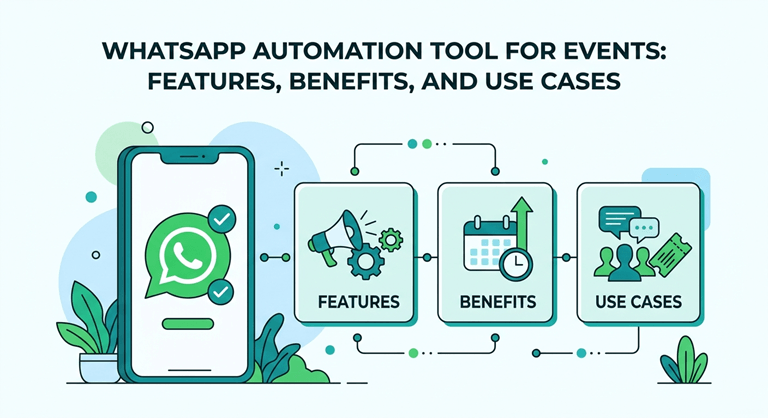
What are WhatsApp Automation Tools For Events?
WhatsApp automation tools for events serve as a digital assistant for organizers to send important reminders, event updates, and registration confirmations directly via WhatsApp using automated software. These tools have significantly eliminated the need for manual reminders and messaging.
5 Best WhatsApp Automation Tools for Events
Here are the 5 best automation tools for events, you can use to make your event ecosystem automated:
1. WATI
A WhatsApp Business API platform that helps businesses automate customer and attendee communication through chatbots, broadcasts, and shared team inboxes.
2. Interakt
A WhatsApp CRM and marketing tool that automates messaging, manages leads, and helps segment and engage event audiences effectively.
3. AiSensy
A WhatsApp marketing automation platform that enables bulk messaging, chatbot automation, and campaign tracking for audience engagement.
4. Gallabox
A WhatsApp automation and CRM tool that supports automated workflows, multi-agent support, and event communication management in real time.
5. Dreamcast WhatsApp Automation
Dreamcast, an event-focused communication platform that automates attendee messaging like tickets, reminders, check-ins, and live updates for large-scale events.
Why Did Organizers Feel the Need for WhatsApp Automation for Events?
Organizers are occupied with multiple aspects when hosting an event, and with so many things to handle at once, they often face complaints from attendees regarding missed notifications.
This has been a major issue for event teams, and with the audiences growing in volume and digitalization, they are witnessing a significant fall-off in event messaging features with their existing mechanisms, and have eventually started shifting towards automated tools for WhatsApp-driven communication.
5 Key Reasons Organizers Today Choose Automated Platforms Over Generic Methods of Messaging
- High volume of attendees
- Missed communication
- Time-consuming coordination
- Real-time event updates
- Better attendee experiences
Key Features for Large-Scale Events
Here are the key features of WhatsApp automation tools for events with large audiences:
Registration and Ticketing
Automate the registration confirmation and ticketing process for attendees.
- Event registration via chatbot
- Instant confirmation messages
- QR code / digital ticket delivery
- Payment integration for paid events
User Engagement
Enhance the interactivity and networking capabilities of event platforms to keep attendees engaged.
- Live polls, quizzes, and Q&A sessions
- Event reminders and countdowns
- Live updates during sessions
- Interactive participation tools
Pre-Event Database Marketing
The tools allow organizers to use the pre-event data to run targeted campaigns and attract the right audience.
- Targeted invitation campaigns
- Broadcast messages to segmented lists
- Follow-up reminders for registrations
- Promotional offers (early bird, discounts)
Effective User Support
Organizers can enable AI-powered chatbots and query support agents with the help of automation tools.
- Chatbot for FAQs
- Instant event information access
- Navigation and logistics support
- Human handover for complex queries
Post Event Feedback
The technology empowers the teams to understand the event performance and get insights into its strengths and weaknesses by creating platforms for feedback.
- Automated feedback forms
- Session ratings and surveys
- Thank you, and follow-up messages
- NPS (Net Promoter Score) collection
Benefits of WhatsApp Automation Tools
As modern events are expanding their reach with diverse audiences showing up, the tools are turning out to be beneficial across several event lifecycle aspects, including:
Higher Engagement Rates
- Fast open rates
- Instant visibility on mobile
- Better response rates from attendees
Organizers are witnessing a boost in the number of attendees interacting with the event app.
Time and Cost Efficiency
- Staff don’t need to do repetitive messaging
- Automated replies and workflow
- Reduced support workload
Businesses are saving on time and cost by integrating automated systems that minimize manual intervention and support.
Improved Event Attendance
- Pre-event notifications
- Countdown messages
- Last-minute alerts
Events are improving their communication pipelines with the help of digital platforms by reducing last-minute interruptions.
Scalable Communication
- Seamless handing during peak hours
- Segmented audience targeting
- Bulk messaging without delays
Platforms incorporated with the communication systems are not being overwhelmed by the increase in attendee volumes due to smooth coordination.
Better Attendee Experience
- Quick query resolution via chatbots
- Event updates in real-time
- Streamlined registration and ticketing access
The teams have effectively balanced the event management ecosystem while enhancing the attendee journeys with personalized messaging.
Use Cases and Functionality of WhatsApp Automation Tool for Events
The comprehensive feature set of these tools can be used for a wide range of gathering and occasions, as per the scale, flexibility, and event requirements.
1. Corporate Events and Conferences
Core Functionalities:
- Automated invitations and RSVP collection
- Agenda sharing and speaker updates
- Session reminder and schedule changes
- VIP attendee segmentation
Use Case:
Organizers can share updates regarding the changes in the speaker session, keeping the attendees informed regarding delays or rescheduling.
2. Webinars and Virtual Events
Core Functionalities:
- Registration via chatbot
- Auto-sending meeting links (Zoom/Teams)
- Reminders before the event
- Live support during the event
Use Case:
Events with virtual environments can help attendees with queries by replying to their questions in real-time during the event.
3. Trade Shows and Exhibitions
Core Functionalities:
- Visitor registration and QR codes for check-in
- Assistance with booth navigation
- Automated tools for lead capturing
- Real-time announcements
Use Case:
During the event, teams can make important announcements via WhatsApp to attendees personally, without disturbing the ongoing event flow.
4. Multi-City or Hybrid Events
Core Functionalities:
- Location-specific messaging
- Time-zone-based reminders
- Separate communication streams per city
- Hybrid coordination (online + offline)
Use Case:
With an audience spread across different cities, the tools can send specific time-zone-based reminders to ensure the messaging doesn’t disrupt the normal schedule of attendees.
5. Global Conferences and Summits
Core Functionalities:
- Multi-session agenda distribution
- Speaker updates and coordination
- Personalized schedules for attendees
- Live announcements across regions
Use Case:
Businesses can plan and send a personalized message with the event schedule as per the attendee category and ticket tier.
Final Words
With automation occupying a large portion of the digital event space, the tools for WhatsApp automation have added a powerful feature to the already existing event systems by enhancing their productivity.
These tools span an array of features, including registration, ticketing, event reminders, and live updates to elevate attendee journeys and benefit the organizers in cultivating better event journeys for their audience.
It can be used across distinct occasions to resolve the event communication challenges, especially in events that have large attendee counts and VIP audiences.
Popular on OTW Right Now!



About The Author

Gagan Bhangu
Founder of otechworld.com and managing editor. He is a tech geek, web-developer, and blogger. He holds a master's degree in computer applications and making money online since 2015.