
Best PDF Conversion Tool in 2026: A Comprehensive Review of JOPDF
Electronic documents are everywhere these days, so whether you’re a student, office worker, or company, you need to know how to manage, convert, and edit PDFs. Companies, schools, and financial institutions—electronic documents are indispensable everywhere. Therefore, there are many software companies making PDF tools. However, when it comes to affordable, easy-to-use, and secure PDF tools, truly good ones are few and far between. Recently, a new PDF editing tool called JOPDF was released, and many users are already using it.
This article will discuss why everyone believes JOPDF will be the best PDF conversion tool of 2026, and I will also thoroughly review its features, interface, ease of use, and price.
What is JOPDF?
JOPDF is a brand-new PDF processing tool designed to make processing PDF files simpler and more efficient for users. It utilizes popular cloud and intelligent document technologies, making it one of the best in the market in terms of speed, accuracy, and security.
Unlike previous desktop PDF software, JOPDF emphasizes flexibility and ease of use. You can use it directly without registration, and it works easily on Windows, Mac, and other systems. The interface is also simple and straightforward, allowing both beginners and experienced users to quickly get started.
Key Features of JOPDF
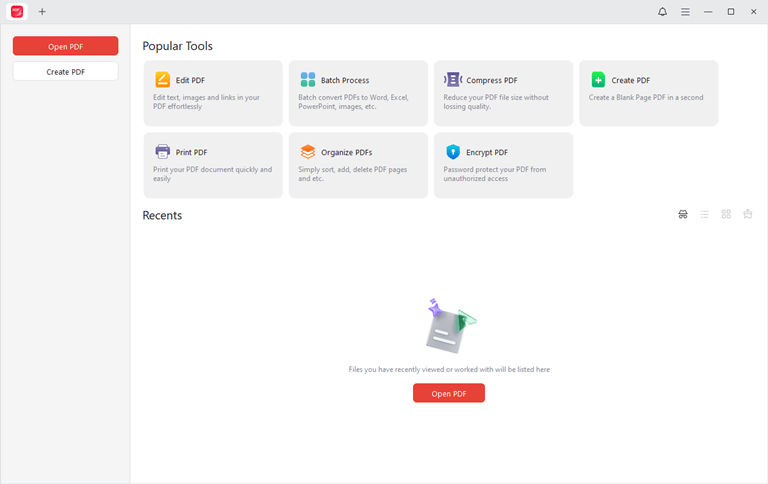
1. Highly Accurate PDF Conversion
JOPDF can convert between PDF and various formats including Word, Excel, PPT, and images, while highly preserving the structure, fonts, tables, and layout of the original file. Even complex documents can be converted with ease.
2. Powerful PDF Editing Tools
Edit text, images, links, and more directly within PDF files without registering an account. Various annotation tools are also provided to highlight key content.
3. Enhanced Document Security
JOPDF features strong encryption capabilities, allowing password protection for encrypted files. Customization editable, viewable, and printable permissions are also available.
4. Lossless File Compression
Reduce PDF file size while maintaining document quality.
5. Batch Processing and Automation
Batch convert, rename, compress, and merge files, saving time.
6. Cross-Platform Support and Simple Interface
JOPDF boasts a clean design, fast operation, and a smooth user experience, free from lag, ads, and system interference. It supports multiple operating systems, including Windows and Mac.
7. Completely Free PDF Tool
A 100% free PDF editing tool; all features are free to use without incurring any costs.
How to Convert PDF to Word?
Now, let’s see how to easily convert PDF documents to Word using JOPDF. Here are the specific steps:
Step 1: Download and run JOPDF
You can download it from the JOPDF website.
Step 2: Click “Batch Process.”
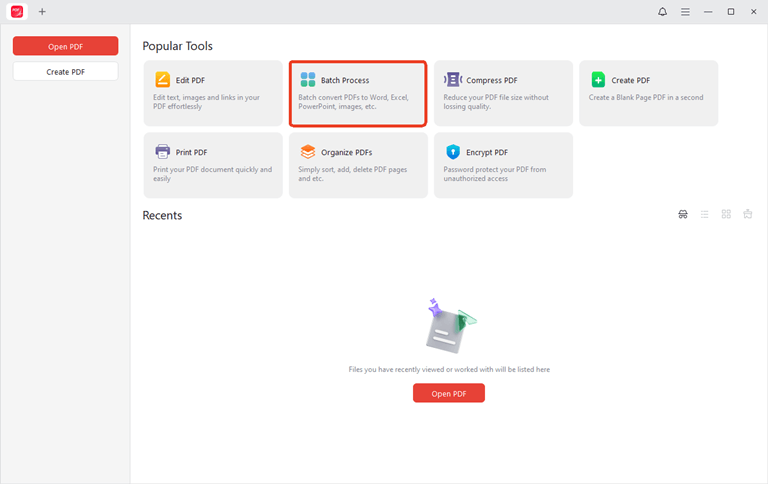
On the homepage, click “Batch Process,” then select “Convert PDF to Word.”
Then select the PDF document you want to convert, or simply drag and drop the document into the corresponding area.
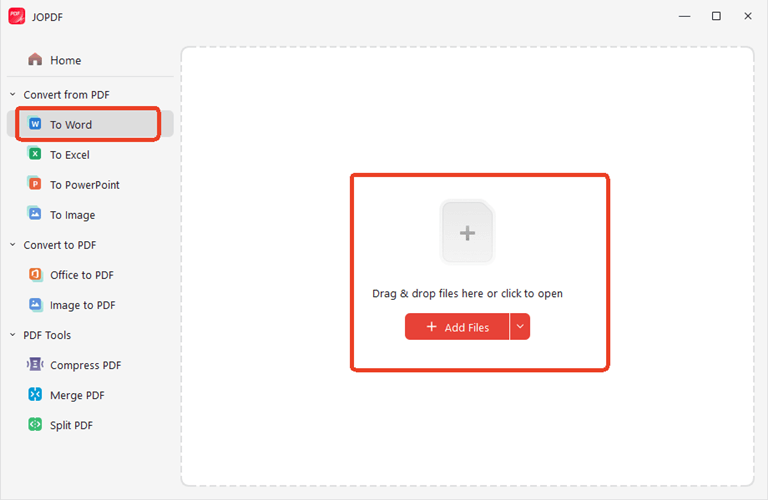
Step 3: Select the conversion mode
Select the target format for the document and the number of pages you want to convert. Also, select the location of the target document.
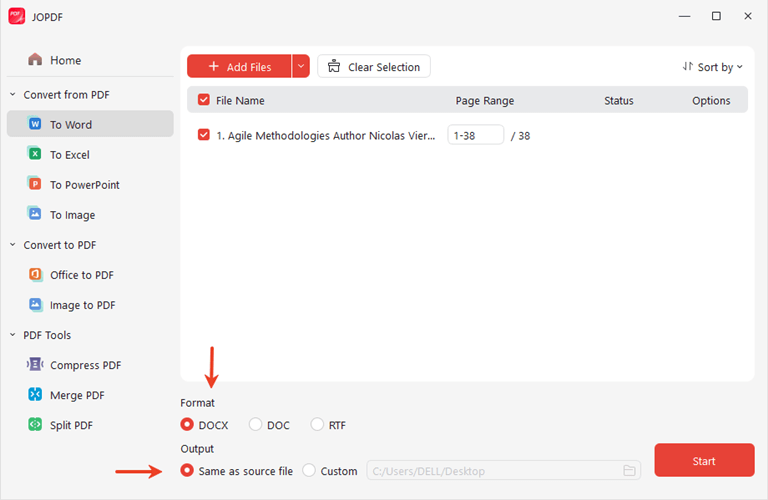
Step 4: Click “Convert”
JOPDF will process the document in a few seconds.
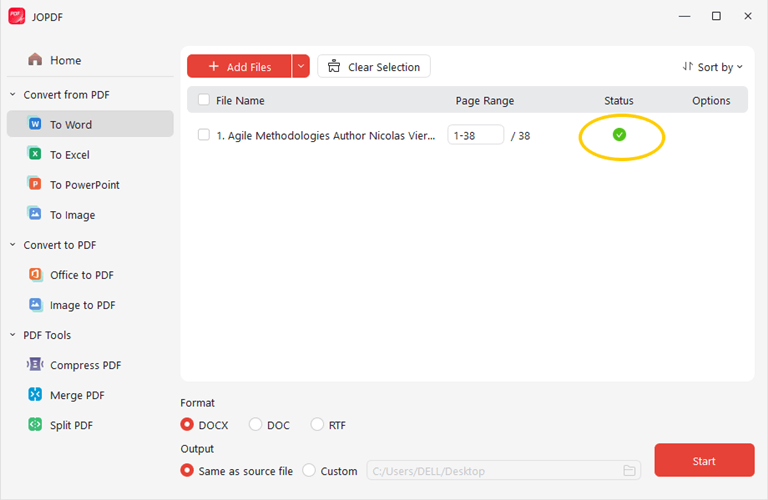
When the status shows “√,” your document conversion is complete.
Final Words
JOPDF, with its outstanding conversion quality, powerful editing features, smooth user experience, and cross-platform usability, is undoubtedly the best PDF converter of 2026.
Whether you’re managing company contracts, academic assignments, creative design documents, or personal records, JOPDF is an intelligent, professional, and efficient all-in-one solution.
If you’re looking for a free and reliable tool to save you time, improve efficiency, and enhance document quality, JOPDF is definitely your best choice.
Popular on OTW Right Now!




About The Author

Gagan Bhangu
Founder of otechworld.com and managing editor. He is a tech geek, web-developer, and blogger. He holds a master's degree in computer applications and making money online since 2015.